-
Boot issues. Newb wants help.
<center> I have two versions of Knoppix, both on cd. 3.3 from a friend and 3.4 from OpenSource WA. I start with 3.3, and try to boot by setting my boot sequence to ATAPI CD-ROM, Floppy, then IDE-HDD. No such luck. It tries to boot, then ignores the CD in the drive and goes to windows (*shudder*). So I use cmd: X:\KNOPPIX\RaWrite2.exe -f boot-en.img -d A to create a boot floppy. That works fine, I boot fomr the floppy. I get to the main screen, I enter my knoppix cheatcodes (heheh) and it begins loading vmlinuz from the floppy. It gets to about four dots, then tells me that I have the wrong disc in the drive.
So I try 3.4. I still can't boot, and I can find no method to create a 3.4 boot floppy.
Is this a common issue that is easily resolved? Or am I royally smegged? </center>
-
The path I've used in this case (though it was with 3.6, but this SHOULD work) is:
1. Download Smart Boot Manager. (for more information about this, click here.)
2. Now you need to make a boot floppy. To do this, use a utility called rawwrite. (for more info about this, click here.)
3. Once the boot floppy is created, start the computer.
4. Make sure your computer's BIOS has been set so the computer boots from the floppy disk.
5. Insert the floppy and Knoppix CD, and check that the computer indeed boots from the floppy.
6. When the Smart Boot Manager's menu appears, choose the menu option with "CDROM" in it, and press Enter.
7. The computer should now boot from the CD.
Hope this helps,
Ewan
---
You can read my blog if you need something else to do 
-
Alright, I'd already made the boot disk as I described in my first post, but I'll try that. Thanks.
-
 I boot from SBM 3.7 which I installed on my floppy. I select CD-ROM drive, and I get a disk error. Crapsticks.
-
Any chance that your CD-ROM is not an ATAPI CD-ROM? Other machine info that might be of help?
Considering I've been able to get Knoppix working even on an old PII with 64 megs of RAM, I would think there's someway to get it working on your box.
-
Mmm, in my hardware manager it says ATAPI 52X CD-ROM, so I don't think that's it. My machine is a PIII 700Mhz with 384Mb of RAM, an Intel D815EEA motherboard, 9.52 Gb HDD, nVidia Riva TNT2 Model 64 Pro gfx card... Nothing particularly out of the ordinary...
-
Sorry, didn't realize we were talking about a modern machine (at least comparatively)...
The only time I've seen behavior like that before where it was a fairly standard system was when there was a conflict between the jumper on the drive and the cable attachment - I.E. the jumper on the drive is set for master but the drive is connected as slave. In which case you can go along fine for a bit and then the IDE controller gets all confused.
To rule that out you would want to grab some other Live CD (like Ubuntu or Kanotix) and see if you see the same problem.
Hope this helps,
Ewan
-
<center> Alright, I'll check that, but I don't think that's it. I just put it into this new case, and I do have another on a Slave, but I'm fairly sure this one is set to master. </center>
-
Senior Member
registered user
I believed the problem is with your cdrom drive.........which unable to read knoppix cd in high speed ......or miss alignment with cd. I had similar problem with different model and speed of cdrom and different cd.
Sometimes updating bios will fix this.
You can try disable unnecessary integrated pheripheral such as usb, disable acpi function......etc..... in bios.
Or get a new iso and burn it.
Or swap your cdrom with other cdrom.

-
I'm going to get the CD-ROM drive from my crappy $50 133Mhz Win95 machine KNoppix worked on to try it.
Similar Threads
-
By echromes in forum Customising & Remastering
Replies: 9
Last Post: 03-31-2006, 04:04 AM
-
By JesusFreak in forum Hardware & Booting
Replies: 5
Last Post: 09-02-2005, 11:43 PM
-
By amag in forum Hardware & Booting
Replies: 1
Last Post: 12-06-2004, 12:48 AM
-
By mike208 in forum General Support
Replies: 3
Last Post: 08-11-2004, 12:19 AM
-
By TotalLinuxNewb in forum General Support
Replies: 2
Last Post: 12-04-2003, 06:08 AM
 Posting Permissions
- You may not post new threads
- You may not post replies
- You may not post attachments
- You may not edit your posts
-
Forum Rules


HP PROLIANT TPS-W003 MICRO- SERVER TOWER Gen 8, 16G RAM
$195.00

Supermicro CSE-937 3U Storage Chassis No CPU No HDD No Ram Tested & Reset
$129.99

Supermicro 1U Network Server Appliance 16GB RAM 800GB SSD 6 LAN Ports Powers On
$450.00

Supermicro 505-2 Server
$280.00

HP ProLiant MicroServer Gen8 G1610T @2.3 GHz, 16GB, 712317-001 NO HDD/OS
$199.00

Supermicro 1027GR-TSF 1U Rackmount Server 2x Xeon 2.3GHz 128GB DDR3
$219.99

Supermicro 2U X10DRU-i 2x E5-2680 v3 2.5ghz 32gb Ram 240gb SSD 2x GPU *READ*
$369.99
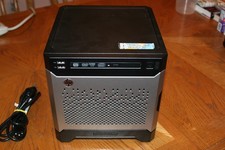
HP Proliant MicroServer Gen8, 4.5TB, (4) HDD, EXCELLENT COND.
$625.00

Supermicro CSE-216 No CPU No Ram No HDD Tested & Reset
$149.99

Nasuni NF-50 Supermicro Server, Atom CPU C2558, @ 2.40GHz, 8GB RAM-No HDD/OS/AC
$187.50



 Reply With Quote