

 Reply With Quote
You can also edit boot/grub/menu.lst in the append to lang=us.


I can't read German ... Ok

1) Go to dir ./etc/init.d and find this files:
knoppix-autoconfig
knoppix-autoconfig.orig
2) edit both and search for this string
### localization
# Allow language specification via commandline. The default language
# will be overridden via "lang=de" boot commandline
LANGUAGE="$(getbootparam lang 2>/dev/null)"
[ -n "$LANGUAGE" ] || LANGUAGE="de"
3) now change in last line LANGUAGE="de" for what you want, maybe LANGUAGE="us",LANGUAGE="uk", etc.
I had change both files but i don't know if you need both.
Try only the first, if don't work try the other.
Bye.
You can also edit boot/grub/menu.lst in the append to lang=us.
 Posting Permissions


USB 3.0 Flash Drive 32GB 64GB 128GB Memory Stick Thumb Stick Lot Pack
$164.99

SanDisk Ultra Luxe USB 3.1 Flash Drive – 5 Pack | Premium Metal USB Flash Drives
$59.99

Windows 11 Pro Install/Recovery/Repair USB Flash Drive
$35.00

Wholesale 5/10/100PCS 1GB 2GB 4GB 8GB 16GB 32GB USB 2.0 Flash Drive Memory Stick
$378.00

Sandisk 16GB 32GB 64GB 128GB Cruzer Blade Flash Drive Memory Stick USB Lot Pack
$175.90
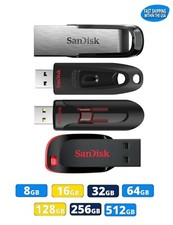
Sandisk Flash Drive 16GB 32GB 64GB 128GB 256GB 512GB Blade Glide Ultra Flair lot
$623.38

Kingston 32GB 64GB 128GB 256GB USB 3.0 Flash Drive Thumb Memory Stick Pen lot
$135.90

Sandisk 32GB 64GB 128GB 256GB Cruzer Glide Flash Drive USB 2.0 Memory Lot
$404.42

Microsoft Windows 11 Pro 64bit - New Sealed – Flash USB 1 PC
$49.99

FLASHFORGE AD5X Upgraded Multi-Color 3D Printer CoreXY High-Speed Auto Refill US
$349.00