

 Reply With Quote
The screen problem will probably on take a little tweaking but I don't know what to do.
The printer though, what type is it? USB?


I'm new to computers, know very little about them. I am trying to learn and run Knoppix 3.6. Working off CD
It finds all my usb items and states my g85 printer is there, but won't print test page. My major concern is that
the desktop is larger than my screen and the bottom task bar is not in site. If I could get the desktop to veiw on the screen, maybe I could get some of these other things to come to life. Thank you for your help a senior citizen trying to stay busy.
The screen problem will probably on take a little tweaking but I don't know what to do.
The printer though, what type is it? USB?
Yes the printer is usb.
From the information you have provided it appears you have used the printer wizard to set up your printer.
You may want to try running that again and if you can, select a different driver and see if that works.
If you continue to have problems please provide as much detail as possible.
For the screen resolution problem you should be able to use the System>screen resize & rotate tool from the KDE menu
to change your screen res. There are other ways to do that too like specifing the screen size at boot.
Good luck
I had the same problem with my old laptop, knoppix wants 1024x768 and i have an 800x600 screen
try fb800x600 or screen=800x600 in the boot prompt
where its like boot: and you normally press enter, type in
fb800x600
if that doesn't work try linux24 screen=800x600
I know nothing of these new fangled printers though
good luck
at the boot: prompt, instead of waiting for it to timeout or hitting "enter", type this:
knoppix screen=800x600
or better yet, hit the F2 and/or F3 key and see all the wonderful option you can try.
BTW, the screen=fb800x600 option means to use the FrameBuffer video driver at 800x600
resolution instead of the detected video driver. It's sometimes needed on laptops or funky
desktop video cards.
There's an online book on Knoppix you should take a look at too. It's here:
http://www.pjls16812.pwp.blueyonder....pix/index.html
Happy Knoppix'ing
Originally Posted by Doctor
I am useing the CD and typing this response. With your help I went to Control Center, Peripherals, Display
and checked 800 X 600 and got all icons and task bar at bottom of screen. This is the complete desktop with task bar.
It will not let me view USB view, gives me some kind of error. I am trying to do and learn all this from use of theCD before I make an install to my hard drive. I have Xp on my computer now and move around in it alright. I'm told Linux is safer and would like to use that instead, but don't want to mess my computer up so that it is un usable for either operateing system. Still trying to get usb camera and printer to work, ( creative, ct6840 and HP officejet g85 ) Thank you for the help you have already given me. I wll post results of how things work out like above on the desktop hopeing it will help someone else.
Today I could not use the forum from the CD, everytime I tried to use new topic it would bouce back to desktop and I would have to restart browser. The add printer does see both of the usb printers but will not print to my HP g85. It list my usb Brother printer, but does not list drivers for QL500 which is the type of printer it is. I gave a copy of 3.6 to my neice and she is going to think her 70 year old uncle is senial because he can't get it to run and she knows less about computers than I do. I know I'm not the brightest bulb in the socket, but I sure need some help to light this small room. I also notice that Knoppix CD does not let me runn any of the programs on my hard drive. Box comes up asking for open with. This was typed in from Win Xp OS.
IIRC( If I Remeber Correctly ) the hp ?85 does work with Knoppix v3.7 since I just installed that on my mom-in-laws computer over the holidays. But I do remember it crashing the printer install the first time through so you might try it again.
regarding the screen size, if you started Knoppix as mentioned earlier( entering "knoppix screen=800x600" at the boot: prompt ) and you still get a screen where you can't see the desktop parts, it might be because you have a low memory video card. Try using 600x400 and see if THAT works. Obviously, you should be seeing some kind of change to how the desktop looks when you use these different settings. If you are not seeing anything different when you start with these different setting, you most likely are not doing something correctly and you should play with Knoppix more to understand these things.
Another thing you might try is when you can't see the bottom taskbar, try moving the mouse to the bottom of the screen. it might move the whole didsplay.
For the camera, see this: http://www.knoppix.net/forum/viewtopic.php?t=15065. Mine is a Canon S200 but I think the setup is pretty much similar for most cameras. You will have to use gphoto2 instead of flphoto, flphoto isn't on Knoppix & you can't install new apps while running from CD (unless with klik).
 Posting Permissions


Dell EMC PowerEdge R740 8 Bay Server w/ 32GB RAM 2x GOLD 6132 2x 1600W PSU H730p
$499.88

Dell PowerEdge R740xd Dual Intel Silver 4116 @2.1GHz 32GB HBA330 24Bay Server
$525.00

Dell EMC PowerEdge R440 Xeon silver 4215 2.5GHz 16 GB ram 2x 550W PSU No HDD
$275.00
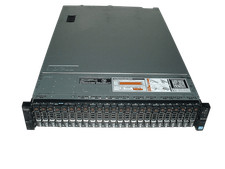
Dell Poweredge R720xd 2x Xeon E5-2660 2.2GHz 16-Cores 64gb H710 26x Trays
$364.99

Dell PowerEdge R640 1U 8SFF Server Barebones 2x Gold 5120 64GB H330 2x 750w
$538.88

Dell Poweredge R630 2x Xeon E5-2680 v3 2.5ghz 24-Cores / 64gb / Raid / 2x 1Tb
$374.99

Dell PowerEdge R640 1U 8SFF Server Barebones 2x Gold 6150 64GB 2x 750w
$499.88
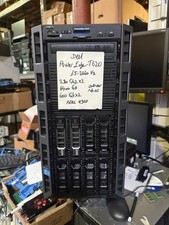
Dell PowerEdge T620 2x E5-2620 v2 @ 2.20GHz, 64GB 2X600GB HDD DVDRW H310 NO OS
$449.99

Dell Intel X710-DA2 5N7Y5 Dual-Port 10GbE SFP+ PCIe 3.0 x8 Network Adapter
$27.50

Dell EMC VxRail E560F 10-SFF 2*Gold 6230R 2.1GHz No RAM HBA330 iDrac Ent Server
$349.99