

 Reply With Quote
did you do like "knoppix24 3" to get text only mode?
knoppix26 3 should work if you use that
should have a better chance of figuring out the swap file if you can fiddle in text mode


Hi,
today I burnt my Knoppix 3.7 CD and made it boot. However, so far I cannot use Knoppix because creating the swap file somehow seems not not work.
After detecting and auto-configuring some devices, I get a message saying I have only 47504 KB free RAM (on a 64MB machine). The only way to answer this message is entering OK, whereas the welcome text on the CD (Knoppix/index.html) says that Knoppix needs only 20 MB of RAM - at least for text mode.
After I have entered OK, Knoppix tries to create a DOS swap file. However this fails with the message
/usr/sbin/mkdosswapfile: line 11: usr/bin/id: Eingabe/Ausgabefehler (which means I/O error)
and it seems to be in an endless loop showing this message again and again. It does not even react to any keystrokes (Ctrl-Z, Ctrl-C, Ctrl-D, ...) so the only way for me to get out has been a hardware reset and booting Windows again.
Can anyone give me a clue as to what has gone wrong? Do I need any preliminary actions in order to create a swap file? Or is there a possibility to start in text mode? (I did not find any option "textmode" or "noKDE" or whatever)
Thank you very much,
Matthias
did you do like "knoppix24 3" to get text only mode?
knoppix26 3 should work if you use that
should have a better chance of figuring out the swap file if you can fiddle in text mode
I already tried "knoppix 2" (should be identical to "knoppix24 2") (which, according to the list of cheatcodes, means "Runlevel 2, Textmode only) with the same result - which really astonished me!
Having read your reply, I tried knoppix26, but it gets stuck when accessing the cdrom drive.
Then I tried knoppix 3 - again same result - I am forced to run mkdosswapfile before getting any prompt, and this loops with the mentioned I/O error.
Regards,
Matthias
Additional informatetion: Knoppix detects 61656 KB (which is considerably less than 64 M) of RAM and then creates a ramdisk of 44212 K on shared memory.
I still cannot understand why I am forced into mkdosswapfile even if I enter "knoppix 2" on the boot prompt.
Regards
Matthias
Now I tried booting "failsafe", and I succeeded in creating two swap files (one on each of my HDD partitions, why?).
Then I could start a KDE session.
So I hoped that Knoppix would detect the swap files on the next boot
However, booting "knoppix" (the normal way) again gives me the same problem as before.
How can I get any clues as to what went wrong in the hardware detection and swap file handling?
Regards,
Matthias
Meanwhile I have found the cause for Knoppix not being able to create or use a swap file: It was the DMA acceleration.
With "knoppix nodma", I can start Knoppix, KDE also starts, and it apparently uses the previously created swap files (One on each of my two partitions).
However, when I try to configure the swap files from KDE, I get an error message "no suitable DOS partitions for creating a swap file".
My "other" OS is Win98, file system Fat32.
What may have gone wrong here?
Regards,
Matthias
I'm not sure what's going on with your machine. I'm running Knoppix 3.7 on a laptop as a sraight Linux disk, and also on a windows 2000(fat32) desktop with an attached usb drive. I have 1gb swap files on the laptop, and the usb drive, which knoppix sees as /dev/sda2. I used QTParted to create Linix ext3 partitions for programs and data, and then the special "swap file" format for the swap files. that's the only thing I can think of. Are your swap files Formatted by cfdisk or QTParted as "swap file" ? When I boot knoppix, it automatically looks around for an available swap file, I never have to tell it where to go to find one .
Hi rgarden,
I did not use cfdisk, QParted, nor anything like that for the swap files. I just had Knoppix make them in the startup process (this step is called automatically when there is not enough RAM to run KDE). For this purpose, Knoppix uses a built-in shell script named mkdosswapfile, and I do not know its details yet.
As I mentioned earlier, my Knoppix does use the swap file (and automatically detects it on startup), if I start it with the nodma cheatcode. I just cannot configure the swap file from the KDE (you get this menu when clicking on the penguin symbol).
regards,
Matthias
 Posting Permissions

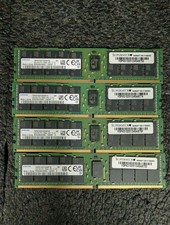
Lot 4 Samsung 64gb PC4-25600 2Rx4 DDR4-3200AA ECC RDIMM Reg Server Memory RAM
$3199.00

Dell EMC PowerEdge R440 Xeon silver 4215 2.5GHz 16 GB ram 2x 550W PSU No HDD
$275.00

867959-B21 HPE ProLiant DL360 G10 CTO Server W/ 2x 865414-B21 1x 840140-001
$225.00
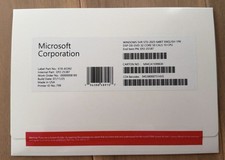
Microsoft Windows Server 2025 Standard 64bit 32 Core-50 CALs DVD With Key Sealed
$95.99

Dell Poweredge R730xd 12LFF 2*2660v4 4*1Gbe h730 2x 750W Server CTO
$308.00

Gigabyte 4U AI Server 10x Nvidia GPU 2x Xeon Gold 6150 36 Core 2.7GHz DDR4 RAM
$1625.00

Dell EMC PowerEdge R740 8 Bay Server w/ 32GB RAM 2x GOLD 6132 2x 1600W PSU H730p
$499.88

Dell PowerEdge C4130 1U AI GPU Server | 2x E5-2680 v3 | 32gb Ram | 2x 1600W
$409.99

RDS CAL - Remote Desktop Services Windows Server 2019 50 User/Device Connections
$63.00

Windows Server 2025 datacenter 64bit 24 Core 50 cal DVD + PRODUCT LICENSE KEY
$44.54