-
Senior Member
registered user
A few Next Generation Tips and Tricks
If you don't want to use cmg then don't, simply copy everything from /tmp/klik to your Desktop to get all the applications on your Desktop in AppDirs (or you could put them somewhere else), then you could delete the cmg files. You can only do this before you reboot or something else cleans the /tmp directory.
Decide you want the cmg file back again? Then run (lets assume the package you klik installed is called trickpack)
Code:
mkfs.cramfs -v "~/Desktop/trickpack/" "~/Desktop/trickpack.cmg"
Want to make some changes to the AppDir and repackage it as a new cmg? You could do something like
Code:
dpkg -x trickpack-data.deb ~/Desktop/trickpack/
and then repeast the above mkfs line to build a new cmg!
While you a running a cmg, you should be able to find the contents of the AppDir again in /mnt/app/N where N is the lowest free number that was available when you ran it. Supposing trickpack is the only cmg you are running and have run then you could do:
Code:
mkdir ~/Desktop/trickpack && cp -a /mnt/app/1/* ~/Desktop/trickpack
Otherwise (once you are not already using 7 apps) you could do (on kanotix/knoppix anyway)
Code:
ln -s /mnt/app/7/image ~/Desktop/trickpack.cmg && mount /mnt/app/7 && mkdir ~/Desktop/trickpack && cp -a /mnt/app/7/* ~/Desktop/trickpack && umount /mnt/app/7 && rm /mnt/app/7/image
Finally I'll re-emphasise what probono has said, you need to have a home directory which has had klik installed in it since the latest changes to the klik install (no harm installing again) as this gives you the klik client and the setup to run the cmg files AND you must also have a correct /etc/fstab, you can use a config script to easily add the required lines to /etc/fstab on each reboot, if you are on a hard disk installed system then your /etc/fstab should retain the changes once you've made them.
EDIT
Knew there was more, to run an progrom from the command line you can do (to run the trickserve binary in the trickpack cmg with arguments)
Code:
~/.zAppRun ~/Desktop/trickpack.cmg trickserve -c=./trick.conf
Similar Threads
-
By firnsy in forum Customising & Remastering
Replies: 0
Last Post: 12-01-2005, 11:09 AM
-
Replies: 4
Last Post: 12-30-2004, 07:26 PM
-
By aay in forum Tips and Tricks
Replies: 4
Last Post: 06-30-2003, 11:35 AM
-
By true1ever in forum Ideas
Replies: 18
Last Post: 05-15-2003, 07:45 PM
-
By aay in forum The Lounge
Replies: 0
Last Post: 05-15-2003, 05:57 PM
 Posting Permissions
- You may not post new threads
- You may not post replies
- You may not post attachments
- You may not edit your posts
-
Forum Rules

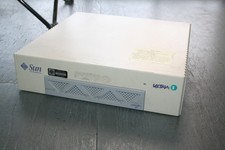
Vintage Computer Sun Ultra 1 UltraSpark Driven - Mystery condition as-is Parts
$49.78

Vintage Computer - PC Innovation Intel 486DX2 - Dos Ver 6.2 Windows 3.1
$250.00

Vintage Teac FD-505 5.25" 3.5" Combo Drive 19307571-00
$199.99

Vintage Jetway J-620BF Socket 370 Celeron AT Motherboard SiS 620 Brand New
$75.00
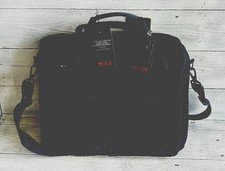
NWT Vintage TUMI Safecase Deluxe Adjustable Computer Brief Bag 2632 w/ Sleeve
$449.50

Bering OptiPac 3315 OPT 401 205 HP / IBM Vintage Storage PC Computer 1983 3.5”
$100.00
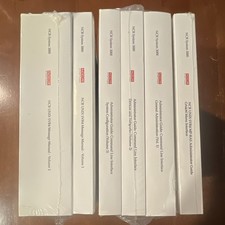
NCR System 3000 UNIX SVR4 MP-RAS Administrator Guide Manual D1-2266-E Vintage
$200.00

Lot of 4 Vintage Intel i486 DX2 CPU Processors for Gold Scrap Recovery
$99.99

🔥 RARE VINTAGE HP 2113A 21MX 1000 E-SERIES MINICOMPUTER CHASSIS BACKPLANE
$249.00

🔥 RARE VINTAGE HP 2112A 21MX M-SERIES 16-BIT MINICOMPUTER HP
$299.99



 Reply With Quote