

 Reply With Quote
The script /usr/bin/mkdesktophdicons is what creates them. Either remove the script or edit /etc/X11/Xsession.d/45xsession and remove the line that calls that script.


I want to remove the HD, floppy and CD icons from the desktop of a remaster. I got rid of the INDEX page loading but I am not finding how to get rid of the icon loading. Suggestions?
Richard-
PS...thanks for the help so far...I REALLY AM getting this down....(I think?).
The script /usr/bin/mkdesktophdicons is what creates them. Either remove the script or edit /etc/X11/Xsession.d/45xsession and remove the line that calls that script.
Thanks...I'm doing it now....Richard-
OK...finished...REMed out all the MKDESKTOPICONS in /etc/X11/Xsession.d/45xsession and work perfectly...Oh, I did have to remove the Icons that were left over on the desktop but once gone they did not reappear....Thanks again!
Richard-
REM? lolOriginally Posted by richardljohnson
Longtime DOS user?
In Linux we say 'comment'Glad you got it working.
OK..is it dir or ls...or mem or free...I'M SO CONFUSED!!!!!!!!!
Yes, sorry, some old habbits die hard....BUT I'M TRYING!!!!!!
Richard-
I'm trying to disable the mkdesktophdicons script too, running a hd-installed knoppix 3.6 version. however I cannot find this 45xsession file, and in none of the files in the Xsession.d directory the mkdesktophdicons script is being called. Any suggestions?
I 'lessed' myself through a bunch of scripts (hmm.. probably 'lessed' is not proper linux-speak - correct me when I'm wrong) and found that the script is being called in the /etc/init.d/knoppix-hd-autoconfig script. Is it 'save' and 'clean' to comment it out there?
45xsession is deleted during the installation process
I 'lessed' myself through a bunch of scripts (hmm.. probably 'lessed' is not proper linux-speak - correct me when I'm wrong) and found that the script is being called in the /etc/init.d/knoppix-hd-autoconfig script. Is it 'save' and 'clean' to comment it out there?is the script. Is it safe to remove? Well I don't use it.Code:/usr/bin/mkdesktophdicons
Here is a transcript from some note I made....
To remove ICONS from desktop
a.{root@tty1} editor /etc/X11/Xsession.d/45xsession
b.rem (#) out mkdesktopicons where ever it is in this file (I foundstarting around line 374-576…this can also be edited in the GUI of ROOT or SYSTEM. NOTE: /usr/bin/mkdesktopicons is the code that does this. It may also be possible to remove this but I found it easier to just REM out the call for this.
c.REMEMBER: You must also login as user and physically remove the icons which have already been created. Then log out then log back in to check to make sure icons do not show back up.
ALSO...
Go into /usr/bin/mkdesktopicons and change it to oldmkdesktopicons
Remove the floppy desk icons from the /etc/skelDesktop
Hope this helps...
Richard-
 Posting Permissions


Cisco | N3K-C3232C | 32-Port 100G QSFP Network Switch W/ 2x PSU, 2x Power Cords
$205.00

Cisco WS-C3650-12X48UR-L 48-Port Stackable Layer 3 8x10G SFP+ Port Switch
$129.99

Cisco Acacia DP04QSDD-E25-840 400G QSFP-DD Coherent DCO Transceiver Module
$699.99

Cisco Catalyst C9130AXI-B WiFi 6 802.11ax Wireless Access Point Brand New
$101.99

Cisco Nexus N9K-C92160YC-X 48P 25GbE SFP28 6P QSFP+/QSFP28 PE Switch
$439.00

New Sealed Cisco GLC-LH-SMD 1000BASE-LX/LH SFP Transceiver Module *US
$17.00

Genuine Cisco SFP-10G-SR 0-2415-03 10 Gigabit Transceiver
$5.40

Cisco C9300-48UXM-A Switch 9300 Series 48-port UPoE Network
$874.99
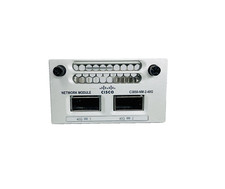
Cisco C3850-NM-2-40G Cisco Catalyst 3850 2x40GE Network Module- Fast Shipping
$269.00

nxa-pac-750w-pe v02 NEW OPEN BOX for Cisco Nexus 9300 Series power supply
$200.00