-
Epson EPL-5900L doesn not work under KNOPPIX ? (tried 3.6)
Well, ive tried to run the printer above under Knoppix.
I found the site
http://epsonepl.sourceforge.net/?page=help
Read the howto, recognised, that for debian, i have to comile the driver.
No errors so far, but it DOES not WORK !!!! (Memmory error: (german: Speicherzugriffsfehler)javascript:emoticon(' ')
')
Evil or Very Mad)
Any idea ?
(This is the only reason, why i have to run windows too !!!)
As i wrote under
http://sourceforge.net/forum/forum.p...orum_id=236646, i did the following:
(EXACT Description)
Situation:
- Epson 5900l (parralel and / or USB, does not matter, error is the same)
- Knoppix 3.6 (debian linux kernel 2.6.1 or 2.6.2 or 2.6
doensnt matter)
- Compiling (seems okay to me)
- Memory error after executing (see below)
any idea ?
Thanks
Barci
root@Box:~# cd /root/Desktop/epsoneplijs-0.4.0
root@Box:~/Desktop/epsoneplijs-0.4.0# ./config
bash: ./config: Datei oder Verzeichnis nicht gefunden
root@Box:~/Desktop/epsoneplijs-0.4.0# ./configure
checking for gcc... gcc
checking for C compiler default output file name... a.out
checking whether the C compiler works... yes
checking whether we are cross compiling... no
checking for suffix of executables...
checking for suffix of object files... o
checking whether we are using the GNU C compiler... yes
checking whether gcc accepts -g... yes
checking for gcc option to accept ANSI C... none needed
checking for OS USB support... Linux 2.6.7 ... seems good.
checking for libusb... no
checking for OS 1284 support... yes
checking for libieee1284... no
checking for null transport... yes
checking for ranlib... ranlib
checking for a BSD-compatible install... /usr/bin/install
-c
configure: creating ./config.status
config.status: creating Makefile
config.status: creating ijs-config
config.status: executing default commands
root@Box:~/Desktop/epsoneplijs-0.4.0# make
make: Für das Ziel »all« ist nichts zu tun.
root@Box:~/Desktop/epsoneplijs-0.4.0# make install
/usr/bin/install -c ijs_server_epsonepl
-c /usr/local/bin/ijs_server_epsonepl
root@Box:~/Desktop/epsoneplijs-0.4.0# ./ps2epl epl_test.ps
***** Printer: "EPL5900L" *****
***** Paper Size: "a4" *****
***** using parameters:
"EplDpi=300,EplRitech=on,EplDensity=3,EplTonerSave =off,EplFlowControl=off"
*****
ESP Ghostscript 7.07 (2003-07-12)
Copyright 2003 artofcode LLC and Easy Software Products,
all rights reserved.
This software comes with NO WARRANTY: see the file PUBLIC
for details.
getting page header
Speicherzugriffsfehler
root@Box:~/Desktop/epsoneplijs-0.4.0#
ijs_server_get_page_header failed: -2
root@Box:~/Desktop/epsoneplijs-0.4.0#
The next with method describes in
http://www.weejoker.demon.co.uk/epsonepl.html
.1 Download the latest tarball from the EpsonEPL project
website. At the time of writing this is version 0.2.0.
Once downloaded, extract the tarball with:
$ tar xfvz epsoneplijs-x.x.tgz
1.2 Compling the driver is straight-forward, although the
'gcc' package needs to be present:
$ cd epsoneplijs-x.x
$ ./configure
$ make
$ make install
Providing all went well, you must now copy the
'ijs_server_epsonepl' to a suitable directory for the 'lp'
user (which CUPS uses for printing) and admin users within
the 'lpadmin' group. I chose '/usr/bin':
$ cp ijs_server_epsonepl /usr/bin/
$ chmod 750 /usr/bin/ijs_server_epsonepl
$ chown lp:lpadmin /usr/bin/ijs_server_epsonepl
1.3 Now that the driver is in place, a brief test can take
place using the provided 'ps2epl' presuming you are within
the 'lpadmin' group, have the printer connected to the
parallel port and any PostScript (*.ps) file.
$ ./ps2epl epl_test.ps /dev/lp0
root@Box:~/Desktop/epsoneplijs-0.4.0# ./ps2epl
epl_test.ps
***** Printer: "EPL5900L" *****
***** Paper Size: "a4" *****
***** using parameters:
"EplDpi=300,EplRitech=on,EplDensity=3,EplTonerSave =off,EplFlowControl=off"
*****
ESP Ghostscript 7.07 (2003-07-12)
Copyright 2003 artofcode LLC and Easy Software Products,
all rights reserved.
This software comes with NO WARRANTY: see the file PUBLIC
for details.
getting page header
Speicherzugriffsfehler
The meaning of "Speicherzugriffsfehler" is, that the
programm tries to direct to memory, which does not exist !!
Similar Threads
-
By FlameWeasel in forum General Support
Replies: 0
Last Post: 04-03-2006, 12:59 AM
-
By farmer in forum Laptops
Replies: 5
Last Post: 10-28-2004, 10:18 AM
-
By meansbeans in forum Hardware & Booting
Replies: 0
Last Post: 06-15-2004, 03:54 AM
-
By KeTZer in forum Hardware & Booting
Replies: 11
Last Post: 05-10-2004, 03:03 PM
-
By bobterri in forum Hardware & Booting
Replies: 1
Last Post: 10-02-2003, 04:38 AM
 Posting Permissions
- You may not post new threads
- You may not post replies
- You may not post attachments
- You may not edit your posts
-
Forum Rules


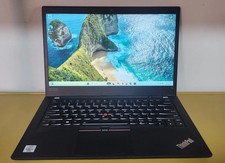
LENOVO THINKPAD T14s GEN 2a Ryzen 7 PRO 5850U 1.9GHz 16GB 256GB TOUCH - NO OS
$299.95
Lenovo ThinkPad T14 Gen 1 Core i5 1.70GHz, 16GB RAM , 256GB SSD
$259.99

Lenovo ThinkPad L14 Gen 3 Laptop 14� FHD Core i5 12th 16GB RAM 512GB SSD Win 11
$359.99

Lenovo Thinkpad E15 Gen 2 8GB RAM 256GB SSD Intel Core [email protected] Laptop
$220.36
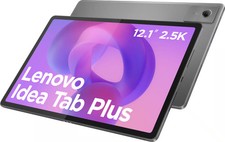
Lenovo - Idea Tab Plus - 12.1" 2.5K Tablet - 8GB RAM - 128GB UFS - Luna Grey
$209.99
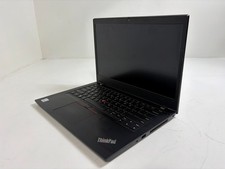
Lenovo ThinkPad L14 Gen 1 Core i5-10310U 1.7GHz 16GB 512GB 14" W11P Laptop
$197.10
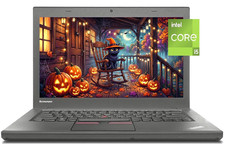
14" Lenovo T460 Laptop PC: Intel i5-6300U (16GB RAM - 256GB SSD) Windows 10
$129.69
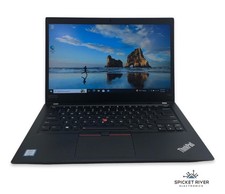
Lenovo ThinkPad T490 Quad Core i7-8565U 1.80GHz 256GB SSD 16GB RAM Win11Pro
$170.00
Lenovo ThinkPad T490s 14" FHD i5-8365U 16GB RAM 256GB SSD Windows 11 Pro Laptop
$229.00
Grade A Lenovo Thinkpad T470 i5-6300U 2.4Ghz 8GB 256GB Win 11
$209.99



 Reply With Quote