-
Junior Member
registered user
OCR/Kooka configuration
Hi all
Hope this is an easy one; I've hunted around in the histories but haven't found a reference.
I'm looking to use Kooka to OCR a bunch of articles I've scanned. Unfortunately my antique parrallel-port scanner isn't supported, so I had to use some other os to get the photoshop/paintshop/pcx/bpm files in. No Problem.
I can import the files into Kooka ok, and view the contents, but when I try to OCR I get the following message: "The path to the ocrad binary is not configured yet. Please go to the Kooka configuration and enter the path manually."
So what do I put in there? Is it possible to select a different ocr engine? I haven't been able to get any combinations of paths/engines to work. The ocrad site yields a bz2 tar file, but what should I do with it? Any help? BTW, the same thing happens on Knoppix 3.4-3.7 and Kanotix.
Thanks
snarkfinder
-
Senior Member
registered user
I use xsane for my scanning and I haven't found ocr to work particularly well.
Poor would be an accurate description.
Anyway it seems that the path isn't set for ocr in kooka
( I guess that name was used because kooka is based on sane- programmers have a strange sense of humour )
There are several ways to set the path this link: http://www.start-linux.com/articles/article_115.php describes it in detail
-
Junior Member
registered user
Install/configure HP SCSI Scanner and OCR. - HELP!!
I am very new to Linux, using Knoppix 3.6 from the CD until 2 days ago, when I did a "Begginer's HD Install"
Until now, Knoppix knew what I wanted to do and took care of me.
I have similar objective to Snarkfinder, but my HP ScanJet 4C is supposed to be supported.
I've been looking at the manuals for Kooka and Sane, including trying to download the HP SCSI backend 
I don't understand the manuals install/setup info. Could someone take me by the hand and tell me what I need to do. I have been able to use TWAIN in the WIN98 environment, but I think I'm ExSANE or KookE 
I have some notes about Make xconfig
SCSI Support->SCSI generic support
and read "man scanimage", then try "scanimage -L" .This will tell if device is recognized.In root terminal, I get" no Manual entry for scanimage". and then "command not found".
I just noticed onthe K menu>Graphics>scanimage but when I clicked on it, I get an empty shell. I have no idea what to put in it, Ketchup maybe. I seem to be getting slap-happy. I guess I'll retire and retry in the morning afterI check the Forum to see if someone has thrown me a life preserver (not the Help Icon). Maybe you can save this drownding dad!
Tnx,
JP's Dad
-
Senior Member
registered user
JPsDad, If you are having problem with sane and scanimage perhaps they aren't
installed correctly.
Do you use apt? Do and apt-get update at a terminal window as root (su then enter your password )
Then do apt-get install sane and apt-get install xsane. ( Also the apt-get apdate just updates your lists, dosen't
change anything on your system ) Never do upgrade!!! unless you love unpredictable results.
After that you should have xsane accessible from your kmenu.
I forget but I think a HP 4C is a usb scanner? Have it turned on when you
boot up and let me know what the results are.
Similar Threads
-
By reub2000 in forum Customising & Remastering
Replies: 2
Last Post: 09-29-2005, 03:43 PM
-
By Barata in forum Customising & Remastering
Replies: 1
Last Post: 06-07-2004, 02:29 AM
-
By djenner in forum General Support
Replies: 1
Last Post: 06-05-2004, 11:34 PM
-
By plus1hdcp in forum General Support
Replies: 3
Last Post: 03-14-2004, 02:05 PM
-
By garyng in forum General Support
Replies: 1
Last Post: 09-10-2003, 04:55 PM
 Posting Permissions
- You may not post new threads
- You may not post replies
- You may not post attachments
- You may not edit your posts
-
Forum Rules

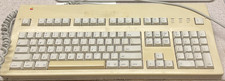
Apple Keyboard Vintage M3501
$50.00
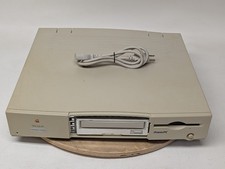
Vintage Apple Macintosh Performa 6115CD M1596 Desktop Computer Power Tested Only
$89.96

Apple Vintage Inside Macintosh Book Set Volumes I, II, III, IV & V December 1988
$149.00

Lot of 3 VIntage Apple Computer Rainbow Logo Sticker Decal Macintosh 1980s NOS
$7.00
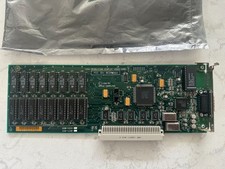
Vintage Apple Macintosh High Resolution Nubus Video Card 820-0185-08
$119.00
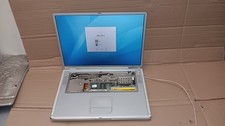
Vintage Apple PowerBook G4 Titanium Laptop 800 MHz 60 GB HD 15" LCD Screen A1001
$79.99
Vintage Macintosh Quadra 840AV Logic Board in Apple Service Box READ
$899.00

Vintage Apple USB Mouse M4848 Bondi Blue iMac G3 Hockey Puck - Tested Working
$22.99
Vintage Apple Assembly Line Newsletter Vol: 1,2,3,4,5,6,7 From 1984
$179.99

Vintage Apple Multiple Scan 15av Display Monitor M4681
$299.99



 Reply With Quote