-
Senior Member
registered user
ROM drives not working.
After doing a kernel upgrade to 2.6.10-4, my cdrom and dvd drive do not show up any more and I cannot use them. At least not in the info center or dmesg. They use to show up as scsi0-->cdrom and scsi1-->dvd, now my external zip drive shows up as scsi1. I tried to symlink them with ln -sf /dev/scd# /dev/my device, but that did not seem to work, and why would it if the computer does not see them. So how do I go about getting them recognized as scsi drives again? I edited menu.lst and added the hda=scsi....and that had no effect on it. This is the error I get when trying to mount either drive:
Could not mount device.
The reported error was:
mount: /dev/dvd is not a valid block device
During boot I see that the drives now show up as hdc and hdd. Should I change the fstab to reflect this? How do I change the entry if that is what I do? I didn't do anything else but upgrade the kernel. I would like to avoid doing a reinstall. Please help.
-
Find them in dmesg with:
markus@fujibox:~$ dmesg |grep CD
hdc: TDK CDRW241040B, ATAPI CD/DVD-ROM drive
hdd: LG DVD-ROM DRD-8160B, ATAPI CD/DVD-ROM drive
hdc: ATAPI 40X CD-ROM CD-R/RW drive, 2048kB Cache, UDMA(33)
Uniform CD-ROM driver Revision: 3.20
And set up fstab correspondingly:
/dev/cdrom /cdrom iso9660 defaults,ro,users,noexec,noauto 0 0
/dev/dvd /dvd iso9660 defaults,ro,users,noexec,noauto 0 0
Correct symlinks with "ln -s /dev/cdrom /dev/hdc"
Set permissions: chgrp cdrom /dev/cdrom /dev/hdc
markus@fujibox:~$ ll /dev/cdrom /dev/dvd
lrwxrwxrwx 1 root cdrom 8 Sep 21 23:06 /dev/cdrom -> /dev/hdc
lrwxrwxrwx 1 root cdrom 8 Sep 21 23:07 /dev/dvd -> /dev/hdd
-
Senior Member
registered user
Looks like its not finding a driver:
root@rrfish72:~# dmesg |grep CD
hdc: Hewlett-Packard CD-Writer cd16f, ATAPI CD/DVD-ROM drive
hdd: HL-DT-STDVD-ROM GDR8160B, ATAPI CD/DVD-ROM drive
Sony CDU-535: probing base address 340
Did not find a Sony CDU-535 drive
Sony CDU-535: probing base address 340
Did not find a Sony CDU-535 drive
Sony CDU-535: probing base address 340
Did not find a Sony CDU-535 drive
Sony CDU-535: probing base address 340
Did not find a Sony CDU-535 drive
root@rrfish72:~#
Did all and still get:
root@rrfish72:~# ll /dev/cdrom /dev/dvd
lrwxrwxrwx 1 root cdrom 9 Jan 10 13:10 /dev/cdrom -> /dev/scd0
lrwxrwxrwx 1 root root 9 Jan 10 12:28 /dev/dvd -> /dev/scd1
Which is the same as before. I used root@rrfish72:~# ln -sf /dev/cdrom /dev/hdc. I never had to do anything but symlink the drives to get them work before. I found module with modconf and tried to install it but the installation failed. sonycd535 - Sony CDU535 CD-ROM support. The drive is not a sony and never showed up as a sony anything, what the hell happened? I am doing this as root.
-
Oops, got the symlink order mixed up.
su
rm /dev/cdrom
ln -s /dev/hdc /dev/cdrom
chgrp cdrom /dev/cdrom
As for the Sony driver, I would rather remove it with modconf than try to install it if you don't have the drive.
-
Senior Member
registered user
When I try the cdrom:
Could not mount device.
The reported error was:
mount: Too many levels of symbolic links
When I try the dvd:
Could not mount device.
The reported error was:
mount: /dev/dvd is not a valid block device
rfish72@rrfish72:~$ ll /dev/cdrom /dev/dvd
lrwxrwxrwx 1 root cdrom 8 Jan 10 15:06 /dev/cdrom -> /dev/hdc
lrwxrwxrwx 1 root root 8 Jan 10 15:08 /dev/dvd -> /dev/hdd
rrfish72@rrfish72:~$
Why did it change anyway?
-
Do you have /dev/hdc pointing somewhere or is it just:
markus@fujibox:~$ ll /dev/hdc
brw-rw---- 1 root cdrom 22, 0 Nov 14 2003 /dev/hdc
Something must have changed with your kernel or lilo.conf or menu.lst , that is, you used to have scsi emulation and now you don't.
If you're running kanotix kernel you might want to ask in #kanotix
-
Senior Member
registered user
Pointing here:
root@rrfish72:~# ll /dev/hd?
brw-rw---- 1 root disk 3, 0 Dec 10 17:13 /dev/hda
brw-rw---- 1 root cdrom 3, 64 Dec 10 17:13 /dev/hdb
lrwxrwxrwx 1 root cdrom 10 Jan 10 14:39 /dev/hdc -> /dev/cdrom
brw-rw---- 1 root cdrom 22, 64 Dec 10 17:13 /dev/hdd
brw-rw---- 1 root disk 33, 0 Dec 10 17:13 /dev/hde
brw-rw---- 1 root disk 33, 64 Dec 10 17:13 /dev/hdf
brw-rw---- 1 root disk 34, 0 Dec 10 17:13 /dev/hdg
brw-rw---- 1 root disk 34, 64 Dec 10 17:13 /dev/hdh
root@rrfish72:~#
So how is that fixed?
-
Umm, severin seems to have answered that in kanotix forum:
su
rm /dev/hdc
mknod /dev/hdc b 22 0
chmod +w /dev/hdc
chgrp cdrom /dev/hdc
-
Senior Member
registered user
I guess that was it. After updating to the even newest kernel 2.6.10-5 (2 new updates in the same day, 4 and 5) and logged in it then the dvd worked. I will try 4 now and see if it works too. The cdrom still seems to give this message:
Could not mount device.
The reported error was:
mount: Too many levels of symbolic links
-
Senior Member
registered user
Thanks for your help Markus. As you probably see from kanotix forum, Kano directed me to the end. Are you maku in kanotix forum?
Similar Threads
-
By Markus in forum Tips and Tricks
Replies: 20
Last Post: 04-14-2006, 12:18 AM
-
By phoenix07 in forum Networking
Replies: 3
Last Post: 04-09-2004, 10:48 AM
-
By LukeGraham in forum Hdd Install / Debian / Apt
Replies: 4
Last Post: 07-26-2003, 06:49 AM
-
By Tortoise in forum Hardware & Booting
Replies: 6
Last Post: 06-04-2003, 03:34 AM
-
By Chris in forum Hdd Install / Debian / Apt
Replies: 1
Last Post: 02-17-2003, 08:27 PM
 Posting Permissions
- You may not post new threads
- You may not post replies
- You may not post attachments
- You may not edit your posts
-
Forum Rules


Amiga Model 1080 RGB color CRT monitor - Parts Or Repair - Doesn’t Power On
$100.00

Microbotics Starboard 2MB + SCSI Sidecar for Amiga 1000 Vintage Computer READ
$329.00
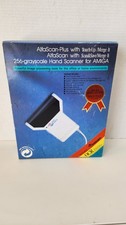
NOB AlfaData AlfaScan Plus Hand Scanner for Commodore Amiga 256 Grayscale RARE
$149.99

Amiga 1000 Computer w/ Monitor Keyboard Mouse Disc Drive Sidecar Expansion Discs
$895.00

Amiga Emplant Emulator Card For Commodore Amiga 2000 4000 3000
$249.00
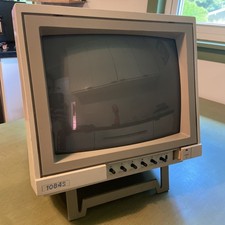
Commodore Amiga Color CRT Monitor Model 1084S-P Stereo - Parts Or Repair
$100.00
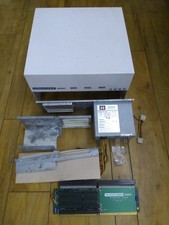
HighFlyer Amiga 4000 Tower & Bus Extender, Expansion Systems A4000T Kit
$888.50
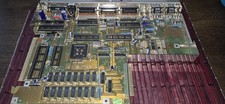
COMMODORE AMIGA 500 Motherboard Rev 5 NTSC ,No IC'S , Sold As Is, Untested
$88.00

RGB2HDMI Amiga 500 UltraLong (Accelerator Friendly) HDMI Games, non-RTG A500
$50.00

Pi1541 Zero with Epyx Fastload Hat, Case & 16gb SD for Commodore 64 and 128
$79.99



 Reply With Quote