-
Mozilla - always_print_silent
The local library has a touchscreen kiosk that displays and prints information about the community. One of their goals is to bypass the "Hello children, would you like to print 1 million copies?" print dialog. The information is web based, so I configured Mozilla to run full-screen and added the following to /usr/lib/mozilla/greprefs/all.js
pref("print.always_print_silent", true);
Mozilla comes up without any trace of toolbars or buttons. The web pages use window.print(); javascript links as a replacement for "File,Print" or the actual print button. When a patron clicks a "Print" hyperlink - the following error appears: "There was a problem printing because the paper size you specified is not supported by your printer."
To fix the error I just turn on the toolbars, hit the physical "Print" button, and turn the toolbars back off. The error will not appear until the next reboot or until someone exits Xwindows. That is to say - once you use the actual "Print" button - the javascript print hyperlinks begin working and keep working until the power blinks.
It seems that the Print button initially passes something to the OS that the javascript links cannot. Say for example there is a group of environment variables that start out null until the Print button assigns values to them. Should I look at recompiling Mozilla? Is there a shell script that will set those environment variables ahead of time?
Thanks for reading so far. Here are some questions that may come to mind:
-Have you looked over the about:config settings? Yes. I have set Letter as the default paper size and experimented with some of the other preferences.
-What window manager are you using? None actually. Although the problem is the same whether Mozilla runs by itself or within BlackBox, KDE, etc.
-What about CUPS, can you print from other applications? Printing is not a problem. This seems to be a Mozilla issue.
-Have you tried a different browser? If there is another free browser that supports Flash, runs completely full screen, and prints without any dialog - I am ready to try it out
-What distro are you using? Knoppix installed to a hard drive.
Thanks again. Save the trees!
Similar Threads
-
By turbines in forum General Support
Replies: 2
Last Post: 04-28-2004, 08:51 PM
-
By lavaman094 in forum Hdd Install / Debian / Apt
Replies: 2
Last Post: 11-03-2003, 06:32 AM
-
By Wumpus in forum General Support
Replies: 0
Last Post: 10-21-2003, 06:33 AM
-
By denver1 in forum General Support
Replies: 3
Last Post: 07-20-2003, 12:08 PM
-
By jarjar26 in forum Customising & Remastering
Replies: 0
Last Post: 07-09-2003, 08:37 PM
 Posting Permissions
- You may not post new threads
- You may not post replies
- You may not post attachments
- You may not edit your posts
-
Forum Rules


Apple Computer cards VTG 670-8020-B 607-0103-C 607-0291-C AST -Orange Micro ++
$169.00

Vintage Apple iMac G4 15" Lamp 700MHz 512MB Mac OS X 10.4.6 W/ Pro Speakers
$300.00
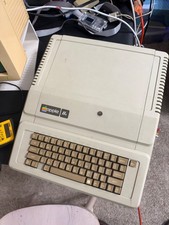
Apple IIe Vintage Computer A2S2064 Powers On Apple II Untested For Parts/repair
$149.99
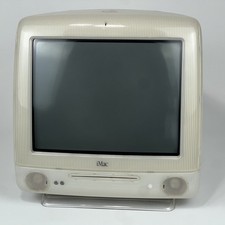
Vintage Apple iMac G3 M5521 OS X 600MHz 256MB 40GB (2001) CRT CD Slot Non Funct
$175.00

Rare Vintage Macintosh Apple Wooden Disk Storage Box Dovetailed
$69.95

Vintage Apple Extended Keyboard- M0115 - no cord
$49.99

Vintage Apple II Avant-Garde Creations Super Shape Draw And Animate 1981
$295.00

LARGE LOT Vintage Apple Macintosh Mouse Cables Accessories SCSI etc - UNTESTED
$80.00

Vintage Apple PowerBook 15” G4 “Aluminum” (1.25GHz/2gb/150gb/Tiger) 2
$109.99

Vintage Apple Color RGB Color Monitor A2M6014. Used.
$199.99



 Reply With Quote