-
Senior Member
registered user

Originally Posted by
harken
That's nearly like asking a religious fanatic which is the true god!
I was expecting something like that

Ubuntu would look like the remaining option, yet I saw on their site that they are planning a new release every 6 months and the support for the current version would be 18 months. Ok, what after the 18 months?
A complete non-issue unless you are evaluating Ubuntu for long term projects. What they are saying is that if you want to stay back on this release and not go upgrading, they'll support you for a year (or is it 18 months) after they release the next version. So you install and you like it, you should get a choice of at least 2 more versions before you _have_ to upgrade to one of them or you can always switch the system over to debian. Debian doesn't really support old versions either, except in the main way they share in common with ubuntu, the system and packages is designed from the ground up so you can upgrade your system to new releases painlessly, all they are saying is that if you hate a choice they make in a release you should have over a year to decide what you are going to do and in that time they'll even have had another release out you might prefer! I like it, though as it is quite new it remains to be seen just how well it will work in practice.
I just hope that Ubuntu are either working on serving packages or groups of packages by torrent or have quite a serious mirror network because every six months they'll be seeing 95% of their users trying to download 500M to 1G (at a guess). They'll also have all their users smiling for days at the nice new computer they get for free every 6 months.
As for your comments on the others, Debian doesn't lack anything really, it just lets you setup what you want (as oppossed to Suse's, for example, yast which does everything by default and you have to pick things out of it's hands if you want to control it some way it can't handle). It's great in that software is usually very close to the original developers default settings and important differences are usually clear in the Debian.README so you can follow generic instructions from the developers aswell as all the information relating specifically to debian which is out there.
The Mandrake for Beginners mantra seems to stick with it. I've never quite figured out why, but I have stayed clear of any non-deb distro for a good while now (bar brief periods playing with some source based distros). I like a distro I can at any time say "f*** it, it's turning debian" and then I can go and change the /etc/apt/sources.list to debians and apt-get update and then apt-get -u dist-upgrade. I'm not going to end up with a perfect debian box, and I may have to force a few packages, but I will end up with something I can take then treat as debian enough, and use debian to fixup any differences I discover that bother me. The Debian package archives are superb and provide a huge range of software all designed to work together without dependency problems, I love it.
SuSE is slow to install? Are you sure you aren't thinking of Linux From Scratch  Seriously I haven't heard that complaint before (perhaps I just don't listen in the right places) and I would not have said it was for experienced users. I would have said it was closer to Mandrake in the for Begineers stakes, but it is, or was anyway, a bit individual so you learn it's ways. As for being for experienced users ... I don't see it, but I do see experienced users using it so it is good enough for them. If only it was debian based I'd say give it a go first, but it's not so I won't.
Mepis, I've not heard too much, but generally it's been good. The good thing about it is you can boot it like a live cd to try it (in fact I think like Knoppix you always boot to the livecd to install it). I'm not too certain how good it is at working with the debian repositories though or whether it suffers any of the same potential pitfalls that installing Knoppix does.
I really wish I could say just install Knoppix but I'd install Kanotix rather then Knoppix if I was thinking that way as it gets more attention/design towards working as an installed system. The only problem, in the context here, is it is based on Debian sid/unstable which means you have to be ready to deal with what that can lead to (running lightly tested packages and possibly ending up breaking your system and having to manually downgrade and force things to repair it). Probably not for people new to Linux unless you change your apt sources to sarge after you install it, but not so many people do that so ymmv.
The important thing to remember is they are all far more alike then different (especially the debian derivatives) and there's no disaster in picking one now and deciding on something else down the road. In fact I'd repeat my recommendation to plan to expect to want to install other distros to try them. No matter what you pick, there's often features that can tempt you, sometimes they suceed, sometimes you just figure out what they did and add it to your system, sometimes they fail, everytime you make yet another choice that means you are that much more in control of deciding what software you want to run.
The choice is yours! I'd suggest they are all good and will do the job, perhaps one will make you happier then another but without living with them a bit you'll never be able to be sure. Partition and install and see where it leads you, enjoy the trip, give thanks for those who's work you are using and if you find some way you can help be generous with yourself and do it.
The only "challenge" to installing any of these Linux versions (providing Knoppix runs ok on your hardware) is partitioning/making space for it, if you have to shrink a partition just make sure you have a good backup of anything important no matter how you do it, but everyone always has good backups right. You can't just install it into your C: drive, you need to give over some of your hard disk to Linux, if you can do that now, I bet you will be stunned just how quick an install from cd is (if you grab a full 600M+ install cd a net install obviously will depend on bandwidth). Should be done it 15 minutes even if you do have to reread a lot of questions to be sure, to be sure. What throws people usually (imho) is making sure they are putting the installation into the right place so just make free unpartitioned space on your hard drive and use the installer to create the partitions and install there. Other then that you will generally just have to answer 4 to 12 basic questions (a password, computer name, regional settings, probably your normal username and password, where to install and where to install the boot loader). Install into the mbr (master boot record, the start of the hard disk you boot from, usually called /dev/hda in Linux) and let Linux take care of dual booting your machine (if you do it) and that should be the only other possible confusion covered!
Welcome to Linux!
Wow that's along post, hope it's worth it for someone!
Similar Threads
-
By ginny in forum Laptops
Replies: 3
Last Post: 10-18-2005, 10:08 PM
-
By Knad in forum Hdd Install / Debian / Apt
Replies: 3
Last Post: 09-10-2004, 09:48 PM
-
By kidclueless in forum General Support
Replies: 3
Last Post: 04-20-2004, 06:14 AM
-
By blackout in forum General Support
Replies: 15
Last Post: 02-03-2004, 08:07 AM
-
By ZeRo in forum General Support
Replies: 2
Last Post: 04-29-2003, 10:21 PM
 Posting Permissions
- You may not post new threads
- You may not post replies
- You may not post attachments
- You may not edit your posts
-
Forum Rules


Ubuntu Server 26.04.1 LTS Bootable USB Flash Drive – Latest September 2026
$12.99

NVIDIA Jetson TK1 + Intel NUC Compute Cluster Tray w/ Netgear 16-Port Switch
$499.99
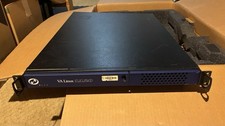
VA Linux 1120 1U Rackmount Server
$100.00

OPNsense pfSense 8-Core Atom C3758 2.2GHz 8GB DDR4 64GB SSD 8x NIC QAT AES VPN
$115.00

OPNsense Firewall VPN QAT 8-Core Atom C3758 2.20GHz 16GB DDR4 128GB SSD 8xNIC
$175.00

All New Ubuntu 26.04 LTS Linux Bootable USB Flash Drive
$15.95

Start9 Server Pure 32GB 4TB Intel i7 Node StartOS — Box + PSU
$649.00

Toshiba Magnia SG20 VPN Linux server Web server (No HDD, *Read*) -
$60.00
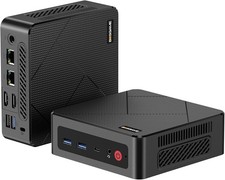
BOSGAME E4 Air Mini PC, AMD Ryzen 5 3500U 8GB DDR4 256GB SATA SSD
$169.99

SQL Server 2022 Enterprise 96 Core License & DVD Unlimited CALs with CoA
$284.99



 Reply With Quote