

 Reply With Quote
The basic instructions are already in this post. (see above). Is there something specific that you needed assistance with?Originally Posted by ziggie


I've slicked off my 2nd HD to install the Knoppix version to learn something about Linux before making the total jump.
Need some steps for this install.
It is formatted in FAT32 right now but can do what-ever ness.??
Thx
zig
The basic instructions are already in this post. (see above). Is there something specific that you needed assistance with?
If i go to Konsole en typ knx-hdinstall, i get something like "permission denied" or somtehin like that
That's because you need to be root to install or you can just give the command as root like this:
Enter this in a terminal:
sudo /usr/local/bin/knx-hdinstall
I don't get it. What's a terminal and how can i be in the " root"
Konsole is a terminal. If you're a windows user you would be accustomed to a DOS window only a terminali in Linux is much more useful. Open Konsole and enter :
sudo /usr/local/bin/knx-hdinstall
'root' is the name of a 'user' - root has ultimate authority and can execute any command or install software or pretty much anything he wants to do. There is a lot more to it than that but this should be enough to get you started.
console=terminal=terminal console=that black thing with white letters
when you write "sudo" you are in the "root"
k thnx :P
There are two seperate issues here. There is the user 'root' who has ultimate authority. It is possible to execute commands as root without actually becoming root. Example:
sudo mcedit /etc/X11/XF86Config-4
That is translated as:
sudo- do as if root
mcedit- use Midnight Commander to edit
/etc/X11/- path to the file you wish to edit
XF86Config-4- name of the file to edit
Why would you wish to be root when you edit that file? If you want to save anything you edit in that file you must be root (assuming you have not changed the default settings). If you only wish to view the file you would not open it as root but a normal user, this way you cannot inadvertently corrupt the file.
This is how to become root:
su
<password>
Now anything that you do in this terminal will be done as root. Yes you can edit and save files. Yes you can cause quite a few problems. Under no circumstances is it advisable to surf the web as the root user. If you open another terminal window you are not root in that new terminal until you become root.
In order to use the 'sudo' command you must make yourself part of the 'sudoers group'. How?
su
<password>
xedit /etc/sudoers (you can use whatever editor you like of course)
#sudoers file
# See the man page for details on how to write a sudoers file.
#
# Host alias specification
# User alias specification
# Cmnd alias specification
# User privilege specification
root ALL=(ALL) ALL
your_user_name ALL=(ALL) ALL<--add a line like this with your user name
#knoppix ALL=NOPASSWD: ALL
After you edit the file don't forget to save it. Now you should be able to execute a command as root without actually becoming root.
Some programs must be executed as root:
sudo cfdisk /dev/hda
There is also a directory named 'root that you could work "in"'. It is identified simply with a forward slash /. The root 'user' and root 'directory' are two entirely different things.
The terminal is the linux equivilent of the CLI (command line interface, for you windows users...dos prompt).
ROOT is the linux equivilent of Administrator...you need to be Root (or at least Super User (windows=power user), better known as SU, to issue system critical commands (linux is secure, not everyone can change system settings).
So either issue commands as root (login as root first) or issue a SU before the command (such as "su *command you want to execute*").
If you have any other questions, please post. And to all the linux snobs out there, please don't post RTFM...OK? ;-)
GregC
 Posting Permissions


(New) AMD Ryzen 7 5700X 8 Core 16 Thread AM4 Unlocked 3.4 GHz CPU OEM Tray
$169.99

Intel Core i9-9900K SRG19 3.60GHz 16MB 8-Core LGA1151 B Grade CPU Processor
$175.00
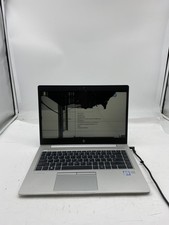
HP EliteBook 840 G5 Laptop Intel Core i5 7200U 8GB RAM – No HDD
$64.00

AMD Ryzen 7 7700X 8-Core, 16-Thread Unlocked Desktop Processor
$250.00
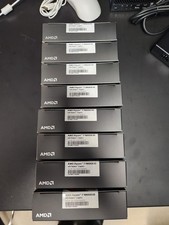
AMD RYZEN 7 9800X3D 8-Core, 16-Thread Desktop Processor
$399.00

AMD Ryzen 5 PRO 4650GE 100-000000153 6-Core 3.30GHz 8MB AM4 CPU Processor
$59.99

Intel Xeon E5 - 2667V2 / SR19W 3.30GHz 25MB 8-Core CPU Socket LGA2011
$30.00

AMD Ryzen 7 9700X 8-Core 16-Thread 40MB Cache Socket AM5 9000 Series Processor
$245.99

Dell OptiPlex 5070 SFF i7-9700 (8-Core) 3.0GHz 16GB 256 SSD Windows 11
$250.00

Dell T7810 Workstation 8-Core 2.40GHz E5-2630 v3 No RAM GPU HDD OS
$259.98