-
Senior Member
registered user

Originally Posted by
oscar
when you write "sudo" you are in the "root"
There are two seperate issues here. There is the user 'root' who has ultimate authority. It is possible to execute commands as root without actually becoming root. Example:
sudo mcedit /etc/X11/XF86Config-4
That is translated as:
sudo- do as if root
mcedit- use Midnight Commander to edit
/etc/X11/- path to the file you wish to edit
XF86Config-4- name of the file to edit
Why would you wish to be root when you edit that file? If you want to save anything you edit in that file you must be root (assuming you have not changed the default settings). If you only wish to view the file you would not open it as root but a normal user, this way you cannot inadvertently corrupt the file.
This is how to become root:
su
<password>
Now anything that you do in this terminal will be done as root. Yes you can edit and save files. Yes you can cause quite a few problems. Under no circumstances is it advisable to surf the web as the root user. If you open another terminal window you are not root in that new terminal until you become root.
In order to use the 'sudo' command you must make yourself part of the 'sudoers group'. How?
su
<password>
xedit /etc/sudoers (you can use whatever editor you like of course)
#sudoers file
# See the man page for details on how to write a sudoers file.
#
# Host alias specification
# User alias specification
# Cmnd alias specification
# User privilege specification
root ALL=(ALL) ALL
your_user_name ALL=(ALL) ALL<--add a line like this with your user name
#knoppix ALL=NOPASSWD: ALL
After you edit the file don't forget to save it. Now you should be able to execute a command as root without actually becoming root.
Some programs must be executed as root:
sudo cfdisk /dev/hda
There is also a directory named 'root that you could work "in"'. It is identified simply with a forward slash /. The root 'user' and root 'directory' are two entirely different things.
Similar Threads
-
By Delorean_Driver in forum The Lounge
Replies: 0
Last Post: 05-09-2004, 02:09 PM
-
By liquid134 in forum Hdd Install / Debian / Apt
Replies: 3
Last Post: 04-30-2004, 07:07 PM
-
By gizmo in forum General Support
Replies: 2
Last Post: 04-17-2004, 05:12 PM
-
By snake001 in forum General Support
Replies: 2
Last Post: 11-01-2003, 11:29 AM
-
By Preacher_mg in forum General Support
Replies: 1
Last Post: 06-13-2003, 09:41 PM
 Posting Permissions
- You may not post new threads
- You may not post replies
- You may not post attachments
- You may not edit your posts
-
Forum Rules


Kingston 32GB 64GB 128GB 256GB USB 3.0 Flash Drive Thumb Memory Stick Pen lot
$285.90
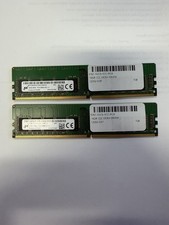
LOT OF 2 Micron 16GB 2Rx8 PC4-2666V-EE1-11 P/N: MTA18ASF2G72AZ-2G6D1ZG
$199.95
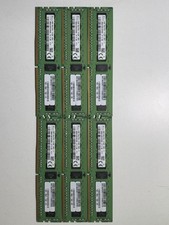
x6 SK Hynix 8GB 1Rx4 PC4-2133P DDR4 17000 ECC Memory HMA41GR7AFR4N-TF
$170.00

Lot Of 8 Micron 8GB 2Rx8 PC4-2666V-RE2-11 ECC REG Server Ram MTA18ASF1G72PDZ-2G6
$210.00

USB 3.0 Flash Drive 32GB 64GB 128GB Memory Stick Thumb Stick Lot Pack
$826.09
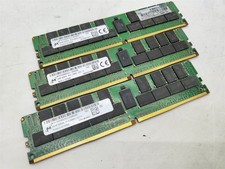
Lot of 3~BAD~NON-WORKING Micron 64GB 4DRx4 PC4-2666V-LE2 Server RAM Memory DDR4
$600.00
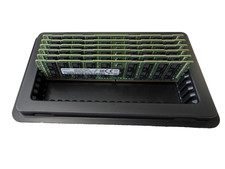
LOT OF 6 Samsung 64GB 4DRx4 PC4-2666V M386A8K40BM2-CTD6Q Server RAM
$1799.99
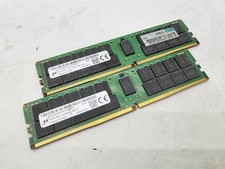
Lot of 2~BAD~NON-WORKING Micron 64GB 2Rx4 PC4-2933Y-RB3 Server RAM Memory DDR4
$400.00
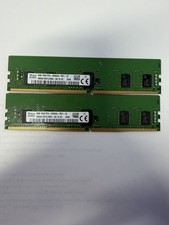
LOT OF 2 SK Hynix 8GB 1Rx8 PC4-3200AA ECC HMA81GR7CJR8N-XN
$89.95

LOT OF 4 Samsung 16GB DDR4-2666 ECC UDIMM 2Rx8 PC4-21300 M391A2K43BB1-CTDQ
$469.95



 Reply With Quote