-
Junior Member
registered user
My comments below your questions in this post.
I tried from the launch bar: Knoppix -> Network/ Internet -> Network card configuration
are you plugging a cable into your PC or trying wireless?
It then asks me if it should try dhcp broadcasting, but that doesn't work.
Again, physical cable for using the network or wireless?
Then I am asked for
*3. Braodcast adress (Not sure about that, is that the same as my IP? What should I type here?)
default broadcast is generally like this:
xxx.xxx.xxx.255 where xxx is the first three sets of numbers from your IP address
Example: If you have an IP address of 10.10.10.199 then your broadcast would be
10.10.10.255, if your network team used a default method
*5. Nameserver (What is that? What should I type here?)
you should be able to use your DNS server IP address for that
I also have two bonus questions (please bear with me):
1. How do I disable automatic hardware detection while booting? Is there something similar to an autoexec.bat I have to edit? If so, where does the new entry belong to?
Did you try failsafe at boot? It is one of the options when booting the LiveCD
2. Is there something similar to a cisco client in linux? It would be great to have wireless internet in the library.
Are you using the Cisco aironet or what? Wireless is very possible with Knoppix, but we need more information on what your hardware is:
USB, PCMCIA, cardbus, etc.
Similar Threads
-
By Lerner in forum Networking
Replies: 3
Last Post: 09-14-2006, 07:55 AM
-
By Jameson in forum General Support
Replies: 0
Last Post: 01-01-2005, 11:25 PM
-
By Spinned Noob in forum General Support
Replies: 1
Last Post: 08-06-2004, 04:41 AM
-
By flamesrock in forum General Support
Replies: 2
Last Post: 09-06-2003, 06:33 AM
-
By FelixDzerzhinsky in forum Hdd Install / Debian / Apt
Replies: 3
Last Post: 08-07-2003, 07:53 AM
 Posting Permissions
- You may not post new threads
- You may not post replies
- You may not post attachments
- You may not edit your posts
-
Forum Rules


Dell EMC PowerEdge R740 8 Bay Server w/ 32GB RAM 2x GOLD 6132 2x 1600W PSU H730p
$499.88

Dell EMC PowerEdge R440 Xeon silver 4215 2.5GHz 16 GB ram 2x 550W PSU No HDD
$275.00

VMware vCenter Server 8 STANDARD Perpetual License Key VC-STD-C (Legacy Pack)
$1599.95

RDS CAL - Remote Desktop Services Windows Server 2019 50 User/Device Connections
$63.00

Dell PowerEdge C4130 1U AI GPU Server | 2x E5-2680 v3 | 32gb Ram | 2x 1600W
$409.99
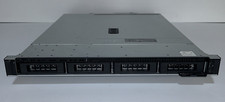
Dell PowerEdge R240 Intel Xeon E-2144G 3.6GHz 16GB DDR4 ECC NO HDD 250W
$149.00

Dell PowerEdge R730XD 28 Core Server 2X Xeon E5-2680 V4 H730 32GB RAM No HDD
$381.93

Dell Poweredge R730xd 12LFF 2*2660v4 4*1Gbe h730 2x 750W Server CTO
$488.00

RDS CAL - Remote Desktop Services Windows Server 2022 50 User/Device Connections
$68.00

Dell EMC VxRail E560F 10-SFF 2*Gold 6230R 2.1GHz No RAM HBA330 iDrac Ent Server
$349.99



 Reply With Quote