

How do I secure knoppix so that a user can't do a Control-Alt-F2 and get a root shell?
After setting up and configuring kdm and kdmrc, I can secure the GUI login, but I haven't found a way of preventing a passer-by to do a Control-Alt-F2 and become root. Is this possible?
Lars.
Sorry, I don't understand what you're referring to here. I checked your link, but didn't find the answer to my question. Could you please be a little more verbose?
Thanks for your help.
Lars.
I actually have Knoppix installed to my hard drive and I'm not able to boot the cd at this particular moment so I can't say for sure but I think setting a password should do the trick. Post back if not.
No, I tried that already. I set a password, and issued an exit to logout of terninal 2, but it didn't log me out....
Thanks,
Lars.
Look at /etc/inittab near the bottom you should see the tty lines like this:
From my knoppix live cd session:
# <id>:<runlevels>:<action>:<process>
# 4 virtual consoles with immortal shells
1:12345:respawn:/bin/bash -login >/dev/tty1 2>&1 </dev/tty1
2:2345:respawn:/bin/bash -login >/dev/tty2 2>&1 </dev/tty2
3:2345:respawn:/bin/bash -login >/dev/tty3 2>&1 </dev/tty3
4:2345:respawn:/bin/bash -login >/dev/tty4 2>&1 </dev/tty4
These lines are from my debian woody system:
either comment out the tty lines so you have no logged in terminals started up, or change them to getty lines like a stock linux would use.1:2345:respawn:/sbin/getty 38400 tty1
2:23:respawn:/sbin/getty 38400 tty2
3:23:respawn:/sbin/getty 38400 tty3
4:23:respawn:/sbin/getty 38400 tty4
5:23:respawn:/sbin/getty 38400 tty5
6:23:respawn:/sbin/getty 38400 tty6
rock
--This is good; but should your GUI fail, you would have no way to log in. Always leave yourself a failsafe:
S0:12345:respawn:/sbin/agetty -L 9600 ttyS0
--This enables you to login over the Serial port.
Originally Posted by RockMumbles
Uhm, handy, now I have always a spare serial-2-serial cable hanging around...
Not to upset you but, I don't think this is very usefull for the average newbie user.
No perhaps not, however I have an old 486 laptop with no other way to connect to the internet than serial ->null modem cable and this has been quite useful for me.
right on Rock, Dave.
--Linux is not for newbies that want to REMAIN newbies. WinDoze is good enough for them. I'm an old DOS hound, used to the command line, and it was still a *steep* learning curve for me. It's taken me *years* of reading everything I could get my hands on about Linux to reach this point, where I am able to help the majority of people posting on this board.
--You have to have a certain mentality going in to Linux usage - a willingness to experiment, to do research (LOTS of research), to ask for help, and eventually give back to the community in some way.
--I don't mind helping people out - I'll give it a shot if I have something to contribute. I'll even try again and again if what I posted isn't working for them... But I'm not here to hold people's hands and babysit. At some point they need to have the confidence to do things on their own. If somebody's too afraid to type something on the command line, well maybe they should *hire* someone to help them with that Linux install. This *is* a free-support forum after all.
--Disabling *all* login ttys is something of a newbie-trap. Basically it leaves you with a ticking-time-bomb system that will need a reboot unless you have *some* way to get in; whether it's ssh (and what if your network is down?) or direct-serial connection. I don't take offense at your post, Henk; but if my contribution didn't help the "newbie" I don't really mind - it *will* help others.
--BTW, I would increase the port rate from 9600 to 115200 as well.
 Posting Permissions


OPNsense pfSense 8-Core Atom C3758 2.2GHz 8GB DDR4 64GB SSD 8x NIC QAT AES VPN
$115.00

pfSense Firewall 16-Core Atom C3958 8GB DDR4 RAM 64GB SSD 8x 1Gbe QAT AES-NI VPN
$184.99

OPNsense pfSense 16-Core Atom C3958 16GB ECC RAM 512GB SSD 8-Port QAT AES-NI VPN
$298.00

SonicWall TZ280 Firewall 03-SSC-6933 Advanced Edition 3YR NEW SEALED
$999.99

Fortinet FortiGate 60F FG-60F P24286-03-13 Network Firewall Security Appliance
$155.75

Palo Alto PA-220 Next-Gen Firewall 520-000309-00J
$40.00

OPNsense Firewall VPN QAT 8-Core Atom C3758 2.20GHz 16GB DDR4 128GB SSD 8xNIC
$175.00

Fortinet FortiGate 60F FG-60F UTM UTP License Until 2027 Network Security FW VPN
$219.99
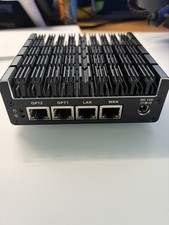
Protectli Vault FW4C-0-8-120 - 4 port, Quad Core, 8GB RAM, 128GB
$180.00

NETGEAR ProSafe 8-Port Gigabit VPN Firewall FVS318G NEW IN BOX
$69.99


 Reply With Quote