

 Reply With Quote
Come on guys. It has been 3 days and no replys.


I have Knoppix 3.6 on one of my machines. I have no problem using it with Samsung SyncMaster 191T LCD monitor however, when I connect the machine to ViewSonic2+ or Packard Bell or Comppaq, and some other monitors, every thing is blurry with lots of lines on it after the initiation of hardware dedection and so on is finished. Paradoxically, I have no video problem when I use my neighbor's 14" IBM monitor. What is going on?
Any help or suggestion is appreciated.
PS: I have tried the same thing with Red Hat. Unfotunately, with the same result.
Come on guys. It has been 3 days and no replys.
I don't know what kind of monitor you have, but it sound like the others are unsupported? Or maybe the refresh rate is too high/low? Another possibility is widescreen monitors, in which case it might be drawing half the next line at the end of the current one.
The only thing I can think of is to check and see what it's being detected AS, and if switching to a console (ctrl-alt-1) makes a command line at all visible. From the command line there are probably some things others could suggest you try, like looking at your /etc/X/xfree86.conf file
 Posting Permissions


128GB (4x32GB) SK hynix DDR4 PC4-2666V RDIMM ECC Server Ram HMA84GR7CJR4N-VK
$799.00

Microsoft Office 2021 Pro Plus USB for 1PC Windows 10 & 11
$62.50
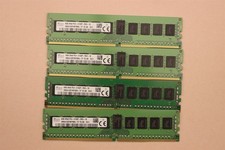
lOT OF 4 SKhynix 8GB (4 x 8GB =32GB) HMA41GR7MFR8N-TF 2R8 PC4-2133P DDR4 MEMORY
$89.00

TF/SD Card Adapter Camera Reader Android Type-c For iPhone17 Pro Max Plusm lot
$573.98

Kingston 32GB 64GB 128GB 256GB USB 3.0 Flash Drive Thumb Memory Stick Pen lot
$285.90

USB 3.0 Flash Drive 32GB 64GB 128GB Memory Stick Thumb Stick Lot Pack
$826.09

USB 3.0 Micro SD SDHC TF Card Reader Memory Adapter for PC Laptop Camera lot
$3.75

A-Tech 8GB DDR3 1600 PC3-12800 Laptop SODIMM 204-Pin Memory RAM PC3L DDR3L 1x 8G
$21.68
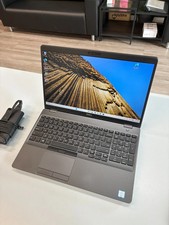
Dell Precision 3541 Laptop i5-9300H 2.4GHz 256GB SSD 16GB RAM Win 11 Pro
$189.99

Microsoft Windows 11 Home 64-Bit USB Flash Drive + Key Retail Box - Original
$39.88