

 Reply With Quote
Sorry but I highly doubt that you'll get KDE to run in only 16M RAM. Look here
You might try one of the other less intensive desktops like icewm. Just boot like so:
boot: knoppix desktop=icewm
gluck


Hi all!
Today a friend showed me K and I really love it
I tried it on my old laptop (16Megs of RAM) a few minutes ago, but KDE won't start. I created a 100megs swap-file. # knoppix mem=16M doesn't help either.
It says:
Welcome to KNOPPIX....
Accessing KNOPPIX CDROM at...
Total memory found 13417kb
....
Sorry, You need at least 16Megs of RAM to start the X-Window system
# ispci -v
[...]
[...]Code:Memory at c0000000 (32 bit, non-prefetchable [size=16M] Memory at c1000000 (32 bit, non-prefetchable [size=16M]
# free
Any ideas why the 16megs are not fully detected/used and therefore X won't run ?Code:total used free shared buffers cached Mem: 13548 13092 456 0 1480 7184 -/+ buffers/cache 4428 9120 Swap: 99992 3644 96348
Thanks a lot in advance!
Best regards,
Hannes.
Sorry but I highly doubt that you'll get KDE to run in only 16M RAM. Look here
You might try one of the other less intensive desktops like icewm. Just boot like so:
boot: knoppix desktop=icewm
gluck
Thanks for your tips, rickenbacherus!
I tried every available desktop
desktop=fluxbox|icewm|kde|larswm|twm|wmaker|xfce
but no luck!
It still writes:
Sorry, You need at least 16Megs of RAM to start the X-Window system
The thing that makes me wonder is, that it only recognizes about 13megs, but I have 16megs.
Any other hints ?
Thanks a lot!
Best regards,
Hannes.
The page at http://www.knopper.net/knoppix/ says:
rough translation:Code:Welche Minimal-Systemanforderungen werden vorausgesetzt? * 20 MB Hauptspeicher für Textmodus, mindestens 96 MB für Grafikmodus mit KDE (zum Arbeiten mit diversen Office-Anwendungen empfohlen: mindestens 128 MB Hauptspeicher), Frage: "Mein Rechner hat aber nicht so viel RAM, daher lassen sich einige der Programme auf der CD gar nicht starten oder laden sehr langsam. Gibt es einen Trick, mit dem ich trotzdem KDE und die Office-Programme/Videos/Spiele starten kann?" Ja. Nach Einrichtung einer sogenannten swap-Partition kann fehlendes RAM unter Linux durch einen hierfür reservierten Bereich auf der Festplatte ersetzt werden [...] Ab Version 1.5 von KNOPPIX kann auch auf einer bestehenden DOS-Partition eine Swapdatei für Linux angelegt werden (Kommando mkdosswapfile oder KDE-Menü unter "Knoppix"). Damit ist dann auch ein Arbeiten mit weniger RAM möglich. [...]
So I thought a swap-file (mine is 100megs) would do the trick to run even KDE with 16megs of RAM... but since it is only detecting/using 13.5megs....Code:System requirements: 20 MB RAM for text-mode, min. 96 MB for graphics with KDE (for Office applications 128MB) Question: "My computer doesn't have that much RAM .... Is there a trick I can start KDE anyway ?" Yes! .... make swap file .... Since version 1.5 one can make a swap file on an existing DOS partition (command mkdosswapfile). Then you're able to work with less RAM...
Thanks a lot!
Best regards,
Hannes
Hi again!
Now I tried all available desktops
desktop=fluxbox|icewm|kde|larswm|twm|wmaker|xfce
with the mem=16M option, but still no luck.
I'm pretty sure that this must work somehow ...
It doesn't say "Sorry, You need at least 16Megs of RAM to start the X-Window system" for fun
Anyone got an idea why my RAM isn't fully detected/used even with the mem=16M option ?
Thanks a lot!
Best regards,
Hannes.
Have you got one of those computers that allocates a certain amount of system RAM to video? I know I had an XP computer a while back that I upgraded to 512MB of RAM, which the BIOS correctly detected, but the Windows system reported that I had 468MB (or something - I don't recall the number), and the manufacturer offered that explanation. Sounds almost as if either some of your RAM is being diverted for another purpose (such as video), or your memory stick has a bad chip. What does your BIOS report?
Hi j.drake!
Thanks a lot for your reply!
I don't know if additional RAM is allocated to the video card, but it is certainly a possibility.
I just booted with the (slow) memory tests and no error was reported.
Bios says:
Base 640k
Extended 15360k
Shadow 96k
Reserved 288
Total 16384
It is an very old Pentium 1 / 166MHz notebook. Max. memory is 32MB, so I thought of upgrading it to 32MB. I hope it will work then ?
Thanks again!
Best regards,
Hannes.
Hope you can find some cheap laptop memory. I finally wound up buying some on eBay.
I already did
Found an auction at ebay, offering 8(!) 16MB modules for 15(!) bucks (Buy Now). Transaction completed, the seller will ship it today
I will keep you posted if it works with 32megs (and if I can launch all window managers). My reply will take some time, since shipping to Austria usually takes about 5 days.
Best regards,
Hannes.
 Posting Permissions

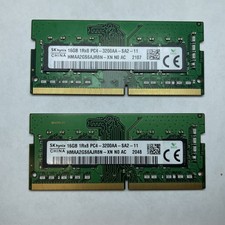
Lot of 2 SK Hynix HMAA2GS6AJR8N-XN 16GB DDR4 PC4-3200AA 1Rx8 Laptop SODIMM RAM
$354.99

NEW Kingston 8GB DDR4 2666MHz Desktop RAM KCP426NS8/8 PC4-21300
$30.00

16GB (2x8GB) Kingston HyperX blu KHX1600C10D3B1/8G PC3-12800U DDR3 1600
$27.99

DDR4 Laptop RAM 4GB 8GB 16GB 32GB 2400 2666 3200 Samsung Hynix
$66.00

Samsung W03J0009150379F87A 64GB (2x32GB) RAM DDR4 2400MHz CRC0Y
$179.99

A-Tech 8GB DDR3 1600 PC3-12800 Laptop SODIMM 204-Pin Memory RAM PC3L DDR3L 1x 8G
$21.68
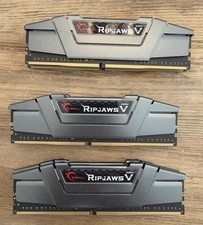
G.Skill PC RAM kit Ripjaws V F4-3200C16D-16GVGB 16 GB 2 x 8 GB DDR4 RAM 3200 MHz
$65.00

RAMAXEL Lenovo 32GB LPDDR5X CAMM2 7500MHz Laptop RAM | UNTESTED
$445.00
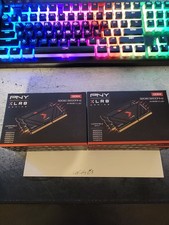
BRAND NEW - PNY XRL8 Gaming 32GB (2x16GB) 3200MHz DDR4 260-PIN (MN32GK2D43200X)
$149.99
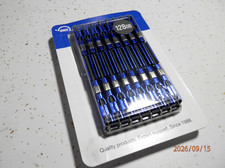
OWC 128GB (16GBx8) PC10600-DDR3 ECC Kit Brand New Sealed
$179.00