-
Linux is about to come off
Okay, let me say that i like linux. I like working in it.
But its gone too far.
I can't work. I can't do anything.
To Work on my files, like say, PHP scripts, under /var/www i have to be root. To IRC, or do anything else, i'd be a fool to do that as root.
So what the hell? Am i supposed to logout/log back in for each individual task? The bastards in #debian seem to thing chmodding my entire fucking system is a good idea.
Are they on crack, or what? You shouldn't have to change the goddamn files, you should just be able to change the USER. Give it better permissions, and what not. Why the hell is that so hard?
-
Senior Member
registered user
Re: Linux is about to come off

Originally Posted by
Shadda
To Work on my files, like say, PHP scripts, under /var/www i have to be root.
That should not be true. On Debian, apache is run as user www-data & not a root user. See the 4th line in the httpd.conf file here http://www.splitbrain.org/The_dot-Fi...httpd.conf.cnf. That is the username that owns /var/www/ and you should not need to edit files as root. See this Google search for more info on that.
So what the hell? Am i supposed to logout/log back in for each individual task?
Are you aware of a utility called su and sudo? Take the following example: I am in KDE and surfing the web with firefox. I read a webpage that talks of enabling DMA with hdparm. Since hdparm requires root access to enable/disable. Do I then logout as me and then login as root? No, I either su - and become root or I run sudo hdparm -c 1 -d 1 /dev/hda. Thus I have changed my identity temporarily.
You shouldn't have to change the goddamn files, you should just be able to change the USER. Give it better permissions, and what not. Why the hell is that so hard?
Exactly. Windows has a "Run as" function for its executables. Linux/Unix has su or sudo & kde has a program called kdesu
-
I know all about su and sudo. My point is, if i'm not running something straight from konsole, i shouldn't have to manually add 'sudo' to every program i want to use. It's ridiculous.
-
My problem here is, I can't work like that. I can't even start apache without logging in as root, or shut down the computer, or anything. if there were some way to give my user super user permissions, while not actually being root (just, full admin power) that'd solve everything.
-
Senior Member
registered user
really the whole chmod thing is for security. i do not mind have the file permission set up as it is. it may be a bit harder but its worth it.
what i find is much easyer then doing everything in the console as root and with out having to log on to kde as root. i click the k start button go to system and go to the file manage as superuser mode, i find i can do anything i want like this and i dont have to log in and out of the kde.
enjoy 
-
Senior Member
registered user
Stick all your web files under the /var/www directory.
Then do su
Then
chmod -R 777 /var/www
Then you should be able to edit and test your files as any user. Just be sure to adjust the permissions before putting them out on the web.
To start apache. Continue logged in as root.
ksysv
Clicking the Apache icon should enable you to click a start button.
By dragging the Apache icon on the left column to start on runlevels 3, 4 and 5 you will ensure Apache starts at boot time.
Alternatively you can use logos in /etc/skel/Desktop to start processes using commands such as
sudo /usr/local/bin/startLAMP
This then executes a bash script such as
#!/bin/bash
# Start Apache, MySQL and PHP
/etc/init.d/apache start
/etc/init.d/mysql start
mozilla "http://127.0.0.1/index.php"
Regards,
Mark
Similar Threads
-
By skitzojase in forum Customising & Remastering
Replies: 1
Last Post: 03-06-2006, 07:56 AM
-
By Jakykong in forum The Lounge
Replies: 2
Last Post: 12-14-2005, 08:36 AM
-
By istoleapig in forum Hardware & Booting
Replies: 2
Last Post: 02-19-2005, 09:28 AM
-
By ziggyrafiq in forum General Support
Replies: 0
Last Post: 09-12-2004, 10:40 PM
-
By Lame_Duck in forum Customising & Remastering
Replies: 0
Last Post: 02-08-2004, 05:19 PM
 Posting Permissions
- You may not post new threads
- You may not post replies
- You may not post attachments
- You may not edit your posts
-
Forum Rules

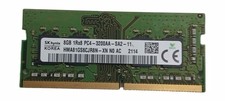
Sk Hynix 8GB PC4-3200AA PC4-3200 260-Pin SO-DIMM Laptop RAM
$31.99

Netac DDR4 32GB 16GB DDR4 3200MHz UDIMM C16 Desktop Internal Memory RAM Kit
$105.99

Corsair CMK32GX4M2B3000C15 Vengeance LPX DDR4 3000mhz Memory Kit - 32GB (2x16GB)
$164.95

Samsung 96GB LPCAMM2 PC5 9600 FE1 E1 LPDDR5X CAMM2 M561K6LC3CL1-CCV DDR5 Memory
$2150.00
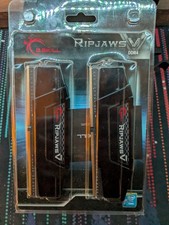
G.Skill PC RAM kit Ripjaws V F4-3200C16D-16GVKB 16 GB 2 x 8 GB DDR4 RAM 3200 MHz
$70.00

RAMAXEL Lenovo 32GB LPDDR5X CAMM2 7500MHz Laptop RAM | UNTESTED
$445.00
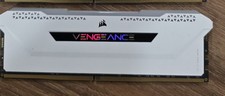
Corsair Vengeance RGB Pro SL DDR4 16GB 3200MHz 288-Pin DIMM
$80.00
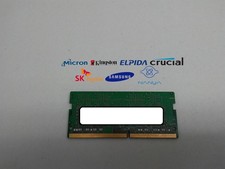
Major Brand 4 GB PC4-17000 (DDR4-2133) 1Rx8 DDR4 Laptop Memory RAM
$8.99

Crucial 16GB (2x 8GB) Kit DDR3 1600MHz PC3-12800 UDIMM Desktop 240-Pin CL11 RAM
$41.00
G.SKILL Ripjaws X 32GB (4x8GB) DDR3-1600 PC3-12800 240-Pin DIMM
$44.50



 Reply With Quote