

 Reply With Quote
just try
/dev/input/mice


After a recent apt-get upgrade my PS2-mouse no longer works in kernel 2.4.27, but still works when I boot with kernel 2.6, so definitely no hardware problem. Trying cat /dev/psaux while moving the mouse gives nothing. What can I try next?
just try
/dev/input/mice
Thanks for replying, but it's stll not working:
ls /dev/input/mice gives me a majot/minor 13/63
cat /dev/input/mice however responds with 'no such device'.
I noticed one of the boot messages says in 2.4.27:
starting hotplug subsystems: input [failed]
while on kernel 2.6 it succesfully starts a number of services within' input'.
Being a bit of a newbie, I don't know what to do now.
I'm having the same problem ... after a v3.3 install, my Synaptics touchpad worked fine. I then apt-get upgraded , and nada. It was using kernel 2.4.24, I installed 2.4.27, played around with gpm.conf, still not getting a moving mouse.
You probably have to load the right module into the kernel.
Try 'modprobe psmouse' as root (hmm, probably you need to type 'modprobe psmouse.o' with kernel 2.4 instead), but I'm not sure if this is the right kernel module (i just guessed the name - I'm using a serial mouse and kernel 2.6 right now).
With 'lsmod |grep mouse' you can see if the module was loaded. To load the module at startup you need to modify '/etc/modules-2.4.27'.
Now you should be able to use your mouse. But there seems to be something wrong with your hotplug. If you have no problems with 2.6, why not use it?
edit:
These are the files in my '/lib/modules/2.4.27/kernel/drivers/input' directory:
evdev.o input.o joydev.o keybdev.o mousedev.o uinput.o
So you probably have to type 'modprobe mousedev.o'. But I'm really not sure.
I have the same problem on both my laptop and desktop pc..
I have ran apt-get and did a system upgrade and voila.. no more ps/2 mouse.
on my laptop, i can plug in a usb mouse and it works, but not on my desktop !!
anyway... I'll try the suggestions here, but really.... the developers should look into why this is happening and send out an update to correct this automatically ...

 Posting Permissions

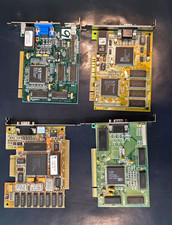
Vintage VGA Video Graphics Card (Vision964, Trio64V+, PVGA1A, GD5446)
$200.00
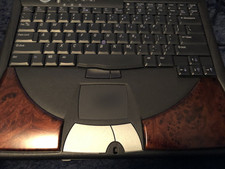
DELL INSPIREON 8200 VINTAGE LAPTOP
$85.00
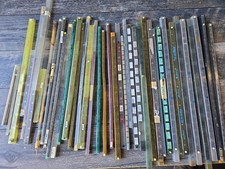
Vintage Retro Lot IC CHIPS CERAMIC Plastic Assorted GOLD Scrap Collection Tubes
$199.99
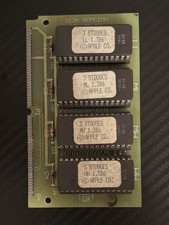
Vintage 1988 APPLE MACINTOSH “3 Stooges” 512K Romsimm AP1127-02 VERY RARE
$399.00
Vintage Retro Beige AT Desktop Computer Sleeper Case
$99.99
Vintage California Computer Systems Boards for S-100 Terminiator Cards
$145.00
Vintage 1984 Seattle Silicon Technology Inc. Valid Concorde ASIC User’s Manual
$299.00
Retro Rare Vintage TransWarp GS Accelerator Card Apple IIGS Applied Engineering
$599.00
RARE VTG NEC IBM PC COMMAND SET SPIN MATE 6150 + SPINWRITER 8850 USER GUIDE
$199.95
Vintage Apple M2115 SCSI External Hard Drive for Macintosh POWERS ON
$119.89