

 Reply With Quote
the nofirewire cheatcode should work.


Hi,
I installed 3.7 on my harddrive, and my firewire card is detected as a network interface, assigned eth0 and added to the routing table. The real network card receives eth1, and since both are in the routing table I have to manually remove eth0 from the route after every boot.
How can I tell Knoppix to NOT consider the Firewire as an Ethernet interface? I guess I should prevent it from loading the eth1394 module, but how can I do this (without simply deleting the module)?
Thanks,
RD
the nofirewire cheatcode should work.
I don't want to disable firewire altogether. Only prevent it to become an Ethernet interface. I still want to use it for hard disks and DVD.
Solved by adding
eth1394
to /etc/hotplug/blacklist
 Posting Permissions


Seagate ST6000NM0115 6TB 256MB 7200RPM 3.5" SATA 6.0Gb/s Enterprise Hard Drive
$159.99

Seagate Exos X14 10TB 7200RPM 3.5" SAS 12Gb/s Hard Drive HDD ST10000NM0528
$165.00

Seagate 14TB Exos X14 7200RPM SATA 6Gb/s 256MB 3.5" Enterprise HDD ST14000NM0408
$354.99
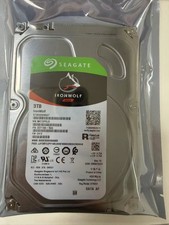
1PCS Seagate IronWolf ST3000VN007 3TB 5900RPM SATA 6Gb/s 3.5 NAS Internal Hard
$97.73
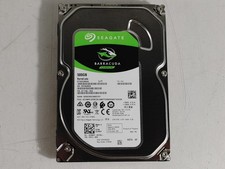
Seagate ST500DM009 BarraCuda 500 GB 3.5" SATA III Desktop Hard Drive
$14.99
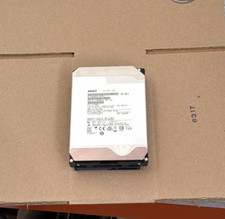
HGST - 6TB - 7200RPM 3.5" SATA 6Gb/s Enterprise Hard Drive | HUS726060ALA640
$84.99

HGST HUS724040ALA640 4TB 7200 RPM SATA 3.5" Internal Desktop Drive 100% Health
$78.00

Western Digital HUS726T4TAL5204 4TB 7.2K SAS 12Gb/s 3.5" 512e HDD NetApp X375A
$69.00
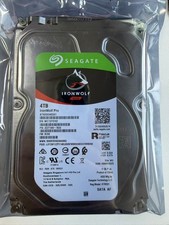
Seagate IronWolf Pro 4TB ST4000NE001 7200RPM 256MB SATA 3.5" NAS HDD Hard Drive
$148.98

Seagate ST8000NM0075 Enterprise Capacity 3.5 HDD 8TB SAS Hard Drive 8TB EXOS
$184.99