-
Junior Member
registered user
Hello ..I am kinda new to linux ...I have played around some with other distributions of linux and some of the knoppix . I like knoppix and was looking into the kiosk stuff you can do with knoppix. I have been a bit frustrated latley with trying to create my own kiosk using knoppix. Some of the instruction are confusing. I like your directions you give because they seem less complicated than the tutorial everyone else points to for remastering from HD install of linux. The
http://www.knoppix.net/wiki/Remaster...Install_How_To
however I do have problem hope you can help 
I followed instructions you gave but i get an error. After i type the long mkisofs command:
mkisofs -pad -l -r -J -v -V "KNOPPIX" -no-emul-boot -boot-load-size 4 -boot-info-table -b boot/isolinux/isolinux.bin -c boot/isolinux/boot.cat -hide-rr-moved -o knoppix.iso master/
I get back :
mkisofs: Uh Oh, I cant find the boot catalog directory 'boot/isolinux'
Rember I new to linux much of the cripted command stuff you have to type in at promt is just techno bable to me means absolutly nothing to me. Just following instructions like a recipe. In a recipe i dont have to understand what i am doing, its a formula, as long as i follow directions i should get the same axact result.
What i am basically trying to do is create a knoppix cd that when insterted in computer and started up it automatically boots into kiosk mode.
I need it to boot into kiosk mode immediately. I dont want people to have the choice to look around.
In kiosk mode when it boots up it opens browser to a specific site i have it set to.
I have it open in fullcreen and they cannot change that.
I have disbaled the F11 key
I have changed the browser throbber icon and pointed it to another url
I have changed the title bar icon.
I made it so they cannot do a search or go to other websites.
I disable menu bar and such.
Basically they can only go to the specific site I set the browser home page to.
To do some of that I had to go into some of the .jar files in the browser app and change a few things. It works and it does what i need.
But now i need to know how to make a .iso of the HD install of knoppix so i can keep all the settings and the .jar files the way i changed them. I need the new Knoppix cd( the remaster)that boots to kiosk mode with my settings immediately.
The way you pointed out seemed the way to go?
I have on computer installed :
hda1 -windowsXP ( i dont want this to change i dont want to write to this it must stay put untouched)(one of the guides talked about writing to windows OS. sounds dangerous to me if you want stuff left alone)
hda2 - this is data partition for windows. Dont want touched either
hda3 - knoppix swap 2Gigs
hda4 - Knoppix 3.4 intall and Home is on this to - about 23 Gigs
hda 5 - partitoned as ext3 - about - 10gigs was using this as free space to do .iso
This ok? or you suggest differnt partition setup to try with?
Thank you for time, any help much apprecitated
Similar Threads
-
By jza in forum Hdd Install / Debian / Apt
Replies: 1
Last Post: 05-03-2003, 11:30 PM
 Posting Permissions
- You may not post new threads
- You may not post replies
- You may not post attachments
- You may not edit your posts
-
Forum Rules


Intel Core i7-3770K 3.5 GHz Processor
$39.00
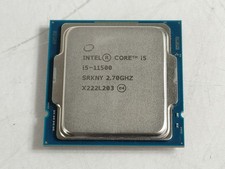
Intel Core i5-11500 2.70 GHz LGA 1200 Desktop CPU Processor SRKNY
$94.99
Intel Core i9-13900K Processor (5.8 GHz, 24 Cores, LGA 1700)
$320.00

Corsair RM750e 750W Fully Modular 80 Plus Gold ATX 3.1 PSU Certified Refurbished
$44.99
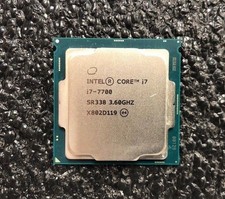
Intel Core i7-7700 Kaby Lake Quad-Core 3.6 GHz Processor LGA 1151
$39.99

Intel i7-8700 Coffee Lake 3.2GHz 6-Core Max Turbo 4.6GHz Processor
$69.99

Intel Core i7-7700T 2.9GHz 8MB Socket LGA1151 Quad Core Processor SR339
$39.99

Intel 4th Gen Core i7-4790 SR1QF 3.60GHz (Turbo 4.00GHz) 8M 4-Core LGA-1150 CPU
$39.99
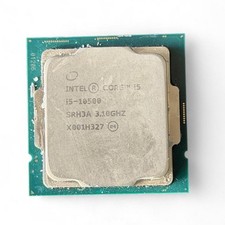
Intel Core i5-10500 SRH3A 3.10GHz 6-Core LGA1200 CPU Desktop Processor
$80.00
AMD Ryzen 7 3800X Processor (3.9GHz, 8 Cores, Socket AM4) Boxed -...
$95.00



 Reply With Quote