

 Reply With Quote
Would you mind posting the steps you did to get knoppix to work on the 1gb usb drive with the 2.4 kernel. I'd like to do the same thing.
Thanks
robert


I have have installed a standard knoppix 3.7 on a 1GB usb pendrive,
and it works and boots fine with the linux24 kernel.
It finds the knoppix image on /dev/sda1
However I can't get it to boot successfully from usb
with linux26 (kernel 2.6.9).
The boot process stops with the message:
Can't find KNOPPIX image
I have debugged what happens in the linuxrc script
in the initrd-image (minirt26.gz), and the problem is that
it fails to mount anything on /cdrom,
and it does try /dev/sda1 among numerous other devices.
All the correct usb-modules seems to be loaded when i do lsmod.
I have tried booting with a home-built 2.6 kernel too, but get the same result.
Has anyone managed to boot knoppix 3.7 with the 2.6 kernel from usb?
Would you mind posting the steps you did to get knoppix to work on the 1gb usb drive with the 2.4 kernel. I'd like to do the same thing.
Thanks
robert
The problem is similar to a problem I just had trying to make a persistent home directory on a pen drive with 2.6 Starting in 2.6, USb devices are now /dev/ub* as opposed to using SCSI emulation (/dev/sd*). So in 2.6, your pen drive is now /dev/uba1 instead of /dev/sda1, and the boot process doesn't automatically look for images in /dev/uba1. If you are using the 'fromhd' cheat code, instead of 'fromhd' or 'fromhd=scan' try 'fromhd=/dev/uba1'. (With my home directory on a pen drive, I have to use the cheat code 'home=/dev/uba1/knoppix.img' instead of just 'home=scan'.)
So try that cheat code on boot.
Thanks for the suggestions, however my problem is not solved.
Neither the option "fromhd=/dev/uba1" or "fromhd=/dev/sda1" works any better.
I am sure the linuxrc script tries both devices by default, but fails to mount them.
from linuxrc (in minirt26.gz):
# New: also check HD partitions for a KNOPPIX/KNOPPIX image
test -n "$FOUND_SCSI" -a -z "$NOSCSI" && DEVICES="$DEVICES /dev/sd?[1-9] /dev/sd?[1-9][0-9]"
DEVICES="$DEVICES /dev/ub?[1-9] /dev/ub?[1-9][0-9] /dev/hd?[1-9] /dev/hd?[1-9][0-9]"
case "$CMDLINE" in *fromhd=/dev/*) DEVICES="$fromhd"; ;; esac
for i in $DEVICES
do
echo -n "${CRE}${BLUE}Looking for CDROM in: ${MAGENTA}$i${NORMAL} "
if mountit $i /cdrom "-o ro" >/dev/null 2>&1
then
if test -f /cdrom/$KNOPPIX_DIR/$KNOPPIX_NAME
To ztws01: Look at http://www.knoppix.net/wiki/USB_Based_FAQ, it explains the methods i used
to get as far as I have done. Unforunately i have to run some applications that require kernel 2.6.
 Posting Permissions


Dell 6P85J 4TB ST4000NM0063 7.2k 6Gb/s 3.5” SAS SED Hard Drive with Tray
$39.99

Western Digital HUS726T4TAL5204 4TB 7.2K SAS 12Gb/s 3.5" 512e HDD NetApp X375A
$64.00

DELL 2TB Enterprise HDD (7200RPM, 3.5", SATA III, 128MB Cache) HUS722T2TALA600
$49.95

Western Digital 1TB 3.5" SATA III 7200RPM Desktop Hard Drive
$34.99

Seagate Exos ST2000NX0253 HDD 2TB SATA 7.2K 2.5" 512b/s
$55.00

Lot of 2 HP 4TB / 128MB SATA 7.2K RPM 3.5" Hard Drive MB4000GCWDC /ST4000NM0033
$125.00

Dell ST6000NM0034 1HT27Z-150 NWCCG 6TB SAS 3.5 7.2K ENTERPRISE SERVER DRIVE
$68.99
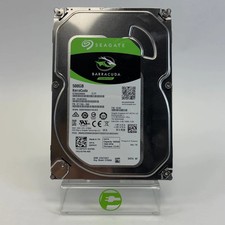
Seagate 2.5" Barracuda 1TB SATA III 6Gbps HDD 2F110A-500
$19.99

Toshiba DT01ACA100 1 TB 3.5" SATA III 3.5 in Desktop Hard Drive
$24.99

HUS726060ALA640 HGST Ultrastar 6TB SATA 6Gbps 7.2K 3.5" Hard Drive OF21860
$129.99