-
The u-flag stands for the user who owns the file. In your case root. The 'g'-flag stands for the group it belongs to and 'o' for all other users. That was the short explanation, now the long one:
if you type 'ls -l' you get something like this:
-rw-r--r-- 1 root root 0 2005-01-21 20:46 test
The owner of the file 'test' is root and it belongs to the group root. The first - means that it is a file (a directory would show a d). -rw-r--r-- means that it is read- and writable for the owner (root), readabale for the group it belongs to and readable for all other users.
If you now type 'chgrp users test ' and 'chmod g+w test' you get this:
-rw-rw-r-- 1 root users 0 2005-01-21 20:46 test
Now the file belongs to the user root and the group users. The group users has now write-access to the file (if not every user should have write-access you can change the ownership to an other group). I think, that's what you wanted.
P.S.: If you want to change the owner of a file you can use the command 'chown nameofuser nameoffileordirectory'
Similar Threads
-
By pdc124 in forum General Support
Replies: 2
Last Post: 07-27-2005, 10:35 PM
-
By mmcfly8888 in forum General Support
Replies: 6
Last Post: 04-16-2005, 05:15 AM
-
By gopikrish in forum General Support
Replies: 3
Last Post: 08-21-2004, 12:12 AM
-
By bob58 in forum General Support
Replies: 1
Last Post: 08-20-2004, 12:47 PM
-
By mark1221 in forum Hdd Install / Debian / Apt
Replies: 2
Last Post: 11-01-2003, 10:32 PM
 Posting Permissions
- You may not post new threads
- You may not post replies
- You may not post attachments
- You may not edit your posts
-
Forum Rules


Intel Core i7-3770K 3.5 GHz Processor
$39.00

INTEL CORE I7-870 SLBJG 2.93GHZ LGA1156 4 CORE CPU PROCESSOR
$23.00

INTEL CORE I9-10940X X-SERIES PROCESSOR | 3.30GHZ | SRGSH
$179.99
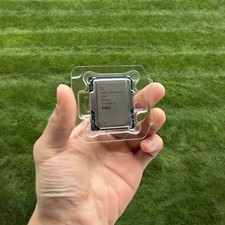
Intel Core Ultra 7 265K 3.9GHz LGA 1851 Processor
$249.99

AMD Ryzen 5 5500 Processor ( read Description)
$59.00

Intel Core i5-12500T SRL5W 2GHz 18MB 6 Core Socket LGA1700 Desktop CPU Processor
$114.99

Intel Core i7-9700 Octa-Core 3 GHz Desktop Processor LGA 1151
$79.99

Intel i7-8700 Coffee Lake 3.2GHz 6-Core Max Turbo 4.6GHz Processor
$67.99

AMD Ryzen 5 PRO 4650GE 100-000000153 6-Core 3.30GHz 8MB AM4 CPU Processor
$59.99

Intel Core i9-9900K SRG19 3.60GHz 16MB 8-Core LGA1151 B Grade CPU Processor
$175.00



 Reply With Quote