

 Reply With Quote
I'm just intrigued how you ended up without user in your /mnt/app entries in fstab. users should always be used (otherwise you need to be root to mount cmg files and hence run them)..Originally Posted by lilsirecho


Changing fstab to ...users in /mnt/app entries...enables single click in archlinuxOS to enable multiple .cmg files to run simultaneously.
================================================== ==========================
Face the opposite way and you still face Mecca.......
I'm just intrigued how you ended up without user in your /mnt/app entries in fstab. users should always be used (otherwise you need to be root to mount cmg files and hence run them)..
I entered the fstab files as provided by the wget download upon first accessing it.
My comment about mecca applies in this case....
I am sure you will find that users permits the root functions that I reported.
Prior to entering ..users.. instead of user....I was forced to use other techniques to get .cmg running. In fact, the permissions changed to user status and root was ostracized.
Please review your use of the terms to clear up the issue.
I do indeed use ...users..now to enable the root controls both in Knoppix3.7 and in archlinuxOS.
In archlinuxOS I have enabled cramfs in the kernel and use the fstab entries outlined.
I have at times enabled....mkdir /mnt/app... and chmod 777 /mnt/app as outlined in klik documents to obtain performance in the klik .cmg arena.
================================================== =============================
Asking questions may get you knowwhere!
The correct format for fstab should be:
Can you explain what you are changing?Code:/mnt/app/1/image /mnt/app/1 auto user,noauto,ro,loop,exec 0 0
The term ....user... following ...auto .... becomes ...users.
================================================== =============================
When is a zero always equal to a one? No anwer yet!
Sorry I just couldn't see it the first time.
That's interesting, the only difference (according to man mount) is that "user" keeps track (in mtab) of who mounted the filesystem and only allows the same user to umount it, while users allows anyone to umount it.
 Posting Permissions


🔀 Juniper Networks EX2300-C-12P 12× Gigabit PoE+ • 2× 10G SFP+ Compact Switch ⚡
$109.99

Juniper EX2300 12-Port Gigabit PoE+ Managed Network Switch P/N: EX2300-C-12P
$149.99

Juniper Networks EX2300-48P 48-Port PoE Gigabit Switch (Renewed)
$361.91

New Juniper Networks EX3400-48P 48-Port PoE+ 4-Port SFP+ Ethernet Switch Sealed
$466.65

Juniper Networks EX2300-48P 48-Port Gigabit PoE Managed Ethernet Switch
$79.99

Juniper AP47 Mist Wi-Fi 7 802.11 6GHz 4x4 Wireless Access Point (NEW)
$999.99

Juniper SRX320 8-Port Security Services Gateway Appliance w/ AC Adapter
$59.99
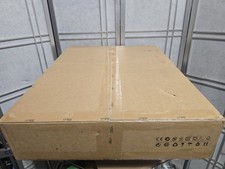
Juniper Networks MX204-HW-BASE *BRAND NEW FACTORY SEALED* READ DETAILS
$8199.99

Juniper Networks SRX220 8-Port Gigabit Layer 3 Managed Rackmount RJ-45 USB
$285.00

Juniper QFX5100-48S-3AFI 48-Port SFP+ 6 QSFP+ 2x SFP/RJ-45 Management
$249.97