-
Need help Please! Installer
Ok....First I am at the fruestration braking point and need help. I am trying to install whoppix which has knoppix 3.7. I have windows xp dell laptop 3.06 512 mem.....and have all ready use QTPARTED to create a EXT 10 gig and A swap of 800mb. I open terminal type su...root.....type cd /tmp knoppix-installer-latest -web....host not found.....bad command...That is what there site says to do but nobody will answer my ?. So I came here tryed ./knoppix-installer...tryed knoppix2hdinstaller....tryed knoppix-installer....tryedknx-2hd......All bad commands. I really want to learn but can not figure it out. This is day 3 with no results from 1 million google searches and forum posts. I'm starting to think this why people pay for M$hit!
-
Senior Member
registered user
I downloaded & burnt the WHoppix 2.6 SP1 CD. According to the documentation at the WHoppix forums, the older version required the user to manualy download the installation scripts and then execute them. It seems the updated version suggest that the user open a terminal and:
cd /tmp
./knoppix-installer-latest-web
That script automatically downloads the installation script archive, extracts them, and executes them. If you do not have internet connectivity then you will not be able to install WHoppix. This is why you keep getting the bad host error. You probably do not have internet connectivity.
The lack of a "onboard" installer seems to be a limitation of WHoppix and not of Knoppix as all recent versions come with the installer on the CD . I would suggest that you download and save the installation script archive http://debian.tu-bs.de/knoppix/insta..._0.3-14.tar.gz and save it to either floppy, CDR, USB flash key. Then you can install WHoppix anywhere without the network connectivity dependency. To install from the archive:
Code:
cd $HOME
tar zxvf /the/path/to/where/ever/you/put/the/knx-installer_0.3-14.tar.gz
cd knx-installer-0.3
sudo ./knoppix-installer
I got these commands from the /tmp/knoppix-installer-latest-web file. You can find out how it works by:
xedit /tmp/knoppix-installer-latest-web
I do not agree with the decision to not include the installer on the CD and you should take that up with the WHoppix people. WHoppix excuse is that their distro is not for new users. Unless you need to pentration testing or network testing, I see no point in running WHoppix over Knoppix or Kanotix.
I hope this helps.
James
-
Installer
Hey Thanks alot for the quick post. That is exactly what I thought the problem was ...and posted(on whoppix) that question after 4 days and 50 some people viewing the post nobody would answer it.I started to think there was a reason they weren't answering it. I am a long time M$ user and very comfortable with windows but this was my first attempt at Linux to use it for pen testing\security on my network. The fact that you have to go online to install software seems very insecure to me....I guess I'm not a programmer but nevertheless seems pointless.
Similar Threads
-
By jonli in forum Customising & Remastering
Replies: 2
Last Post: 02-15-2006, 11:51 PM
-
By beforewisdom in forum Knoppix DVD
Replies: 2
Last Post: 06-26-2005, 07:15 PM
-
By mstromberg in forum Ideas
Replies: 4
Last Post: 09-15-2004, 01:34 AM
-
By ValhallaSystems in forum Hdd Install / Debian / Apt
Replies: 4
Last Post: 07-25-2004, 06:36 PM
-
By NikNak in forum Hdd Install / Debian / Apt
Replies: 2
Last Post: 03-24-2004, 02:44 PM
 Posting Permissions
- You may not post new threads
- You may not post replies
- You may not post attachments
- You may not edit your posts
-
Forum Rules


(New) AMD Ryzen 7 5700X 8 Core 16 Thread AM4 Unlocked 3.4 GHz CPU OEM Tray
$174.99

AMD Ryzen 7 PRO 8700GE 8-Core/16-Thread Up to 5.1GHz AM5 (FL1)
$189.00
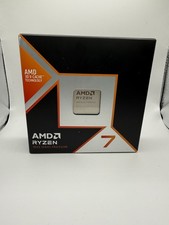
AMD Ryzen 7 9800X3D 8-Core 16-Thread AM5 Zen 5 Desktop Processor NEW
$380.00

DELL Optiplex 780 SFF CORE2DUO 3.0GHz 8GB RAM 250GB HDDDVDRW NO OS
$99.99
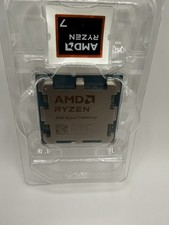
AMD Ryzen 7 9800X3D 8-Core 16-Thread AM5 Zen 5 Desktop Processor
$360.00
AMD - Ryzen 7 7800X3D 8-CORE 16-THREAD 4.2 GHz (5.0 GHz Max Boost) AM5 UNLOCKED
$300.00

Intel Core i9-9900K Coffee Lake 8-Core, 16-Thread, 3.6 GHz (LGA 1151)
$189.99

Apple Macbook Pro 13" M1 8-Core 16GB 512GB - Good
$464.99

Dell OptiPlex 5070 SFF i7-9700 (8-Core) 3.0GHz 16GB 256 SSD Windows 11
$250.00
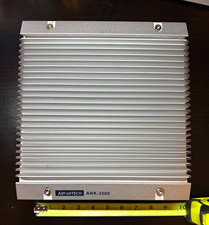
Advantech ARK-3500 Fanless Industrial PC i7-3610QE 8GB
$200.00



 Reply With Quote