

 Reply With Quote
How did you create the image? With dd? If so, you just need to mount /dev/hdb6 and type:Code:dd if=/mnt/hdb6/hdb2.img of=/dev/hdb2


Well, now I've done it. I trashed my Knoppix partition. We will skip my stupidity and get to the silver lining.
That good news is I had made a backup to an image file just last week of my hdb2 partition. It resides on: /dev/hdb6/hdb2.img
Obviously I want to restore this.
Do I just "mount -t /dev/hdb6/hdb2.img" and "dd" it to the /dev/hdb2 partition?
I guess I should reformat /dev/hdb2 first though to clean it up. Any tips here before I attempt this?
sakiZ
How did you create the image? With dd? If so, you just need to mount /dev/hdb6 and type:Code:dd if=/mnt/hdb6/hdb2.img of=/dev/hdb2
 Posting Permissions

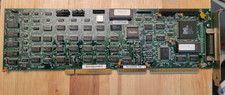
Vintage UltraStor 803-45288-00C SCSI Host Adapter Controller Card Rare U34F
$200.00

5x Vintage SSS SCP1802D SCP1802LD Ceramic CPU 1802 COSMAC 1978 Gold IC
$299.99

Vintage MICRON DESKTOP PC 133MHz Pentium - SEE BioS SCREEN PICS
$475.00
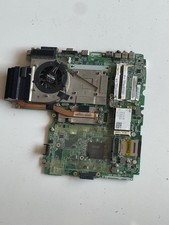
Vintage Lenovo ThinkPad laptop motherboard sold FOR PARTS ONLY / REPAIR.
$36.09

Vintage OEM Apple Macintosh Computer AC Power Cord, 7-1/2 FT *MADE IN USA* Black
$48.95

Vintage Apple Macintosh Computer Travel Bag Tote Shoulder Side Bag with Strap
$299.00

RARE WinBook XP XP5 D3i Full Docking Station 44X CDROM 2 ISA Vintage Laptop Dock
$249.95

Vintage 2010 VIA WM8650 7 inch Android 2.2 Mini tablet PC (MID), collectible
$25.00

Vintage NMB Technologies RT8255CW+ Mechanical Wired Keyboard - Tested
$74.95

🔥Vintage Windows 95 Hp Pavilion 5030 Monitor, Tower Working Desk Computer DOS
$1095.00