

 Reply With Quote
Did you run an MD5 check on this ISO file?Originally Posted by ziocalepino


Hi, I've dloaded the ISO file of v. 3.7 of Knoppix. Trying to put it into a CD ROM using DAemon Tools I've discovered that the ISO file is 45 MB too large for a 700 MB CD. What is the solution?
Thanks all
ziocalepino
Did you run an MD5 check on this ISO file?
You'll have to burn it as an image (search for 'burn image-file' or something like that in the menu). Just burning the isofile on the CD won't work (even if if would fit).
And, like Harry Kuhman already said, check the md5sum.
Actually, something is very wrong with that supposed size, there is no way that the correct iso is as big as he says. Thus the first step is what it always should be, check the md5 sum. There are some other issues too, if you read his post you should spot what I'm talking about. But there was no point in getting into that until the md5 sum was checked, so I didn't get into discussions of iso burning.
Once I've put the ISO file as it is into a CD how can I setup Knoppix? ISO is not an executable application!
z.
If you have Nero CD burn utility then these pages should help http://www.rocketfodder.pwp.blueyond...Nero_page1.htm and http://www.rocketfodder.pwp.blueyond...Nero_page2.htm.
After the successful burn, download a free PDF book about knoppix here http://www.pjls16812.pwp.blueyonder....pix/index.html.
I hope this helps.
James
I asked one very simple straight forwrd question that you couldn't be bothered to answer, but instead you want a tutorial about all the things that you are doing wrong (and several are obvious already)? There is no point in even trying to provide all of the information that you are going to need if you will not work with us to answer simple questions, and if your first post is to be believed your ISO file is bad.
About the last reply.... I've dloaded ISO file from an offcial ftp mirror. It IS bigger than 700 MB, I really cannot know if this is or not correct, understood? Your question cuold be stright, mine is too! And excuse me if I'm not mr. Thorvalds, I'ma a simply beginner and because of this I CAN do silly (in your opinion) questions. OK boy?
Thanks in any case for the useful links, surely useful.
bye
z.
I've taken a lot of time to help a lot of beginners here. I was trying to do the same with you. And while I have a pretty extensive computer background, I consider myself a Linux newbiee too.
I asked one very straight forward question (even restraining from saying anything else to not distract from the question, although there are more things that you need to know):
I could give you the exact byte size of the Knoppix 3.7 English iso file, I have it right in front of me, that that wouldn't acomplish nearly as much as knowing one way or another if your file was both the right size and not corrupt. And it certainly wouldn't help you the next time that you download a file and don't check the md5 sum either. There is an MD5 file on the mirror right next to the iso. You want links, there are links right at the top of the page that link to DOCUMENTATION including a Downloading FAQ that will tell you how to download both the ISO and the MD5 file and how to check it. If you didn't know what I was talking about in my first post and were too lazy to do a simple Google search, you could have asked in your second post rather than completely ignoring the effort to help you, or in your third post rather than calling me boy, or you could have used the search feature on the top of the forum pages to search knoppix.net for discussion of the term; it has been discussed by many people in great detail to help many others here, and perhaps it would be better to read those posts than call people names and expect them to rewrite all of the information again just for you.
Well, I've won my gigantic laziness and contolled MD5. Comparing the string obtained with the one written on the .md5 file dloaded from the same ftp mirror site, they are the same. And now? ISO file still remains too large for a 700 MB CD.
ciao
z.
P.S.: I really couldn't suspect that "boy" is a bad word in english... I must remember this when I'll go in USA this summer.
 Posting Permissions

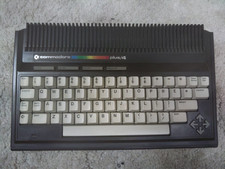
Commodore Plus/4 computer for parts or restore
$50.00
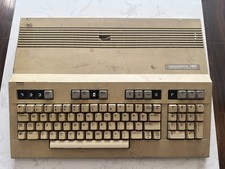
Commodore 128 Vintage Computer Not Working No Power Damage READ
$129.00

Commodore OS USB | Bootable LIVE + Install | The Ultimate Gaming Linux OS | NEW
$11.99

Commodore VIC-20 Diagnostic Cartridge & Test Harness Set - USA seller
$39.99
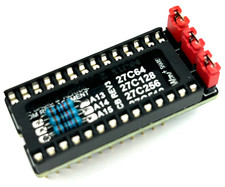
Commodore 64 & VIC-20 BASIC & Kernel ROM Replacement Adapter - USA seller
$17.99
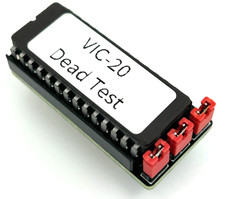
Commodore VIC-20 Dead Test Rom - USA seller
$19.99
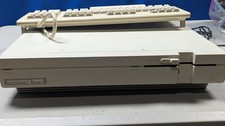
Commodore 128D System works great Comes with Keyboard which works great
$800.00
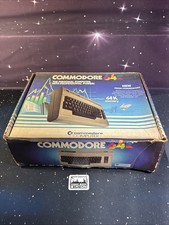
Commodore 64 1982 Commodore International w/ Box, Manual, & Games Magic Desk MC
$224.99

TeensyROM+ TR+ v0.4 Cartridge for C64/128 - w/ Case & 32GB SD Preloaded
$89.50
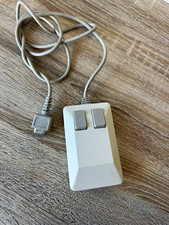
Commodore 1351 Wired Mechanical Standard Mouse 2-Button Beige/Gray Untested
$50.00