-
How do i log in as root user?
how do i log in as root in the login screen, is says root login not allowed, i need to make a folder under /usr/ to be writable......
-
Administrator
Site Admin-
Gee, you wouldn't want to read any of the other posts where this question is already answered, just post and expect people to write the information for you. I doubt if you could have come up with another question where the answer was as easy to find.
-
i know, ive been looking at all of those other threads, but none of them work for me, and none tell how to login as root and the main login page....
-
Senior Member
registered user
you do NOT need to login as root for that. just type for your specific problem perhaps
you now have konqueror as root, when you shot it down you are not root anymore.
-
Senior Member
registered user
spacedude89,
Your question is "kinda" what everyone is getting un-nerved about, it deals with getting "root access", thus, it is like "root password" subjects...
First, are you running off the Live CD, or have you hard drive installed?
Depending on your above answer, here is your answers:
Live CD
You realizes that root doesnt have a password, and thus, making any changes to the OS will not be maintained during a reboot - i.e. your directory / folder you create, wont exist after you reboot, right ?
If you are running the Live CD, there is no root password, to get root, you use the su or the sudo commands in a users Konsole screen. To get what you want to do with the Live CD, you would do the following:
( 1 ) Start a regular user Konsole, text, and is "like" a DOS screen in Windows.
( 2 ) Type one of the following:
su
mkdir somedirectory
or
sudo mkdir somedirectory
replacing "somedirectory" with the path / and folder you want to create, like this... if you wanted to create a folder under /usr named scrappy - then the two above examples would look like this:
su
mkdir /usr/scrappy
exit
or
sudo mkdir /usr/scrappy
Now, if you hard drive installed, things change a little bit, considering that "during a hard drive install", you create a root user account, and create its own password ( it is part of the install )
Hard Drive Installed
To get what you want, you dont have to log out, and re-login as a root, you can do the same thing mentioned in the Live CD above, as you can if you did a hard drive install, the only differance is, that, you DO have a root password in a hard drive install, and thus, may be required to enter that password in doing some commands.
One of the big things that newbies to this whole "root / user" thing in Linux, and in Knoppix, is, that people think they have to BE root all the time, or have to LOGIN specifically as root, to do things... As you learn about Linux, you begin to realize its not so much BEING root all the time, but, rather, being ABLE to be root when you NEED IT ( which is not ALWAYS, and being root ALWAYS is a security risk ) -=- So, you get root when you NEED IT, and drop being root, when you DONT need it...
So, if you have a hard drive install, and want to create a folder, follow the same examples as I displayed in the Live CD area above, except, this MAY BE what you will see doing them:
su
please enter password: (enter root password)
mkdir /usr/scrappy
exit
or
sudo mkdir /usr/scrappy
please enter password: (enter root password)
Again, its not the fact that you have to login as root specifically, you dont have to, you can get root, anytime you want it, or need it, as long as you have the root password, or are "permitted" to becoming root - the "knoppix" user ( on the Live CD boot ) is permitted to becoming root, because it is in the sudo users file, if you hard drive install Knoppix, you can add other users to this file, and allow them to be root, if they want to, but, as the file will tell you, you dont want EVERYONE to have this ability, it can turn into a serious security risk...
Hopefully, this helps,
Ms. Cuddles
-
Senior Member
registered user
Root Tip
<<One of the big things that newbies to this whole "root / user" thing in Linux, and in Knoppix, is, that people think they have to BE root all the time, or have to LOGIN specifically as root, to do things... As you learn about Linux, you begin to realize its not so much BEING root all the time, but, rather, being ABLE to be root when you NEED IT ( which is not ALWAYS, and being root ALWAYS is a security risk ) -=- So, you get root when you NEED IT, and drop being root, when you DONT need it... >>
Good points. My first couple of HD installs I just HAD to have a root log in mode. Then, after a lot of playing and tinkering it dawned on me I didn't. It was getting too confusing. I had my email set up in root, but when I wanted to do wine programs, I had to be in user mode. Two log ins was WAY more trouble than it was worth.
I now only log in as user. But.... I do like to get into root a lot, so here is what I did. I dragged a link from the Super User mode file manager to my task bar. Now it is right there for easy access. When it asks me for a password I also click the "keep password" box so I only have to give the root password once per session.
If I need the console, I just press F4 within Super User File Manager. No additional password typing needed this way.
Best of both worlds.
sakiZ
-
Junior Member
registered user
How to be full ROOT
If you want to be full root, just visit this post for detailed instruction how to be full root and much more:
http://www.knoppix.net/forum/viewtopic.php?t=17024
Similar Threads
-
By Wavform in forum Hdd Install / Debian / Apt
Replies: 3
Last Post: 05-19-2005, 03:44 AM
-
By NewGuy in forum MS Windows & New to Linux
Replies: 1
Last Post: 12-25-2004, 02:59 AM
-
By rrfish72 in forum General Support
Replies: 6
Last Post: 09-17-2004, 08:15 PM
-
By zuzo in forum General Support
Replies: 6
Last Post: 12-21-2003, 05:19 PM
-
By fingers99 in forum Hdd Install / Debian / Apt
Replies: 8
Last Post: 08-11-2003, 07:32 PM
 Posting Permissions
- You may not post new threads
- You may not post replies
- You may not post attachments
- You may not edit your posts
-
Forum Rules


Netac DDR4 32GB 16GB DDR4 3200MHz UDIMM C16 Desktop Internal Memory RAM Kit
$99.99

16GB KIT (2x8GB) DDR4 Gamer Desktop RAM PC4 MIXED BRANDS
$65.00

Kingston 16GB DDR4 3200MHz PC4-3200AA-SA2-12 Laptop RAM SODIMM (HP32D4S2S8ME-16)
$64.99
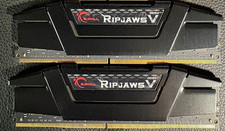
RAM G. SKILL Ripjaws V Series 32GB 2x16GB DDR4 3200 CL16 F43200C16Q64GVK Matched
$149.99

A-Tech 8GB DDR3 1600 PC3-12800 Laptop SODIMM 204-Pin Memory RAM PC3L DDR3L 1x 8G
$21.68
![[ BULK LOT OF 10 ] UNITS of 8GB DDR4 Laptop RAM SAMSUNG, HYNIX etc. picture](/store/img/g/IKQAAeSwEK9qv9TG/s-l225/-BULK-LOT-OF-10-UNITS-of-8GB-DDR4-Laptop-RAM-SAMSU.jpg)
[ BULK LOT OF 10 ] UNITS of 8GB DDR4 Laptop RAM SAMSUNG, HYNIX etc.
$299.99
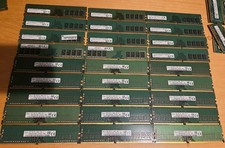
Lot of 27 8GB DDR4 2666MHz Desktop RAM PC4-2666V UDIMM HYNIX MICRON SAMSUNG
$750.00

MINT Micron Cisco 32GB PC4-2400T DDR4 2Rx4 RDIMM RAM MTA36ASF4G72PZ-2G3 LOT
$155.19
8GB DDR4 2666MHz Desktop RAM Unbuffered 288-Pin PC4-21300 Upgrade
$145.99
8GB DDR4 2400MHz Desktop RAM Unbuffered 288-Pin PC4-19200 Upgrade
$145.99



 Reply With Quote