

 Reply With Quote
I got the audio working.. It was just turned WAY down..


My specs of laptop are here
1.
I cannot get the audio to work or the WiFi to work. I'm not really concered about the Wifi because I just ordered an Orinoco Classic Gold. The audio is a SoundMAX intergrated. Anybody know how to get that to work?
2.
Lilo is working great but I would like to mod it. Currently on boot it says:
Linux
Linux(2.4)-1
Linux(2.6)-2
WinXP/2K(hda1)
I would like it to be
XP
Linux
With XP being default. (and just using the 2.6 version of linux)
Having a step-by-step how-to would be nice on modifying this. I guess I don't know how to "commet out" something once I get into the /ect/lilo.conf. I have tried to use the suggestions on this site, but no luck.
3.
I have an XP laserjet 2 that is hooked to my XP box via LPT. It is shared out for other windows systems. I'm not shure if it can be done, but I would like to hook up on that so I can print via my network on Knoppix.
4.
I have a CDRW/DVD combo. Whats the easiest way to - burn CD's and watch DVD's? Do I already have the apps needed?
For instance, When I use The CD Kreator - it says "K3b did not find a suitable writer. You will only be able to creat an image." Although when i put a DVD in, it shows me the .VOB files...
Any help in ANY of these areas would totally be killer!
Thanks.
I got the audio working.. It was just turned WAY down..
Ok. (I guess this is a worklog for me).
I got the Windows shared printer working. Before I would get "NT_access_Denied". But here is how I tricked it.
- Log into the Printer wizard as Administrator.
- When you launch the Add printer wizard, choose SMB shared printer.
- In the next screen(user identification), choose Anonymous(no login/no password)
- Proceed to the next screen, and SCAN your network.(This is where you will get the NT_ACCESS_DENIED message if you try to access your Windows network)
- Now Don't touch anything, and go BACK one step to the previous screen (User identification).
- In the user identification screen, choose guest(login = "guest").
- Proceed to the next screen. DO NOT repeat a scan. Just try to access your Windows network in the displayed tree. You should magically see your Windows printer appear without any whining about access.
----------
Now just DVD playback, CD burning and Lilo.... hmmm....
DVD playback...xine should work, it has a DVD button.Originally Posted by GFBurke
CD burning: I use K3B. However, I have had some problems with k3b on my Knoppix 3.4 install which I was not able to solve. I switched to Kanotix and have not had any problems. IMHO this is the one big improvement kanotix has over knoppix...fewer buggy apps.
Lilo: The file to edit is /etc/lilo.conf. To change the default there is a line 'default=XXX'. To change the names which appear on the boot just change the 'label=XXX' line. To edit out a line just put a # as the first character in the line. You must be root to edit this file; from command line 'kdesu kate /etc/lilo.conf' will get you into kate (very good editor) as root but you must set a root password first, kdesu will need one. 'sudo passwd' will set root password. You must also run lilo to implement the changes into lilo, kate has a built in terminal panel. Since you will already be root, just type 'lilo'.
Thanks man. I have been trying to use xine but "show GUI" was unchecked... I found it - thanks a lot man!
ahhh.. You know what.. I have been getting into Konsole and going through : su, password.. then root to edit the lilo. "Permission Denied". I have found that I needed to click on the penguin and go to Root shell.
Thanks again man.
I made a /etc/lilo.conf.old just incase I screw it up. If I do, is it going to be easy to put it back?
I understand about the # - making line not useable.. I just dont want to mess it up. I did make the "default" change.. but it didnt change the default..
I got it!
-XP
-Linux
Thanks dude.
 Posting Permissions


Dell EMC PowerEdge R740 8 Bay Server w/ 32GB RAM 2x GOLD 6132 2x 1600W PSU H730p
$499.88

Dell PowerEdge R740xd Dual Intel Silver 4116 @2.1GHz 32GB HBA330 24Bay Server
$525.00

Dell Poweredge R630 2x Xeon E5-2680 v3 2.5ghz 24-Cores / 64gb / Raid / 2x 1Tb
$374.99

DELL POWEREDGE R340 Server | Xeon E-2126G 64GB RAM PERC H330 (Onboard)
$399.95
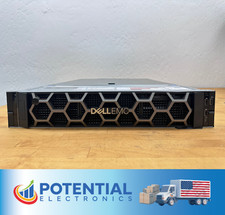
USED Dell EMC PowerEdge R740 BAREBONES Server NO RAM HDD or CPU, 2x 750w PSU 🚚
$170.00

Dell PowerEdge R730 8 Bay Server 64Gb 1x80Gb SSD 3x900Gb SAS 2x12c v4CPU Proxmox
$620.00

Dell PowerEdge R640 1U 8SFF Server Barebones 2x Gold 5120 64GB H330 2x 750w
$538.88

Dell PowerEdge C4130 1U AI GPU Server | 2x E5-2680 v3 | 32gb Ram | 2x 1600W
$484.99

Dell EMC PowerEdge R440 Xeon silver 4215 2.5GHz 16 GB ram 2x 550W PSU No HDD
$275.00

Dell Intel X710-DA2 5N7Y5 Dual-Port 10GbE SFP+ PCIe 3.0 x8 Network Adapter
$27.50