-
cannot boot off iso image
I'm running Windows XP SP1 on Dell C600
I downloaded Knoppix 3.7 to the root level of C:\ drive
I renamed the iso to knoppix.iso
I inserted and booted off the knoppix cd I burned
at the Boot prompt I entered: bootfrom=/dev/hda1/knoppix.iso
also tried bootfrom=/dev/hda1
Knoppix errors and tells me it cannot find the kernel image.
Now the cheat notes say I should use:
bootfrom=/dev/hda1/KNX.iso
but I didn't name the iso file KNX.iso
What am I doing wrong here?
-
What kind of a File System do you use on the partition where ya have hosted the image (iso)?
If it is NTFS. ain't gonna boot from it
That's what I thing maybe I'm wrrong!
-
Senior Member
registered user
I don't have 3.7 so may be way off here but does Knoppix support booting from the iso or do you have to do a 'tohd' install?
-
Senior Member
registered user
Supposely bootfrom allows booting off unsupported(fully) Filesystems.
I've never gotten it to work though.
-

Originally Posted by
sealview
What kind of a File System do you use on the partition where ya have hosted the image (iso)?
If it is NTFS. ain't gonna boot from it
That's what I thing maybe I'm wrrong!
Ok here's what I don't understand. Knoppix will mount the ntfs hard drive read only. I remember reading somewhere that linux can't write to an NTFS partition but can read from it.
What I don't understand is if it can read from NTFS shouldn't it be able to boot from it? I mean wouldn't booting just involve a read action? Would booting from the iso require writing of any temp files to the hda1?
-
Originally Posted by
uber
<snip>
What I don't understand is if it can read from NTFS shouldn't it be able to boot from it? I mean wouldn't booting just involve a read action? Would booting from the iso require writing of any temp files to the hda1?
I'm with you, uber. When Knoppix boots from the CD it doesn't write anything to the hard drive, and so it should be when booting from an .iso file on the hard drive. Having said that, I haven't been able to boot Knoppix from the .iso file on my hard drive either, but the Knoppix .iso is not in the "C" partition, and also I haven't renamed it.
Also, perhaps the ability to access NTFS partition is not in the basic stuff loaded into RAM during boot? In other words, maybe it's a chicken-or-egg problem: you have to load the whole Linux kernel into RAM in order to access an NTFS partition. Unfortunately I don't know. Sorry. 
-
Senior Member
registered user
Re: cannot boot off iso image
Originally Posted by
uber
I'm running Windows XP SP1 on Dell C600
I downloaded Knoppix 3.7 to the root level of C:\ drive
I renamed the iso to knoppix.iso
I inserted and booted off the knoppix cd I burned
at the Boot prompt I entered: bootfrom=/dev/hda1/knoppix.iso
also tried bootfrom=/dev/hda1
Knoppix errors and tells me it cannot find the kernel image.
Now the cheat notes say I should use:
bootfrom=/dev/hda1/KNX.iso
but I didn't name the iso file KNX.iso
What am I doing wrong here?
you should have sp2 :O
why not just boot from cd and save your configuration to floppy?
-
Re: cannot boot off iso image
What am I doing wrong here?
you should have sp2 :O
LOL
eeeewwww
why not just boot from cd and save your configuration to floppy?[/quote]
actually the problem I'm trying to work around is that my employer is too cheap to provide me with a Linux laptop to run what I need to run. I thought Knoppix was the way out. The winders laptop I was issued only has 512 meg of ram. I just wanted a bit more speed out of it.
-
Booting from .iso file on hard drive
One reason I can think of for wanting to boot from the hard drive is to free up the CD drive. (I presume that the Knoppix CD can be removed from the drive once control has been transferred to the .iso image.)
Another reason is that applications in Knoppix wouldn't take so long to load into RAM.
-
Senior Member
registered user
I have booted Knoppix 3.7 off my hard drive on a Windows XP SP1 laptop and a Windows NT4 desktop, both of which use NTFS. Therefore it can be done!
My NT4 option is nearest to what you are trying to do. However you do not use the ISO, but the Knoppix file you find in the \KNOPPIX directory when you burn the ISO to a CD.
When you burn the CD you will find a file simply called KNOPPIX in the directory \KNOPPIX of the CD.
Using Windows create a directory c:\KNOPPIX on your hard drive and copy the file from your CD to it.
Now when you boot up from the (burnt) CD you type:
knoppix26 bootfrom=/dev/hda1
add any other cheatcodes you might want AFTER the bootfrom cheatcode. The command above uses the 2.6 kernel. The 2.4 kernel never worked on NT4 with Knoppix 3.4 so I have not tried with later versions!
N.B. The capitalisation of the names is important.
If you really want to use the ISO you have to do what I have done on my laptop. This is a Poor Mans Install (PMI) for NTFS, which was developed by minds greater than myself after a long and tortuous struggle. However, it was well worth it because the result is brilliant!
Have a look here:
http://www.knoppix.net/wiki/Poor_Mans_Install
This gives you some introductory notes on the process. Follow the link to method 2 Win Partition to see what to do.
You are going to have to download Ruymbeke's files (9MB if I remember rightly) but once things are set up you will love being able to boot you PC into Knoppix without the need of the cd-rom.
Hope that helps.
ICPUG
Similar Threads
-
Replies: 0
Last Post: 12-15-2006, 07:42 PM
-
By porkrind in forum MS Windows & New to Linux
Replies: 16
Last Post: 06-21-2005, 07:09 PM
-
By nicklaser in forum General Support
Replies: 0
Last Post: 11-03-2004, 07:38 AM
-
By gtg in forum Customising & Remastering
Replies: 0
Last Post: 08-31-2004, 01:52 PM
-
By mswarbrick in forum Customising & Remastering
Replies: 6
Last Post: 04-18-2003, 12:30 AM
 Posting Permissions
- You may not post new threads
- You may not post replies
- You may not post attachments
- You may not edit your posts
-
Forum Rules


Intel Core i7-9700 Octa-Core 3 GHz Desktop Processor LGA 1151
$79.99
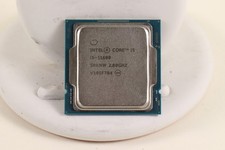
INTEL CORE I5-11600 2.80GHZ PROCESSOR | SRKNW
$109.99
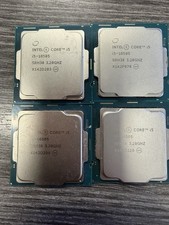
LOT OF 4 Intel Core i5-10505 6-Core 3.2GHz SRH38 CPU Processor
$349.95

(LOT OF 25) Intel Core i5-8400 CPU 2.80GHz Desktop Processor (SR3QT)
$875.00

AMD Ryzen 5 5600X Desktop Processor (3.7GHz, 6 Cores, AM4 CPU) 100-100000065
$135.00
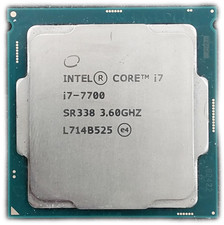
Intel Core i7-7700 SR338 3.6GHz 4-Core FCLGA1151 CPU PROCESSOR
$39.99

Intel Core i7-8700 3.2 GHz 8 GT/s LGA 1151 Desktop CPU Processor SR3QS
$67.99
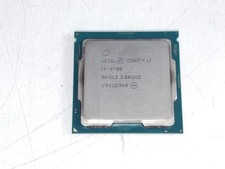
Intel Core i7-9700 3.00 GHz LGA 1151 Desktop CPU Processor SRG13
$79.99

INTEL CORE I7-870 SLBJG 2.93GHZ LGA1156 4 CORE CPU PROCESSOR
$23.00
Intel Core i5 6500 3.2GHz Quad-Core SR2L6 CPU Processor Lot Qty Available
$17.09



 Reply With Quote