-
Senior Member
registered user
use ftp if anything. you can use samba. basicly turn on samba creat a username and password. make sure you click yes when it asked do you want to allow the drives to be mounts / read and write to. (you shouldnt be able to write to them but you can copy from it to your xp hd)
then go to windows open up explorer and do \\iphere\ you should get a list of shared folders.when you click on the shared doc it should ask for the username and password you set in knoppix when you turned on smb server(samba).
you should have a built in ftp program for knoppix such as ftpd ftp-d or pure-ftpd. just open up dos or explorer and go to the ip that knoppix has (check ifconfig before hand so you know knoppixs ip)in dos
ftp ip it should ask for a username make sure you have set roots password for this and sign in as root.
you could do this with explorer just the same open up ie and type ftp://knoppixip and it should ask for a username and password.
Similar Threads
-
By chris-harry in forum Laptops
Replies: 4
Last Post: 08-18-2005, 03:59 AM
-
By Little Toshi in forum Hdd Install / Debian / Apt
Replies: 5
Last Post: 09-22-2004, 11:18 PM
-
By Mo_From_Holland in forum Laptops
Replies: 1
Last Post: 04-02-2004, 03:42 PM
-
Replies: 6
Last Post: 12-01-2003, 01:09 AM
-
By monkymind in forum Hardware & Booting
Replies: 7
Last Post: 04-09-2003, 04:33 AM
 Posting Permissions
- You may not post new threads
- You may not post replies
- You may not post attachments
- You may not edit your posts
-
Forum Rules


GIGABYTE B365 HD3 LGA1151 Intel 9th Gen motherboard
$59.99
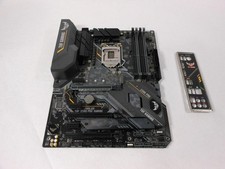
ASUS TUF Z390-PRO GAMING LGA1151 DDR4 ATX Motherboard With IO Inlucded
$100.00

ASUS PRIME Z490-P LGA 1200 Intel Z490 SATA 6Gb/s ATX Intel Motherboard NEW
$121.45
MSI B560M Pro-E LGA 1200 Intel B560 M-ATX Intel Motherboard Intel 10th 11th gen
$69.99
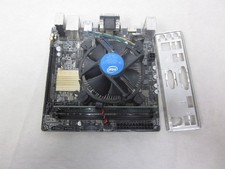
ASUS H110I-PLUS Motherboard LGA1151 w/ I5-7400 CPU, 8GB, Heatsink & I/O Shield
$60.00

ASUS PRIME Z370-A II LGA 1151 Intel Z370 DDR4 DIMM USB3.1 DVI ATX RGB
$69.99

ASRock B550M Phantom Gaming 4 AM4 AMD B550 SATA 6Gb/s Micro ATX AMD Motherboard
$81.99

Intel H81 Motherboard M.2 NVMe LGA 1150 mATX w/ IO Shield (Random Slot Color)
$29.99

ASUS PRIME H410M-K LGA 1200 Intel 10th Gen H410 DDR4 USB3.2 Motherboard M-ATX
$59.99
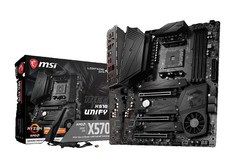
MSI MEG X570 UNIFY Socket AM4, AMD Motherboard
$400.00



 Reply With Quote