-
Junior Member
registered user
Confused
Ive been using knoppix for nearly a week now, and it is great. The games and software on here are all brilliant. The only thing I cant work out is where I can find programs I have installed. Is there a knoppix program files folder? I installed mozilla firefox and after closing it I was unable to find it anywhere 
Also what does tea cooker do
-
firefox is probably in /usr/bin. You can look for it with which mozilla-firefox or updatedb and then locate firefox.
Executables which you can run without specifying your path are in one of these: echo $PATH
I don't use firefox, just the regular mozilla so I'm not sure about the executables name, but try open a console and do mozilla-firefox
Oh and I have no clue about teacooker  Probably just some gimmick that's supposed to tell when it's time for tea.
-
Junior Member
registered user
Thanks for the advice, ill try what you said.
The only reason I got firefox was cos I couldnt work out how to install plug ins on mozzilla. I also like being able to open new tabs with my mouse wheel :P
-
Senior Member
registered user
Ive been using knoppix for nearly a week now, and it is great.
I saw a signature line once "Proudly using Linux since last Tuesday! " . Seems to fit.
Teacooker is just a toy.
Where to find the programs? Linux actually installs applications in little pieces all over the place. There will be one executeable file, possibly named .bin or .sh, that is the one to start.
First, do a 'start->settings->menu updating tool' try to get the system to add a firefox start item for you. (The menu updating tool is a bit silly, you have to tell it to scan for new apps then add them but since thats all its for why doesn't it auto scan on startup??) It should put the start item under 'internet'.
If it doesn't, do a 'start->find' & search /usr for 'firefox', most probable spot is in /usr/bin. When you find it navigate to it with konqueror & click on it to see if it's the executeable file. If it is firefox should open. You can create a desktop icon for it just rt click on the desktop ->create new->file->link to application.
What problems were you having & with what plugins?
You can also net surf with konqueror (but you already knew that) & konqueror can use mozilla plugins as well. Kmail can do mail too, so Mozilla is just another alternative, not a necessary replacement for outlook/explorer like in the Windows world.
-
Senior Member
registered user
Teac cooker lets you stick the tea in, then hit the button on your computer, and it'll tell you when your tea's ready. It's fun. 
-
Administrator
Site Admin-

Originally Posted by
Kowood
Teac cooker lets you stick the tea in, then hit the button on your computer, and it'll tell you when your tea's ready.
It's fun.
Some people's concept of fun is rather simple.
-
Senior Member
registered user
Originally Posted by
Harry Kuhman
Originally Posted by
Kowood
Teac cooker lets you stick the tea in, then hit the button on your computer, and it'll tell you when your tea's ready.
It's fun.
Some people's concept of fun is rather simple.
Ever bounce a marble on linoleum and let it fly across your school and chase it and then call it a good omen of love? Also, you might want to try talking to leaves.....
-
Senior Member
registered user
you can get away with just typeing firefox in the konsole. you could do firefox google.com
to open the browser at google.
what is with this magic cookie error? if i stay in konsole for too long then try to open a gui based program i get a cookie error.
-
Junior Member
registered user
Where to find the programs? Linux actually installs applications in little pieces all over the place. There will be one executeable file, possibly named .bin or .sh, that is the one to start.
That may be the problem I was looking for .exe  Thanks for helping, im sure ill be able to find it now.
Teac cooker lets you stick the tea in, then hit the button on your computer, and it'll tell you when your tea's ready. It's fun.
Seems kinda strange, in an amusing way I spend ages on chromium, that games great!
Similar Threads
-
By iam in forum General Support
Replies: 12
Last Post: 05-23-2006, 02:32 PM
-
By hogwash in forum MS Windows & New to Linux
Replies: 13
Last Post: 12-22-2004, 04:14 AM
-
By poundsmack in forum General Support
Replies: 8
Last Post: 10-23-2004, 10:02 AM
-
By none1 in forum Hdd Install / Debian / Apt
Replies: 11
Last Post: 01-07-2004, 12:55 AM
-
By phoward in forum General Support
Replies: 3
Last Post: 03-31-2003, 07:46 PM
 Posting Permissions
- You may not post new threads
- You may not post replies
- You may not post attachments
- You may not edit your posts
-
Forum Rules

SELLER EXCLUSIVE MINT _ MacWeek Bag - Apple Computer Macintosh Lisa Vintage RARE
$49.95
Vintage NOS Apple iBook Two Sided Cloth Banner Think Different
$99.99

Lot of 3 VIntage Apple Computer Rainbow Logo Sticker Decal Macintosh 1980s NOS
$7.00
Assorted Vintage Lot of Apple Macintosh items
$100.00
Rare Vintage Apple Computer Promo Set Rainbow Logo Towel Polo Shirt Report Pad
$199.99
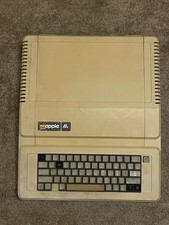
Vintage Apple IIe Computer Model A2S2064 Main Unit - For Parts / Repair - AS IS
$99.00

Vintage Apple iMac G3 “Sorry, no beige.” Wristwatch – Two Original Bands
$249.95
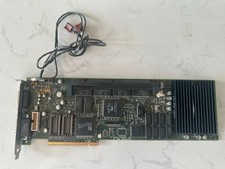
Rare Vintage Apple 820-0729-B PC Compatibility Card PCI PowerMac
$299.00

Vintage 1988 Apple Macintosh Plus 1MB M0001A Computer Keyboard WORKING See Video
$225.00

Vintage Apple Color RGB Color Monitor A2M6014. Used.
$199.99



 Reply With Quote