-
Need Immediate assistance with recovering data???ASAP plz!!!
Hi i'm currently trying to repair a HP laptop, basically i keep on getting this phisical memory dump error. first i tried adding more memory but that wasnt the case. though i get to the Window's XP Home Edition boot screen. b4 it loads it just gives me the Blue Screen .....gotta love windows...... anyways right now i've tried using partition magic 8 recovery floppy disks(2) to see if there was anything wrong w/ the partition. turns out that there are cluster errors & one more error. sadly partition magic doesnt give me the option of fixing it. Right now i'm quite in a bit of a jam. the information that i've got on this machine is VERY IMPORTANT!!!! though i'm quite new to linux, i've used knoppix once or twice. i was reading one of the key features being "utilities for data recovery and system repairs, even for other operating systems"...how would i be able to do this using knoppix....plz the faster i'd be able to get this the sooner my arse will be saved. thx
-
Administrator
Site Admin-
Re: Need Immediate assistance with recovering data???ASAP pl

Originally Posted by
Detonator
...how would i be able to do this using knoppix....
Many times Windows wil not boot or access a partition, but Knoppix may have no problem opening the partition and reading files from it. Of course, you could have managed to ruin the partition beyond what Knoppix will normally open (in which case there are still other tools).
Your first step would be to boot Knoppix on the system and see if it can read the disk and access the files. Knoppix should never be used to write to an NTFS partition, but it can read the partition just fine. If you find that you can open the partition with Knoppix then you should be able to recover what you need from the Windows partitions. You could send the files you recover across a network, store them on the Internet, put them on a USB flash device, or burn them to a CD or DVD.
If Knoppix can't access the partition there are Linux tools that can try to "guess" what partitions used to be there and repair the partition table, and even other Live CD's that have extensive file recovery tools. It woud help to know what happened to your system and to know if Knoppix can see the partitions before getting into lots of detail on this.
-
by any chance how would i be able transfer it over the network. i right now have a 5prt switch & on the other pc im using win xp home edition. lol i'm quite slow on this. thx for all your help
-
Administrator
Site Admin-
Originally Posted by
Detonator
by any chance how would i be able transfer it over the network. i right now have a 5prt switch & on the other pc im using win xp home edition. lol i'm quite slow on this. thx for all your help
Can you boot Knoppix and see the files you want?
You certainly should be able to transfer it across the network, that is one of the options I listed. There are a number of ways to do it. You could use the Samba Network Neighboorhood built in. You could run an FTP sever on the Xp system and move the files by the built in FTP client. I expect there are several other ways to transfer the files across the network as well, but all of this is pointless untill you know if you can read the files that you want with Knoppix.
A lot of other threads recently have gone into great detail on how to transfer such files. Search the forum for them if you need additional information.
-
yes im able to see the files i want, i've tried using the USB drive but it hasnt been detected. thx
-
i see what you mean, im right now trying drag move whatever files i need to onto my usb drive yet i have no write support. sadly my time is running out, plz help...thx once again 
P.S. I just saw that i'm able to burn a cd but the thing is that everytime i try to burn a cd it just keeps on giving me errors.
-
Administrator
Site Admin-
Originally Posted by
Detonator
i see what you mean, ......
Not sure what this was in reference to, nothing was quoted and it's not obvious.
Originally Posted by
Detonator
im right now trying drag move whatever files i need to onto my usb drive yet i have no write support. ...
If you can open (mount) the drive but just do not have write support then you just need to mount it as read/write (Knoppix by default opens drive as read only since it's intended as a live CD and the intention is to not encourage beginners to do harm to an installed system. You can use the mount command to make this change (see man mount in a shell) or you can right click on the drive icon and change the read/write status from the actions ... menu.
Originally Posted by
Detonator
P.S. I just saw that i'm able to burn a cd but the thing is that everytime i try to burn a cd it just keeps on giving me errors.
Not nearly enough information to help you here. If you have muliple drives so that the Knoppix CD can still be in a drive while you burn on another, or enough memory to use the toram option, or just use a smaller live distribution like DSL then this can be done, but without knowing what steps you took and and having better information about what the screen says than it just keeps on giving me errors, no one is likely to be able to help you on this.
Similar Threads
-
By romanempyr in forum Laptops
Replies: 10
Last Post: 11-11-2005, 02:51 AM
-
By StryDeR in forum General Support
Replies: 11
Last Post: 02-23-2005, 08:00 AM
-
By Detonator in forum General Support
Replies: 2
Last Post: 02-03-2005, 02:44 PM
-
By doktor in forum General Support
Replies: 2
Last Post: 11-01-2003, 06:54 AM
-
By Johnny3 in forum General Support
Replies: 2
Last Post: 10-31-2003, 07:19 PM
 Posting Permissions
- You may not post new threads
- You may not post replies
- You may not post attachments
- You may not edit your posts
-
Forum Rules


Dell 6P85J 4TB ST4000NM0063 7.2k 6Gb/s 3.5” SAS SED Hard Drive with Tray
$39.99

Western Digital HUS726T4TAL5204 4TB 7.2K SAS 12Gb/s 3.5" 512e HDD NetApp X375A
$64.00
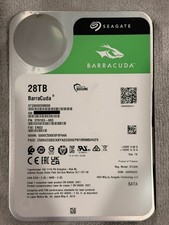
Seagate BarraCuda 28TB 7.2K SATA 6Gb/s 3.5in Internal HDD ST28000DM000 - Tested
$670.00

Seagate ST12000NM0127 12TB 256MB 7200RPM 3.5" SATA 6.0Gb/s Enterprise Hard Drive
$318.99

Seagate ST4000NM0034 Enterprise 4TB 7200RPM SAS 12Gb/s HDD v4
$39.00

Seagate ST500DM009 BarraCuda 500 GB 3.5" SATA III Desktop Hard Drive
$14.99

Dell ST6000NM0034 1HT27Z-150 NWCCG 6TB SAS 3.5 7.2K ENTERPRISE SERVER DRIVE
$68.99

HGST HUS724040ALA640 HDD 4TB SATA 6Gb/s 7.5K 3.5" 0F19459 512 b/s
$78.00

DELL 2TB Enterprise HDD (7200RPM, 3.5", SATA III, 128MB Cache) HUS722T2TALA600
$49.95

(ST8000NM0045) SEAGATE ENTERPRISE 8TB 7200RPM 4Kn SATA 6Gb/s 3.5" HARD DRIVE
$199.99



 Reply With Quote