-
Administrator Mode - what's the Password?
Subject says it all - I'm trying to get in to Administrator Mode: -
Start
Control Centre
System
Date & Time
Administrator Mode
Help 
Ta,
Plip.
-
Hi Plip,
there are no passwords, so you cannot log in  .
.
But you can open a root shell in KDE and type kcontrol.
Or change to the text console with Alt-Ctrl-F2 and type passwd. You are asked twice for the new root passwd. With Alt-Ctrl-F5 you come back to KDE.
Ciao Martin
-
Re: Administrator Mode - what's the Password?

Originally Posted by
Plip
Subject says it all - I'm trying to get in to Administrator Mode: -
Start
Control Centre
System
Date & Time
Administrator Mode
Help
Ta,
Plip.
when u get automatic login... by knoppix... go to menu of KNOPPIX... and click ROOT SHELL and update password and save these setting on floppy for future usage of same password... if do want to save... come everytime whenever u needed... change the root password by using ROOT SHELL menu inside KNOPPIX menu
-
Re: Administrator Mode - what's the Password?
Originally Posted by
ifhope
Originally Posted by
Plip
Subject says it all - I'm trying to get in to Administrator Mode: -
Start
Control Centre
System
Date & Time
Administrator Mode
Help
Ta,
Plip.
when u get automatic login... by knoppix... go to menu of KNOPPIX... and click ROOT SHELL and update password and save these setting on floppy for future usage of same password... if do want to save... come everytime whenever u needed... change the root password by using ROOT SHELL menu inside KNOPPIX menu
Ok how do I save my setting like passwords and stuff to a floppy disk and have it load it up everytime Koppix Loads.
-
Password
hey just go to a shell anyone and type "sudo su"
without the " "
then type "passwd"
type the password u want then your all done
-
I tried that. In the root shell, when I enter the command passwd open, I get the response User unknown open. Then when I try to enter the password open to go to administrator mode, I get the response that the password is incorrect. Is that because I am running from the cd and not a hard disk?
-
Found it. The trick is to type just passwd, hit enter and wait for the prompt before entering the new password!
Similar Threads
-
By abstar in forum MS Windows & New to Linux
Replies: 1
Last Post: 08-24-2004, 05:34 AM
-
By schock in forum The Lounge
Replies: 3
Last Post: 04-20-2004, 11:35 PM
-
By KnoppiXRuleZ in forum General Support
Replies: 5
Last Post: 03-02-2004, 10:16 AM
-
By TGWDNGHN in forum General Support
Replies: 4
Last Post: 06-18-2003, 03:33 AM
-
By wcr3d in forum General Support
Replies: 4
Last Post: 12-23-2002, 03:31 PM
 Posting Permissions
- You may not post new threads
- You may not post replies
- You may not post attachments
- You may not edit your posts
-
Forum Rules


HP PROLIANT TPS-W003 MICRO- SERVER TOWER Gen 8, 16G RAM
$195.00

Supermicro CSE-937 3U Storage Chassis No CPU No HDD No Ram Tested & Reset
$129.99

Supermicro 1U Network Server Appliance 16GB RAM 800GB SSD 6 LAN Ports Powers On
$450.00

Supermicro 505-2 Server
$280.00

HP ProLiant MicroServer Gen8 G1610T @2.3 GHz, 16GB, 712317-001 NO HDD/OS
$199.00

Supermicro 1027GR-TSF 1U Rackmount Server 2x Xeon 2.3GHz 128GB DDR3
$219.99

Supermicro 2U X10DRU-i 2x E5-2680 v3 2.5ghz 32gb Ram 240gb SSD 2x GPU *READ*
$369.99
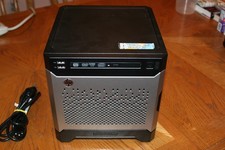
HP Proliant MicroServer Gen8, 4.5TB, (4) HDD, EXCELLENT COND.
$625.00

Nasuni NF-50 Supermicro Server, Atom CPU C2558, @ 2.40GHz, 8GB RAM-No HDD/OS/AC
$187.50

Supermicro CSE-216 No CPU No Ram No HDD Tested & Reset
$149.99



 Reply With Quote