

 Reply With Quote
'ctrl-alt-esc' will kill apps that are not responding. Then cursor changes to a skull & crossbones , click on the problem window to shut it down.


(I've running Knoppix 3.7 (I believe) from my hard driver)
I've been having some troubles recently with Firefox just freezing on me while loading various sites. While this is troublesome, KDE can kill the app but things aren't all fine on this little Linux machine of mine. The following process continues to run:
Now, maybe this process should always be there and I'm just worrying about nothing. But whether it's a process for good or evil, I should still be able to kill it.apessos 2264 2174 15 07:09 ? 00:01:58 /usr/lib/mozilla-firefox/firefox-bin -a firefox
I change to root, and issue one of the deadly commands known to processes, kill -9 2264. Yet, tough guy over here just won't listen. I try -SIGKILL, -KILL and everything under the sun, but 2264 turns a deaf ear to me.
I've been rebooting to solve this problem, however, I am curious if there's another method I could utilize to end 2264 region on my machine?
apessos
'ctrl-alt-esc' will kill apps that are not responding. Then cursor changes to a skull & crossbones , click on the problem window to shut it down.
When I press Ctrl-Alt-Delete in KDE I just get taken to a window with a couple buttons, "End Current Session", "Turn Off Computer", "Restart Computer" and "Cancel". I don't see that skull and crossbones anywhere.
Firefox continuously crashes now. I've removed most of the extensions I had loaded, and once I reboot the machine I'll uninstall the rest of them. KDE recognizes that Firefox is not responding and offers to kill it for me. All this does is create a zombie process which becomes annoying because it locks up my default profile and won't let me start Firefox until I create a new profile. (And I lose all my wonderful bookmarks and all that jazz.) Each time Firefox crashes, another profile becomes locked up.
Looking into how to stop this from happening. I'm getting tired of rebooting my machine. ^^
Gotta read a bit more closely. He said "Ctrl+Alt+ Esc not Del

i just use xkill. just clicked my desktop with the skull now its disapeared....
Don't know if you know this trick, but it's handy after trying everything under the sun, open a terminal window and type:It's amazingly useful when trying to kill multithreaded apps. Try it with any app by name as long as you put pidof in front of it. I almost never have to look up the process id just to find the app that I want to kill.Code:kill `pidof mozilla-firefox`
HTH,
Durand
 Posting Permissions


Crucial MX500 1TB 2.5" SATA III Internal SSD CT1000MX500SSD1
$99.99

Samsung 2.5" 870 EVO SSD SATA III 250GB 500GB 1TB Internet Solid State Drive Lot
$90.00

Samsung 860 EVO 250GB SSD MZ-76E250 2.5" SATA III Solid State Drive -
$39.99
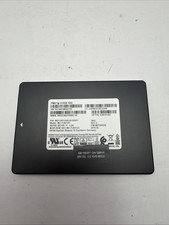
Samsung 2.5" MZ-ZLN512C 512GB SATA III 6Gbps SSD MZ7LN512HAJQ-000H1
$49.99

Netac 2TB 1TB 512GB 256GB Internal SSD 2.5inch SATAIII Solid State Drive lot
$549.00

Samsung 256 GB Internal SATA SSD Fully Tested 50%-79% Health
$24.00

Fanxiang 256GB 512GB 1TB 2TB 4TB SSD Lot 2.5'' SATA Internal Solid State Drive
$42.99

2 PACK 128 GB SSD M.2 2280 SATA Solid State Drive Major Brands, Samsung, LiteON
$28.00
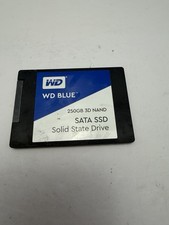
WD Blue DRIVE SSD 250gb Internal SATA Solid State Drive for Laptops
$39.99
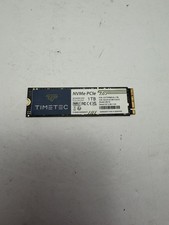
Timetec MS10 1TB SSD NVMe PCIe Gen3x4 3D NAND SSD 35TTFP6PCIE-1TB
$89.99