-
Senior Member
registered user
Well,
the nice thing about a Live CD OS, is, all you have to do is reboot, and everything goes back to normal  ( the file will be evaporated in memory, upon a shutdown, or reboot )
This can either be a good thing, or a bad one - especially if you want to keep a file, and dont save it to a "physical" location
-
Administrator
Site Admin-

Originally Posted by
camicio
I can-t use Windows so I can-t create any FAT partition and the file I would like to burn it-s too big...
Can-t I make the Kdesktop (I mean "partition" where the files are when you put them to the desktop..) the bigger in order to put the file there and then burn it?
You don't need windows to make a FAT partition. However, you might need Windows to defrag your NTFS partition so that you can move all the space to the end and then resize it (with some 3rd party tool like Partition Magic) so that you have space for the FAT partition. If you have space for a FAT partition (or don't need anythoing on the NTFS partition and want to delete it) then you can create a FAT partition with tools in Linux or with a third party product (I use Ranish Partition Manager that is part of XOSL, although it's not everyone's favorite).
If you don't run windows then you certainly don't want to have NTFS partitions around; it's not clear from your post if you no longer run Windows or if you just can't get your copy to run at the moment and are trying to fix something.
Other options to what to do with the file along with the floppy solution already mentioned and mailing it to yourself would include a USB Flash memory device, adding a hard drive to the computer, temporary Internet storage such as available from yousendit.com. It might help to know the size of the file (would have saved someone from suggesting a floppy, for example) and even how much memory you have on your system. Do you have multiple CD drives on the system such that you can boot from one and burn to the other? By any chance do you have other computers that can be networked such that you could store the file on a diferent computer?
I would use great care with captive NTFS. I have not used it, but from what I've seen posted by those that have I'm not completely convinced that it is really safe. Maybe it is, maybe it just lowers the chances of corruption.
-
Junior Member
registered user
Each time to access ntfs from knoppix running from cd, I run simple script without using any other programs. If your settings are saved on hd, you need to run this script once, and only mount ntfs next.
Detailed and updated instruction how to write to ntfs posted here:
http://www.knoppix.net/forum/viewtopic.php?t=17024
>>>>>>>>>>>>>>>>
-
Knoppix incorrectly reports USB disk full
I have a 160GB Western Digital USB drive (formatted FAT 32) which has about 45GB of free space as reported by Win XP. On another computer running KNOPPIX, where I am trying to copy files from a damaged HD to this USB drive, KNOPPIX incorrectly reports this disk full. I don't believe that it is a permissions issue because I set them to RW - and I can delete files from the USB and then re-write them. e.g. I CAN delete 10MB worth of files on the USB and then write 10MB from the old HD to the USB drive - as long as I use Knoppix. Stranger still, I put the USB drive on my Windows machine, deleted 10GB of stuff, put it back on the knoppix machine - and Knoppix did not recognize the 10GB freed up. It's as if Knoppix has its own FAT and it has been messed up somewhere. Can anyone help me on this one?
Thanks,
Greg
-
Re: Knoppix incorrectly reports USB disk full
Originally Posted by
stephenloew
I have a 160GB Western Digital USB drive (formatted FAT 32) which has about 45GB of free space as reported by Win XP. On another computer running KNOPPIX, where I am trying to copy files from a damaged HD to this USB drive, KNOPPIX incorrectly reports this disk full. I don't believe that it is a permissions issue because I set them to RW - and I can delete files from the USB and then re-write them. e.g. I CAN delete 10MB worth of files on the USB and then write 10MB from the old HD to the USB drive - as long as I use Knoppix. Stranger still, I put the USB drive on my Windows machine, deleted 10GB of stuff, put it back on the knoppix machine - and Knoppix did not recognize the 10GB freed up. It's as if Knoppix has its own FAT and it has been messed up somewhere. Can anyone help me on this one?
Thanks,
Greg
I am experiencing the exact same problem with my 80gb western digital usb drive. When I attempt to transfer files to the usb external knoppix states that the disk if full, when i have 80gb free? Any assistance would be greatly appreciated.
Similar Threads
-
By jtaugher in forum General Support
Replies: 8
Last Post: 11-29-2004, 04:55 PM
-
By mimes in forum General Support
Replies: 7
Last Post: 11-20-2004, 12:24 AM
-
By boo ya in forum General Support
Replies: 6
Last Post: 07-16-2004, 12:41 PM
-
By easement in forum General Support
Replies: 3
Last Post: 12-20-2003, 02:48 AM
-
By ghostqi in forum General Support
Replies: 6
Last Post: 09-11-2003, 01:47 AM
 Posting Permissions
- You may not post new threads
- You may not post replies
- You may not post attachments
- You may not edit your posts
-
Forum Rules


16GB KIT (2x8GB) DDR3 Gamer Desktop RAM PC3 MIXED BRANDS VIPER VENGEANCE FURY
$10.00

Netac DDR4 32GB 16GB DDR4 3200MHz UDIMM C16 Desktop Internal Memory RAM Kit
$99.99

DDR4 Laptop RAM 4GB 8GB 16GB 32GB 2400 2666 3200 Samsung Hynix
$66.00

RAMAXEL Lenovo 32GB LPDDR5X CAMM2 7500MHz Laptop RAM | UNTESTED
$445.00

Samsung 32GB DDR4-2666V-2Rx4-RB2-12 RAM M393A4K40CB2-CTD6Q
$169.00

Major Brand 16GB (2x8GB) PC3-12800U DDR3-1600MHz DDR3-12800 DESKTOP RAM NON-ECC
$29.99

A-Tech 8GB DDR3 1600 PC3-12800 Laptop SODIMM 204-Pin Memory RAM PC3L DDR3L 1x 8G
$21.68
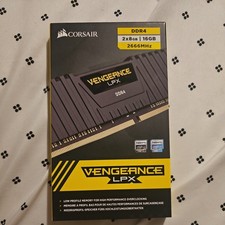
Corsair Vengeance 16GB DDR4 2666MHz (8 X 2) (Black) - 2 Sticks
$60.00

Corsair Vengeance DDR3 8GB 16GB 32GB 1866MHz PC3-14900 Desktop RAM Memory DIMM
$85.00
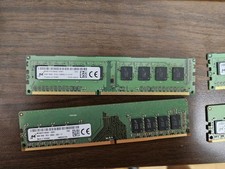
Micron and SK hynix RAM 56GB (4x8GB) (2x4GB) see description
$135.00



 Reply With Quote