

 Reply With Quote
Is it a FAT partition (which is ok to write to) or an NTFS partition (which you will corrupt if you write to)?


Hi, somebody can tell me how can I write something on mnt/hda2 _
When i try to do it I receive an Could not make folder mnt/hda2/new error... About the same error appears if I try to write a file..
(I use the live cd...)
Is it a FAT partition (which is ok to write to) or an NTFS partition (which you will corrupt if you write to)?
it is an nfts partition... so i can-t write nothing on it?
NTFS is proprietary for Microsoft, though a few Linux "guru's" have worked out some driver support for it, you can try them...Originally Posted by camicio
Look at information on "Captive NTFS" -=- possibly do a search on Knoppix.net on the subject captive ntfs -=- or look at the Documentation (Wiki) on the subject.
Hopefully, this helps,
Ms. Cuddles
Thank you for your answers but when i tried to use the script that is written here http://www.knoppix.net/forum/viewtop...t=captive+ntfs
I get this error (after the last line)
root@ttyp0[knoppix]# mount -t captive-ntfs /dev/hda5 /c
W32 filesystem .sys module not found: /var/lib/captive/ntfs.sys at /sbin/mount.captive-ntfs line 65.
You should run captive-install-acquire(1) of 'captive-install' package,
otherwise you can also acquire this file from URL:
http://www.microsoft.com/WindowsXP/p...eckedbuild.asp
and I don-t know what shall I do...
Howewer I don-t absolutely need to write on this partition... I have to burn a file from a computer on a lan and i thought that to move it on this computer was the better way, but if you can tell me another way to do it will howewer be ok..
(I can-t move it to desktop because the file is too big and it says Kdesktop> disk full or something similar...)
Thank you in advance for your answers..
if its a small file save it to floppy. or email it to your self
camicio,
I would suggest you do what pureone suggested, as a quick fix...
If you plan to do a lot of this "passing files" stuff, possibly look into how you can make a small, possibly a 1 GB partition on your NTFS drive, and make it FAT -=- I am quite sure Windows has utilities to do this, and not harm your data or system files retained on your Windows NTFS drive... ( or possibly, add another hard drive into your system that can be used as a FAT )
Having a "common" format partition, a FAT partition, that is, can help in the long run - that way, Windows can "use" that partition, and so can Linux / Knoppix... The whole NTFS stuff can be "If'y" at best - and playing around with a Windows partition can possibly cause "Windows" not to be happy - something you dont want to do, I am sure
I can-t use Windows so I can-t create any FAT partition and the file I would like to burn it-s too big...
Can-t I make the Kdesktop (I mean "partition" where the files are when you put them to the desktop..) the bigger in order to put the file there and then burn it?
I think the problem is that you are booting off the CD. When you boot off the CD, your RAM ( or memory ) is being used as a RAM DISK, that is where the OS, and file system, and even your desktop, is being stored - in memory. You only have so much memory, and thus, the "disk full" error you are getting, is that you have exceeded the RAM that is being used as your disk drive...
You could create a folder / directory, on the file system, but, then again, that will still only be in your current RAM, still. What you need is a "physical" hard drive. And preferably not NTFS, unless you want to follow the instructions that your error message stated... Which, "might", get your NTFS working ( no promisses, I've never worked within NTFS, nor from the Linux side )
Ah... so here-s why the computer was very slowly after the partial copy of the file...
I tried to go to the link that the error stated but the file I can download there is a .exe files that works only on Windows XP Professional Checked Build...
 Posting Permissions


(New) AMD Ryzen 7 5700X 8 Core 16 Thread AM4 Unlocked 3.4 GHz CPU OEM Tray
$174.99
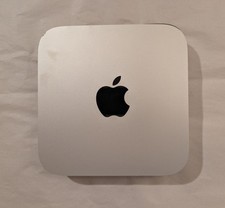
Apple Mac Mini M2 8-Core 512GB SSD 8GB Unified RAM 10-Core GPU READ
$400.00

Clear Touch Interactive Module CTI PCMOD PC55 ST i5 6core,8GB DDR4,256GB SSD NEW
$225.00
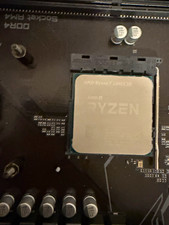
AMD Ryzen 7 5800X3D 8-Core Socket AM4 CPU 3.4GHz 96MB L3 3200MHz
$350.00

AMD Ryzen 7 9800X3D 8-Core 16-Thread AM5 Zen 5 Desktop Processor NEW
$395.00
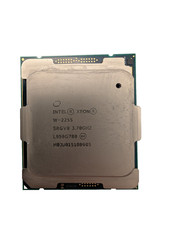
Used & Tested Intel Xeon W-2255 SRGV8 3.70GHz 19.25MB 10-Core CPU Processor
$194.99
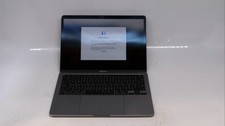
Apple Macbook Pro 13" M1 8-Core 16GB 512GB - Good
$464.99
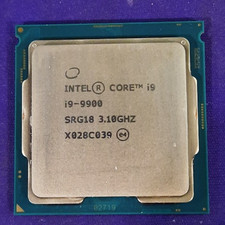
Intel Core i9-9900 SRG18 3.10GHz 8-Core Desktop CPU Prcoessor LGA1151
$165.00
Intel Core i9-11900K 3.5GHz 8-Core 16 Thread LGA 1200 11th Gen Desktop CPU SRKND
$250.00
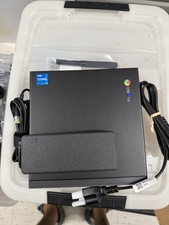
Lenovo ThinkCentre M60q Chromebox Gen 3 Intel Core i5-1235U 8GB 128GB SSD Iris X
$225.00