-
Senior Member
registered user
LILO installed to wrong MBR?
Ok so here's what I've done so far:
Partition my 40GB HDD with 19GB at hda1 for Windows, 20GB at hda2 for Linux, and 1GB at hda3 for swap.
I installed Windows XP to hda1 and it re-wrote my MBR. Not a problem - I haven't installed Knoppix yet.
Installed Knoppix to hda2. It went fine.
I reboot
It boots Windows.
How do I install LILO/GRUB to the MBR now?
[edit] after reading around a bit, it seems that LILO may have been installed to the "MBR" of hda2 instead of hda1. Is there a way to install just the bootloader to the MBR on hda1 when running Knoppix from CD?
-
Senior Member
registered user
You should be able to start your knoppix HD install from the CD with the bootcode 'knoppix root=/dev/hda5 noinitrd ro' (replace hda5 with the correct partition for where you installed knoppix to (hdb1?)).
Then check /etc/lilo.conf. If for the line 'boot=/dev/hd??'. Lilo should install to the MBR of whichever HD is specified there. You can install lilo from the HD install with the command 'sudo lilo'.
-
Senior Member
registered user
Ok, I did that... I get this error:
/dev/mapper/control: open failed: No such device
Is device-mapper driver missing from kernel?
/dev/mapper/control: open failed: No such device
Is device-mapper driver missing from kernel?
Incompatible libdevmapper 1.00.19-ioctl (2004-07-03)(compat) and kernel driver
Warning: Unable to determine video adapter in use in the present system.
Fatal: open /usr/share/lilo/contrib/debian.bmp: No such file or directory
I think I'm going to push the image of my current XP partition out to hda2 with partimage, and then install knoppix on hda1. Hopefully that will alleviate this issue...
-
Senior Member
registered user
the /dev/mapper error has been encountered before, see the last post on this thread:
www.knoppix.net/forum/viewtopic.php?t=16328
-
Senior Member
registered user
Thank you so much CrashedAgain!
It worked like a charm!
Similar Threads
-
By thejackal13 in forum Hardware & Booting
Replies: 10
Last Post: 09-21-2005, 12:30 AM
-
By devellino in forum Hdd Install / Debian / Apt
Replies: 2
Last Post: 12-29-2004, 03:16 AM
-
By emmbec in forum MS Windows & New to Linux
Replies: 2
Last Post: 11-09-2004, 11:16 PM
-
By Drezliok in forum Hdd Install / Debian / Apt
Replies: 5
Last Post: 07-20-2004, 11:00 AM
-
By diginik in forum Hdd Install / Debian / Apt
Replies: 2
Last Post: 04-07-2004, 11:58 PM
 Posting Permissions
- You may not post new threads
- You may not post replies
- You may not post attachments
- You may not edit your posts
-
Forum Rules


MegaRAID 9580-8i8e 16-port 12G SAS/SATA/NVMe 8GB PCIe RAID - 05-50076-00
$1619.30

Broadcom 9600-24i Tri-Mode RAID Controller 4.0 NVMe SAS SATA NEW 05-50111-01003
$639.69

G-Technology G-SPEED Studio XL 48TB Thunderbolt 2 Storage - Housing Only
$200.00

HP controller P3410-69003 NetRAID-1M SCSI 64-bit U160 32MB Cache (PCI)
$359.00

Broadcom LSI 9305-16i 12Gbps SAS-3 PCIe x8 HBA 16-Ports Raid Controller
$64.99

Inspur LSI YZCA-00424-101 12Gbps SAS 3.0 RAID Controller CARD HBA HDD
$14.99

OWC Mercury Elite Pro Quad 4 Bay RAID Storage Enclosure USB 3.1 Gen 2 No Drives
$149.95

LSI 9260-8i 512MB SAS SATA 8-port PCI-E 6Gb RAID Controller Card US
$29.88
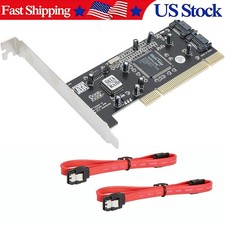
Serial ATA two-port SATA PCI card (SiI3112 sil3112 chipset)
$18.99

KTN-STL3 EMC VNX 15-slot Disk Array Expansion, full 15 x 2tb drives 100% health
$360.00



 Reply With Quote