
Results 1 to 10 of 10

Thread: Knoppix install

  1. #1
    Junior Member
    Join Date
    Feb 2005
    Posts
    6

    Knoppix install

    Um consider me the total noob and i heard linux was good. So i tried knopiix which will return windows back to normal when i take out the disk, right?

    And anyway i get in and i have to type in something at the bottom, it says "boot"
    Can someone please walk me through the install?

    But beware, this noob took 1 month before he got it on the disk correctly.

  2. #2
    Senior Member registered user
    Join Date
    May 2003
    Posts
    981
    from the 'boot' prompt; if you just wait until it times out it should start knoppix but it will be in German. Type 'knoppix lang=us' to start it in english.
    post back if it doesn't work.

  3. #3
    Junior Member
    Join Date
    Feb 2005
    Posts
    6
    Quote Originally Posted by CrashedAgain
    from the 'boot' prompt; if you just wait until it times out it should start knoppix but it will be in German. Type 'knoppix lang=us' to start it in english.
    post back if it doesn't work.
    k i have the english version, but i tried knoppix lang=us anyway and no command at all the second time
    Then a blank screen came up for like 10 min. Both times. So basically i just gave up
    Im done with linux, i dont even know why its worth it.

  4. #4
    Senior Member registered user
    Join Date
    Oct 2004
    Location
    london town
    Posts
    220
    thats it? just one go at booting it? and you give up? :O im shocked!!!

    after you press enter at boot what happens just a blank screen? no picture of a penguin? no error messages? what it your hardware setup? try booting knoppix with the cheatcodes

    knoppix26

    this uses a differnt kernel the kernel is very important and can make a big differnce when booting. if you are sure about getting the english version dont worrie about knoppix lang=us so much. press f2 and f3 for more options at boot

  5. #5
    Junior Member
    Join Date
    Feb 2005
    Posts
    6
    Quote Originally Posted by pureone
    thats it? just one go at booting it? and you give up? :O im shocked!!!

    after you press enter at boot what happens just a blank screen? no picture of a penguin? no error messages? what it your hardware setup? try booting knoppix with the cheatcodes

    knoppix26

    this uses a differnt kernel the kernel is very important and can make a big differnce when booting. if you are sure about getting the english version dont worrie about knoppix lang=us so much. press f2 and f3 for more options at boot
    two goes and you want me to type knoppix 26?

  6. #6
    Senior Member registered user
    Join Date
    Jan 2005
    Posts
    200
    no space between knoppix and 26
    you may want to try this command:
    knoppix26 fb1024x768
    this will set your framebuffer. most systems are capable of displaying this resolution. post back if it doesn't work

  7. #7
    Junior Member
    Join Date
    Feb 2005
    Posts
    6
    Quote Originally Posted by foamrotreturns
    no space between knoppix and 26
    you may want to try this command:
    knoppix26 fb1024x768
    this will set your framebuffer. most systems are capable of displaying this resolution. post back if it doesn't work
    sorry but i still get a blank screen

  8. #8
    Senior Member registered user
    Join Date
    Oct 2004
    Location
    london town
    Posts
    220
    how many computers are you trying it on ? just the 1 if so what is its specs?

  9. #9
    Senior Member
    Join Date
    Nov 2003
    Posts
    1,323
    Quote Originally Posted by Tonayie
    k i have the english version, but i tried knoppix lang=us anyway and no command at all the second time
    Then a blank screen came up for like 10 min. Both times. So basically i just gave up
    Im done with linux, i dont even know why its worth it.
    You must be joking. By the same reasoning I could say that I just threw in a windows disk, pressed enter and still windows didn't load to a nice desktop, so what's the big deal with windows?

    As pureone said, post hardware info like video card/chipset manufacturer and model, type of display, harddisk connector type and so on..

    Most likely you'll get knoppix to boot with some cheatcodes but we need more info to be able to help, otherwise were guessing.

  10. #10
    Junior Member
    Join Date
    Feb 2005
    Posts
    6
    Quote Originally Posted by Markus
    Quote Originally Posted by Tonayie
    k i have the english version, but i tried knoppix lang=us anyway and no command at all the second time
    Then a blank screen came up for like 10 min. Both times. So basically i just gave up
    Im done with linux, i dont even know why its worth it.
    You must be joking. By the same reasoning I could say that I just threw in a windows disk, pressed enter and still windows didn't load to a nice desktop, so what's the big deal with windows?

    As pureone said, post hardware info like video card/chipset manufacturer and model, type of display, harddisk connector type and so on..

    Most likely you'll get knoppix to boot with some cheatcodes but we need more info to be able to help, otherwise were guessing.
    what can i say thats it

Similar Threads

  1. Apt-get better with Debian install than Knoppix install?
    By susanjohnson in forum Hdd Install / Debian / Apt
    Replies: 4
    Last Post: 04-21-2005, 11:36 AM
  2. Upgrade Knoppix 3.6 HDD install to Knoppix 3.7 HDD install
    By techdesk in forum Hdd Install / Debian / Apt
    Replies: 1
    Last Post: 01-21-2005, 03:14 AM
  3. Knoppix install read error around 80%, install another way?
    By nmz787 in forum Hdd Install / Debian / Apt
    Replies: 1
    Last Post: 11-21-2004, 09:17 AM
  4. Knoppix HDD install Vs. regular Debian install
    By Jez in forum General Support
    Replies: 4
    Last Post: 08-09-2004, 09:06 PM
  5. saving home from hd-install, so i can install new knoppix
    By Superstoned in forum Hdd Install / Debian / Apt
    Replies: 2
    Last Post: 08-27-2003, 03:04 PM

Posting Permissions

  • You may not post new threads
  • You may not post replies
  • You may not post attachments
  • You may not edit your posts
  •  


SFP TO RJ45 TRANSCEIVER SFP MODULE COPPER SFP OPTICAL PORT TO RJ45 ETHERNET PORT picture

SFP TO RJ45 TRANSCEIVER SFP MODULE COPPER SFP OPTICAL PORT TO RJ45 ETHERNET PORT

$7.99



Dell Intel X710-DA2 5N7Y5 Dual-Port 10GbE SFP+ PCIe 3.0 x8 Network Adapter picture

Dell Intel X710-DA2 5N7Y5 Dual-Port 10GbE SFP+ PCIe 3.0 x8 Network Adapter

$27.50



Cisco Meraki MA-SFP-1GB-SX Network Tranceiver Module picture

Cisco Meraki MA-SFP-1GB-SX Network Tranceiver Module

$89.00



NEW Sealed Cisco SFP-10G-LR 10GBASE-LR SFP+ 1310nm 10km *US Shipping* picture

NEW Sealed Cisco SFP-10G-LR 10GBASE-LR SFP+ 1310nm 10km *US Shipping*

$24.00


Genuine Cisco SFP-10G-SR 0-2415-03 10 Gigabit Transceiver picture

Genuine Cisco SFP-10G-SR 0-2415-03 10 Gigabit Transceiver

$5.40



HP 560SFP+ 10GB 2-port  PCIe NIC Ethernet ADAPTER 669279-001 w/ (2) 10GB SFP+ picture

HP 560SFP+ 10GB 2-port PCIe NIC Ethernet ADAPTER 669279-001 w/ (2) 10GB SFP+

$16.99
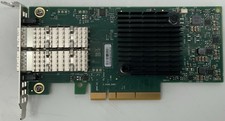


Dell Mellanox ConnectX-4 Lx CX4121C Dual 25GbE SFP28 LP | 20NJD picture

Dell Mellanox ConnectX-4 Lx CX4121C Dual 25GbE SFP28 LP | 20NJD

$25.00


HPE 560SFP 2x 10Gb SFP+ PCIe Both Profile Network Card 669279-001 665247-001 picture

HPE 560SFP 2x 10Gb SFP+ PCIe Both Profile Network Card 669279-001 665247-001

$14.90
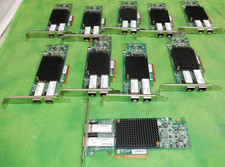


HP 557SFP+ ETHERNET 10GB 2 PORT 792834-001 788991-001 HIGH    LOT OF 10 picture

HP 557SFP+ ETHERNET 10GB 2 PORT 792834-001 788991-001 HIGH LOT OF 10

$70.00
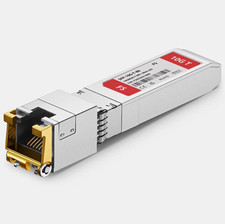


Dell FS SFP-10G-T 10GBASE-T SFP+ Copper RJ45 Transceiver Module – 80m picture

Dell FS SFP-10G-T 10GBASE-T SFP+ Copper RJ45 Transceiver Module – 80m

$30.00
