-
Senior Member
registered user
dual boot concerns
This is directed back to MARKUS......I did have another question I neglected to ask you. The hard drive I am getting is brand new. I plan to first boot up with KNOPPIX CD and use CFDISK to partition the drive. What do I need to do to make my WINxp partition [HDA1 / C:] which will be 10Gig, ready to be able to install Winxp? I mean in CFDISK, there is the option called "TYPE" to choose whether you want a LINUX partition, or SWAP etc......What do I choose under "TYPE" for my WINxp partition? I am not sure about this cause I never partitioned a drive for Windows before.
The rest is pretty easy for KNOPPIX. Does CFDISK give you the option of saving a partition as NTFS????? I would prefere that over FAT32. But Windows doesnt give you that option when you install it as far as I know.
Actually I did'nt understand this part in your first response:
The only thing is that if you want to have lilo as single bootloader it should go to hda. If you choose the linux partition hda2 you need to copy the bootsector to C:\ and put a line for it in C:\boot.ini . The installer should ask you where you want lilo and if you choose MBR it goes to hda.
I am not sure what you mean....I didnt have to do this when I made a dual boot system in my desktop, using separate hard drives. If I first partition drive into a 10Gig partition, install Winxp on that partition, which will be HDA1 or C: then reboot, put in the KNOPPIX CD, run CFDISK again to make my LINUX partitions on what will be HDA2 [HDA3 for SWAP] . Then install KNOPPIX........When it asks me where to install LILO, I will choose MBR which will write to my HDA1 bootsector I believe.....Then reboot, bring up LILO.CONF and edit it the way you described......
I dont know what you mean by putting in a line for C:\boot.ini. If you choose, while installing KNOPPIX to install LILO to MBR, when you have WIN and Knoppix on separate partitions isnt that all you have to do?
I hope I am not getting to messed up!!!! bob
Similar Threads
-
By thebeing in forum Hdd Install / Debian / Apt
Replies: 1
Last Post: 04-29-2007, 11:22 PM
-
By outlawX in forum Hdd Install / Debian / Apt
Replies: 4
Last Post: 03-29-2005, 03:42 AM
-
By Oceany in forum General Support
Replies: 1
Last Post: 02-18-2005, 08:26 PM
-
By Shenr0n in forum Hdd Install / Debian / Apt
Replies: 5
Last Post: 10-08-2003, 01:32 AM
-
By wardialer in forum General Support
Replies: 6
Last Post: 04-07-2003, 12:28 AM
 Posting Permissions
- You may not post new threads
- You may not post replies
- You may not post attachments
- You may not edit your posts
-
Forum Rules


Gigabyte 4U AI Server 10x Nvidia GPU 2x Xeon Gold 6150 36 Core 2.7GHz DDR4 RAM
$1499.00

Dell EMC PowerEdge R440 Xeon silver 4215 2.5GHz 16 GB ram 2x 550W PSU No HDD
$275.00

Dell PowerEdge R530 2x E5-2630v4 H330 iDRAC8 Port Card Riser No PSU/RAM/HDD
$99.99

867959-B21 HPE ProLiant DL360 G10 CTO Server W/ 2x 865414-B21 1x 840140-001
$245.00
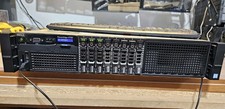
Dell PowerEdge R730xd 12Bay3.5, 7x3tb w Trays, 32Gb, 2x12c V4, H730
$500.00

Dell Poweredge R730xd 12LFF 2*2660v4 4*1Gbe h730 2x 750W Server CTO
$308.00

Dell PowerEdge C4130 1U AI GPU Server | 2x E5-2690 v3 | 64gb Ram | 2x 1600W
$524.99

Dell PowerEdge C4130 1U AI GPU Server | 2x E5-2680 v3 | 32gb Ram | 2x 1600W
$409.99

Dell Poweredge R630 2x Xeon E5-2680 v3 2.5ghz 24-Cores / 64gb / Raid / 2x 1Tb
$374.99

Dell PowerEdge FX2s + 8x FC430 Blades 16x E5-2630v4 160 Cores Rails No PSU/RAM
$699.00



 Reply With Quote