-
Changing Themes
Is it possible to change a theme and maintain the changes after reboot in CDROM based Knoppix?
-
Senior Member
registered user
You can maintain your configuration through reboot only if you save configuration and/or make a persistent home. If you are using Win XP, save your configuration to a floppy; linux can write to NTFS filesystems (XP) only if you use 'captive ntfs'. Do a search here for 'captive ntfs' if you want to try this.
-
Administrator
Site Admin-

Originally Posted by
CrashedAgain
You can maintain your configuration through reboot only if you save configuration and/or make a persistent home. If you are using Win XP, save your configuration to a floppy; linux can write to NTFS filesystems (XP) only if you use 'captive ntfs'. Do a search here for 'captive ntfs' if you want to try this.
I hope Placebo has all of his data backed up before he tries this. In another thread you point out that saving the configuration does not use captive NTFS. So if he remounts the partition, he is at risk (actually, he may be even with captive NTFS, but in this case at high risk).
-
Well, thanks  But, in a fact I do know how to save changes, I do not know how to apply different themes to KDE (Knoppix 3.7 en) and to maintain them after reload. Like a demonstrational kit, Knoppix just MUST have such a feature. Newbies are simply hypnotized by charming and colorful KDE themes. That's the best feature to bring them to linux platform. However I do not know how to realize this. With hardinstall it is simple, but it is no more a Live CD!!.. Remastering is too odd by now. Anymore advices?
Similar Threads
-
By Kowood in forum The Lounge
Replies: 0
Last Post: 05-02-2005, 10:24 PM
-
By Cronos55 in forum General Support
Replies: 1
Last Post: 03-30-2005, 04:46 AM
-
By mimes in forum General Support
Replies: 10
Last Post: 12-02-2004, 02:02 AM
-
By mimes in forum General Support
Replies: 6
Last Post: 11-14-2004, 03:16 AM
-
By slc in forum General Support
Replies: 4
Last Post: 08-05-2003, 10:11 PM
 Posting Permissions
- You may not post new threads
- You may not post replies
- You may not post attachments
- You may not edit your posts
-
Forum Rules


Dell ST6000NM0034 1HT27Z-150 NWCCG 6TB SAS 3.5 7.2K ENTERPRISE SERVER DRIVE
$68.99

Western Digital HUS726T4TAL5204 4TB 7.2K SAS 12Gb/s 3.5" 512e HDD NetApp X375A
$64.00

DELL 2TB Enterprise HDD (7200RPM, 3.5", SATA III, 128MB Cache) HUS722T2TALA600
$49.95

Seagate ST8000NM0075 Enterprise Capacity 3.5 HDD 8TB SAS Hard Drive 8TB EXOS
$184.99

Seagate ST3000NM0005 HDD 3TB SATA 6Gb/s 7.2K 3.5" 512 b/s
$59.00
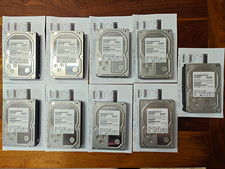
Hitachi Ultrastar 3TB 7200RPM 3.5in SATA III 6Gb/s - enterprise-grade hard drive
$49.00

HGST HUS724040ALA640 4TB 7200 RPM SATA 3.5" Internal Desktop Drive 100% Health
$78.00
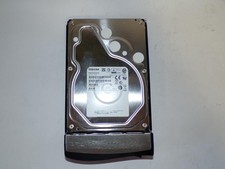
Toshiba MG03ACA400 4TB 7200 RPM SATA 6.0Gb/s 3.5" Enterprise HDD (V6313)
$69.95

HDD 3.5" SATA Hard Drive with Windows 10/Win 11 64x Installed Legacy
$35.00

HUS726060ALA640 HGST Ultrastar 6TB SATA 6Gbps 7.2K 3.5" Hard Drive OF21860
$129.99



 Reply With Quote