-

Originally Posted by
kenn3d
I run kxconfig and change my screen rez to 1280x1024 and my depth to 24bit -
Then ctrl-alt-backspace (ends x session and restarts x)
I have new screen rez of 1280x1024... but my depth is still 16bit!
I've also tried cheatcode knoppix depth=24
Niether works. My FX5600 is recognized at boot time but assigned to Generic/nv ... no other Xconfig videocard selection seems more correct.
I need to run my screen in 24bit.
Anyone know how I can do this?
thanks,
Kenn
From the knoppix menu, open a root shell, type kxconfig, click on Screen, select your resolution, vertical refresh, and color depth from the drop down menus, click Forward, click Quit, you will see "KXConfig has created a new configuration. Do you want to save it?", click yes, you will then see "The new configuration was successfully saved. You will have to restart your session for the changes to take effect!", click ok. In the same root shell, type restartx and press enter.
Similar Threads
-
By nnigam in forum Laptops
Replies: 0
Last Post: 02-08-2007, 08:12 PM
-
By gamezealot in forum General Support
Replies: 13
Last Post: 01-25-2005, 05:18 AM
-
By nikkkko in forum General Support
Replies: 3
Last Post: 07-02-2004, 11:59 AM
-
By spydie in forum The Lounge
Replies: 4
Last Post: 01-05-2004, 09:13 AM
-
By bassbrnr in forum Ideas
Replies: 7
Last Post: 03-10-2003, 12:29 AM
 Posting Permissions
- You may not post new threads
- You may not post replies
- You may not post attachments
- You may not edit your posts
-
Forum Rules


16GB KIT (2x8GB) DDR3 Gamer Desktop RAM PC3 MIXED BRANDS VIPER VENGEANCE FURY
$10.00

Netac DDR4 32GB 16GB DDR4 3200MHz UDIMM C16 Desktop Internal Memory RAM Kit
$99.99

Micron 16GB (2x8GB) 2Rx8 DDR3 1600MHz PC3-12800U Desktop RAM
$19.99

Samsung 32GB DDR4-2666V-2Rx4-RB2-12 RAM M393A4K40CB2-CTD6Q
$169.00

Crucial 32GB(4 x 8GB) CT8G4DFS824A.C8FDD1 DDR4-2400 UDIMM Desktop RAM - CR352A
$89.95
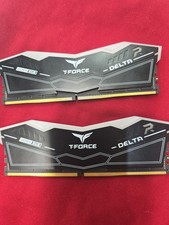
TeamGroup T-Force DELTA RGB 64GB 2x32GB DDR5 RAM 6000(2Rx8) CL38-38-38-78 1.35V
$600.00

RAMAXEL Lenovo 32GB LPDDR5X CAMM2 7500MHz Laptop RAM | UNTESTED
$445.00

DDR4 Laptop RAM 4GB 8GB 16GB 32GB 2400 2666 3200 Samsung Hynix
$66.00

Samsung 32GB DDR4-2666 PC4-21300 288-Pin DIMM RAM M393A4K40CB1CRC0Q
$185.00

Corsair Vengeance DDR3 8GB 16GB 32GB 1866MHz PC3-14900 Desktop RAM Memory DIMM
$85.00



 Reply With Quote