-

Originally Posted by
Harry Kuhman
Originally Posted by
marhleet
.... so, just reboot the computer
Well, that's not gonna help me much then, since I'm running Knoppix as it was intended from a Live CD.
hi;
I just accomplished this using only the LiveCD (Knoppix v3.6 - using 2.6kernel)
Here's what I had to do;
- click K menu (start) | Run Command
- kxconfig (no need to run as root)
- Video Card -> forward
- Monitor (my exact Monitor wasn't listed, but I choose a 'similar' one and entered the correct hor. sync nd vert. refresh rates).
- Screen Setup
-- Choose Resolution (mine=1280x1024)
-- Choose Vertical Refesh (mine=75Hz)
-- Choose Color Depth (mine=24)
select QUIT
Then a popup screen appears saying it'll save your config if you like -- Save it
Then another popup telling you - you must End the session in order to take effect (Logoff)
...1st Save knoppix configuration as described below, and then either shutdown or restart
Save Config;
Click on the (Knoppix) penguin icon on the quick lauch bar | Configure | Save Knoppix configuration
When prompted you choose 'what' to save, ... and then 'where'
What = 4-5 tick boxes are already ticked (default)- I also tick the Desktop one (the only one not ticked - though likely not necessary)
Where = I have multiple partitions on the HDD I'm using - so I'm offered to save to any of the partitions (/mnt/hda1, /mnt/hda5, whatever)
You can also just 'save the config' to a Floppy diskette if you prefer instead
Take a good look at the Command needed to Load your config at boot time (mine is Knoppix26 myconfig=/mnt/hda5) this is the location I chose to save my configuration files
Once you've saved the config - you can now logoff (End session) - but preferably Restart or Shutdown, so you can Load your now saved configuration.
BTW - afaik, there's only 2 files saved from the "save knoppix config" action -- configs.tbz and knoppix.sh - so when you load the command at Boot time (again for me it's knoppix26 myconfig=/mnt/hda5) - you can use [scan] instead, but I have multiple configs saved for loading and testing
Here's the small catch - by only just logging off, you are not rebooting and you will need to reboot completely to Load your config - so you may want to practice with saving and rebooting into your "saved knoppix configuration" a few times just to get the hang of it and make sure it actually takes affect and works.
Previous to finding this forum, I've saved my KDE settings I customized along with my custom Mozilla settings, etc...I'm basically a n00b to linux, but a very no-MS person, as much as possible.
NOW - once you've got that down pat 
Once booted and loaded with your Config
go K menu | Settings | Control Center (allow it to load) | choose Peripherals branch | Display and set the Display Properties accordingly (before I used kxconfig, onlysettings as high as 1024x768 were available - now though, my 1280x1024 appears for choosing and Apply) then once again -- Penguin icon (Knoppix quick launch bar) | Configure | Save Knoppix configuration. Anytime you make changes to preferences or settings Save them. When trying experimental settings - save them somewhere else
I tried to make it simple, but it doesn't look like it - so perhaps working backwards in this response may bring better results for you
update;
Well i did get a couple of 640x screens lately -- it seems the kxconfig command needs to be configured wholly everytime you open it...b/c I'm back now to 1280x1024 - yet everytime i open kxconfig - it shows 640x480
Similar Threads
-
By nnigam in forum Laptops
Replies: 0
Last Post: 02-08-2007, 08:12 PM
-
By gamezealot in forum General Support
Replies: 13
Last Post: 01-25-2005, 05:18 AM
-
By nikkkko in forum General Support
Replies: 3
Last Post: 07-02-2004, 11:59 AM
-
By spydie in forum The Lounge
Replies: 4
Last Post: 01-05-2004, 09:13 AM
-
By bassbrnr in forum Ideas
Replies: 7
Last Post: 03-10-2003, 12:29 AM
 Posting Permissions
- You may not post new threads
- You may not post replies
- You may not post attachments
- You may not edit your posts
-
Forum Rules


SK Hynix 32GB 2RX4 PC4-2666V DDR4 RDIMM Server Memory RAM, HMA84GR7AFR4N-VK
$169.95

SMART(Micron)SafeStor 32GB(1X32GB) 1RX4 NN4-3200AA(DDR4) HPE Server Memory
$159.98
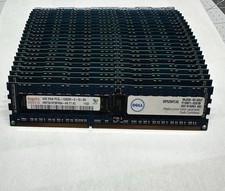
Hynix & Samsun (Lot Of 36) 4GB 2Rx8 PC3L-10600R DDR3 Server Memory 144GB Total
$120.00

Micro SD Adapter To SD HC SDHC Memory Card Adapter Reader NEW
$1.39

Kingston 32GB 64GB 128GB 256GB USB 3.0 Flash Drive Thumb Memory Stick Pen lot
$285.90
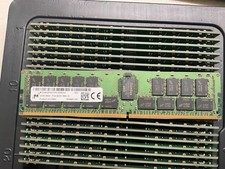
MTA36ASF4G72PZ-2G9E2 MICRON 32GB (1X32GB) 2RX4 PC4-2933Y MEMORY
$229.00

USB 3.0 Flash Drive 32GB 64GB 128GB Memory Stick Thumb Stick Lot Pack
$826.09

Server Memory: Samsung 32GB 4DRx4 PC4-2133P ECC LRDIMM DDR4 M386A4G40DM0-CPB
$124.95

TF/SD Card Adapter Camera Reader Android Type-c For iPhone17 Pro Max Plusm lot
$573.98

Windows 11 Pro Install/Recovery/Repair USB Flash Drive
$35.00



 Reply With Quote