-
Junior Member
registered user
How to replace the tux (pengwin) at boot ?
Hi,
Im booting my version with splash and console=tty2
it works great hiding all the booting process and looks good.
however the picture of tux is still poping up while booting.
anyone knows how i can replace this pic with something else ?
(Its not the logo.16 as the logo pic is changing the logo at boot prompt).
thanks
Similar Threads
-
By tr in forum Customising & Remastering
Replies: 8
Last Post: 07-24-2005, 09:52 AM
-
By jslegers in forum General Support
Replies: 0
Last Post: 04-27-2005, 07:16 PM
-
By heydude in forum MS Windows & New to Linux
Replies: 1
Last Post: 01-12-2005, 03:49 PM
-
By Sirius78 in forum General Support
Replies: 1
Last Post: 09-06-2004, 07:24 PM
-
By sebke in forum Customising & Remastering
Replies: 1
Last Post: 02-03-2004, 08:42 PM
 Posting Permissions
- You may not post new threads
- You may not post replies
- You may not post attachments
- You may not edit your posts
-
Forum Rules


Western Digital WD Blue 3D NAND 500GB 2.5in SATA III Internal SSD WDS500G2B0A
$34.99

SSD 880EVO SATA III 2.5 4TB INTERNAL STATE DRIVE
$214.99
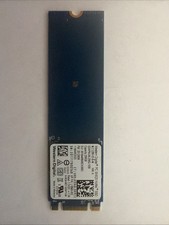
Western Digital 256GB NVMe 2280 80mm SSD SDAPNUW-256G-1006 L18845-002 SN520
$29.99

Samsung 860 EVO 250GB SSD MZ-76E250 2.5" SATA III Solid State Drive
$39.99
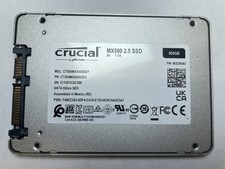
Crucial MX500 500GB 2.5" SATA III Internal SSD CT500MX500SSD1
$52.99
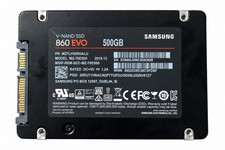
Samsung 860 EVO 500GB 2.5" SATA III SSD MZ-76E500 MZ7LH500HALU
$50.00

2 PACK 128 GB SSD M.2 2280 SATA Solid State Drive Major Brands, Samsung, LiteON
$28.80

Fanxiang 1/2/5/10Pcs 2.5'' SATA SSD Lot 1TB 2TB 4TB 512GB 256GB TLC Internal SSD
$129.99
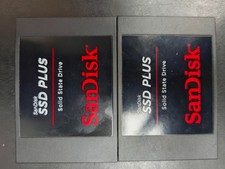
2 x SanDisk Plus SDSSDA 2.5" 240GB Solid State Drive
$29.50

Kingston 128GB M.2 SATA III SSD
$13.00



 Reply With Quote