-
Junior Member
registered user

Originally Posted by
OErjan
hmm i see no weird stuff ecept that sysfs bit.
have you tried kernel2.6 (it is on the cd)
actually it seems you both have mised about 2/3 of the info in dmesg i wanted.
issue this as ONE comand ALL of it(copy paste?), then it would be nice to see the whole output..
Code:
dmesg|grep ub&&dmesg|grep sd&&dmesg|grep usb
then i still want to know what version of hdd-installl you have. beginner? debian-style?...
Apologies for the delay. I got sidetracked while installing the system to my HDD as a full dual-boot XP/Debian installation. I got trapped chasing the "missing FAT32 partition" mystery, installing and configuring the proper nvidia video driver, and trying to get my winmodem working. No luck on the modem yet, but I've finally had some success. Lilo works, and I can now boot into either XP or Debian with a 1440x900 display. My CDROM works, too. Haven't tried wireless or PCMCIA yet (in either XP or Linux...) ACPI is sort of functional, as has been reported elsewhere. I'm a pretty happy camper right now.
(I'm using the 2.4.22 kernel.)
I got back to testing the USB stick and, much to my surprise, it now works! The system autodetects the USB drive when I plug it in, and unmounts it when I remove it. It automounts as /mnt/sda1, but I don't get a desktop icon in KDE. (I'll chase the icon problem later, *way* down the line, after I learn more about Linux and KDE.)
Here is the output from "dmesg|grep ub&&dmesg|grep sd&&dmesg|grep usb" after I insert the thumb drive:
Code:
usb.c: registered new driver usbdevfs
usb.c: registered new driver hub
usb-uhci.c: $Revision: 1.275 $ time 00:50:50 Aug  9 2004
usb-uhci.c: High bandwidth mode enabled
usb-uhci.c: USB UHCI at I/O 0x1800, IRQ 16
usb-uhci.c: Detected 2 ports
usb.c: new USB bus registered, assigned bus number 1
usb-uhci.c: USB UHCI at I/O 0x1820, IRQ 19
usb-uhci.c: Detected 2 ports
usb.c: new USB bus registered, assigned bus number 2
usb-uhci.c: USB UHCI at I/O 0x1840, IRQ 18
usb-uhci.c: Detected 2 ports
usb.c: new USB bus registered, assigned bus number 3
usb-uhci.c: USB UHCI at I/O 0x1860, IRQ 16
usb-uhci.c: Detected 2 ports
usb.c: new USB bus registered, assigned bus number 4
usb-uhci.c: v1.275:USB Universal Host Controller Interface driver
usb.c: registered new driver usb-storage
usb.c: new USB bus registered, assigned bus number 5
usb.c: USB disconnect on device 00:1d.7-7 address 2
Here's the output after I remove the thumb drive:
Code:
usb.c: registered new driver usbdevfs
usb.c: registered new driver hub
usb-uhci.c: $Revision: 1.275 $ time 00:50:50 Aug  9 2004
usb-uhci.c: High bandwidth mode enabled
usb-uhci.c: USB UHCI at I/O 0x1800, IRQ 16
usb-uhci.c: Detected 2 ports
usb.c: new USB bus registered, assigned bus number 1
usb-uhci.c: USB UHCI at I/O 0x1820, IRQ 19
usb-uhci.c: Detected 2 ports
usb.c: new USB bus registered, assigned bus number 2
usb-uhci.c: USB UHCI at I/O 0x1840, IRQ 18
usb-uhci.c: Detected 2 ports
usb.c: new USB bus registered, assigned bus number 3
usb-uhci.c: USB UHCI at I/O 0x1860, IRQ 16
usb-uhci.c: Detected 2 ports
usb.c: new USB bus registered, assigned bus number 4
usb-uhci.c: v1.275:USB Universal Host Controller Interface driver
usb.c: registered new driver usb-storage
usb.c: new USB bus registered, assigned bus number 5
usb.c: USB disconnect on device 00:1d.7-7 address 2
usb.c: USB disconnect on device 00:1d.7-7 address 3
Notice the last two lines. You can clearly see the thumb recognized as it's inserted and removed.
OErjan, many thanks for bearing with me on this problem. I only wish I could tell you what I did to fix it, but I didn't do anything other than installing the system to HDD as a Debian install.
Best Regards,
Tom
Similar Threads
-
By fabiand in forum General Support
Replies: 0
Last Post: 07-20-2004, 10:45 PM
-
By phoenix07 in forum Networking
Replies: 3
Last Post: 04-09-2004, 10:48 AM
-
By CyberShadow in forum General Support
Replies: 7
Last Post: 04-05-2004, 07:22 PM
-
By kpf8655 in forum General Support
Replies: 2
Last Post: 09-29-2003, 09:38 PM
-
By Tortoise in forum Hardware & Booting
Replies: 6
Last Post: 06-04-2003, 03:34 AM
 Posting Permissions
- You may not post new threads
- You may not post replies
- You may not post attachments
- You may not edit your posts
-
Forum Rules

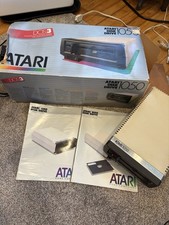
Vintage Atari 1050 Disk Drive for Atari Home Computers w/ Box & Owners Guide
$175.00

5x Vintage SSS SCP1802D SCP1802LD Ceramic CPU 1802 COSMAC 1978 Gold IC
$299.99

Vintage NMB Technologies RT8255CW+ Mechanical Wired Keyboard - Tested
$74.95

Vintage Core CL9 Master Universal Remote Control Steve Wozniak (Apple) READ
$1048.88

Stratilec Vintage Modem XZ840719T with PSU
$15.00
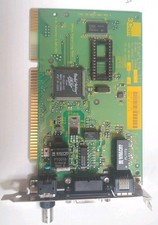
Vintage 3Com EtherLink III 3C509B-C ISA Ethernet Card RJ45 BNC AUI
$27.95
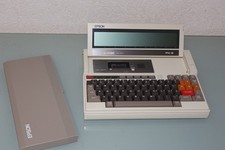
Epson PX 8 Vintage PC Computer Laptop Rare HTF
$343.13

Vintage 90’s Computer Stuff Package (MINT)
$100.00
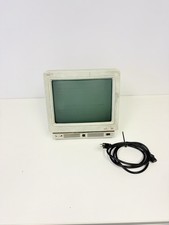
Vintage IBM 3151 ASCII Display Terminal CRT Monitor Untested
$50.00

Vintage Apple Game TAXMAN I + TAXMAN II H.A.L. Labs
$1195.00



 Reply With Quote