-
Junior Member
registered user
Problem after Nvidia update...
Hi,
I'm pretty new in Linux.
I have installed Knoppix 3.7 on my HD and updated the nvidia driver to 6629.
After this update, i couldn't start the tetris game (Frozen Bubble). Before the update, the game had worked.
I also have problems to install tuxracer. when i enter "./configure" it tells me that there is no tcl found.
Can anyone post me a detailed decription about what to do?
Thanks in advance.
humi001.
-
Senior Member
registered user
humi001,
How exactly did you "update" your nvidia drivers? apt-get install? Or, did you re-compile your kernel?
Not exactly sure, on the newer releases of Knoppix, but, when I was running v3.4, you had to compile the nvidia drivers into your kernel, it wasnt as easy as just apt-get 'ing them...
If you were running Kanotix ( this IS NOT a sales pitch, just factual data information  ), but, with Kanotix, Kano has made install scripts that would do the "compiling" the kernel for you...
If you need information on the kernel compiling, I have maintained a document on the nvidia kernel installing process, and can supply, if needed. ( it is rather "dated" though, it has the source links for Knoppix v3.4, but, I am quite sure, they arent that hard to change for newer kernel sources and newer NVidia drivers )
Hope this helps,
Ms. Cuddles
-
Junior Member
registered user
Hi Cuddles,
Thanks for you reply.
I updated the driver as it was written on the nvidia homepage with the command "sh NVIDIA-Linux-x86-1.0-6629-pkg1.run". The installer compiled a kernel interface for me because the pre-compiled kernel interface didn't match with my kernel (2.4.27). The installation was succesfull because i can now see the nvidia logo on startup screen. I also made the necessary changes in XF86Config. So, i don't understand why this frozen-bubble isn't working now?
As already said, i'm a bloody newbie in linux and perhaps this method wasn't the good one to update the driver, but then the kde wouldn't start or not? By the way, I also haven't installed an internet connection yet in Knoppix. Normally I'm a windows user so there are many things i have to learn with linux...
-
Junior Member
registered user
Problem solved!!!
There was in fact a problem with the new nvidia driver, I needed to re-install it with the option "--force-tls=classic". Now the game works.
But the other problem with tuxracer isn't still solved. I don't really know how to install correctly these tcl libraries. Anybody here who could post me a "how to" for newbies?
Similar Threads
-
By Cherry5 in forum Hdd Install / Debian / Apt
Replies: 0
Last Post: 11-02-2006, 03:47 PM
-
By AP in forum Customising & Remastering
Replies: 4
Last Post: 04-07-2004, 05:50 AM
-
By Max in forum Hdd Install / Debian / Apt
Replies: 6
Last Post: 12-27-2003, 10:07 PM
-
By -LoZt- in forum General Support
Replies: 4
Last Post: 12-20-2003, 04:23 PM
-
By marciano in forum Hardware & Booting
Replies: 6
Last Post: 08-19-2003, 11:54 PM
 Posting Permissions
- You may not post new threads
- You may not post replies
- You may not post attachments
- You may not edit your posts
-
Forum Rules


Acer Aspire 14" AI Copilot+PC Laptop Core Ultra 5 226V Gen 4 ARC 16GB 1TB Refurb
$482.02

Dell Latitude 14" Laptop Computer Intel i5 Up To 32GB RAM 1TB SSD Windows 11 Pro
$372.48
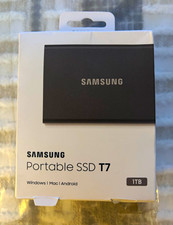
Samsung T7 Portable SSD 1TB Titan Gray USB-C USB 3.2 1050MB/s Password
$165.00

1TB SanDisk Extreme Portable SSD (Recertified) - A196-SDSSDE61-1T00
$150.99

External SSD 1TB 2TB Portable Hard Drive USB 3.1 Type-C High Speed PC Mac
$16.99

Acer Predator Helios Neo 16S AI 16" i9 275HX 2S RTX 5070 Ti 32GB 1TB SSD Refurb
$1794.16

M.2 SATA SSD 2280 128GB 256GB 512GB major brands | Very Good health
$19.49
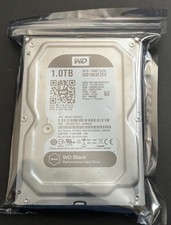
WD Black 1TB Performance Desktop Hard Disk Drive - 7200 RPM SATA 6 Gb/s 64MB Cac
$25.17
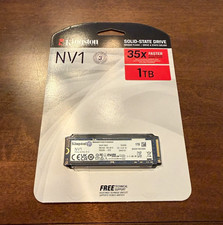
Kingston NV1 1TB M.2 NVMe PCIe Internal SSD, Black (SNVS/1000G)
$95.00

Hitachi / HGST Travelstar HTS541010B7E610 1TB 2.5" SATA III HDD
$29.99



 Reply With Quote