-
post-HD install: apt-get dist-upgrade problems
I was able to get Knoppix installed on my HD - - it's a heavenly thing.
I was then able to apt-get update/upgrade without problems.
Then I apt-get dist-upgrade and KONSOLE crashes with a:
"The application Konsole (konsole) crashed and caused the signal 11 (SIGSEGV)."
What's weird is that my root account's desktop had a konsole opened when I had logged out -- this one starts up just fine. Click on the icon or type it into a command line (from, say, rxvt) and it fails.
I'm really new to debian so I'm not sure if this is a KNOPPIX or DEBIAN issue. Any help is appreciated.
-
I had the same problem, and can't fix it  . I subsequently did an 'apt-get remove konsole' with the intent of reinstalling it, and that failed. I now must suffer with gnome-terminal (2.10), and greatly mourn the loss of my beloved konsole. If anyone has any suggestions as to how I can get it back, please post your ideas.
-
post-HD install: apt-get problems!!
first i got the following error with apt-get update:
Reading Package Lists... Error!
E: Dynamic MMap ran out of room
E: Error occured while processing mule2-wnn (NewPackage)
E: Problem with MergeList /var/lib/dpkg/status
E: The package lists or status file could not be parsed or opened.
Could solve it by manually resizing the cache by adding the line
Apt::Cache-Limit "8388604";
to /etc/apt/apt.conf.
Now the update of the pkg-database worked fine, so i tried a
apt-get install xine-ui
it looked good, until after the download of all the related packages libc6 was to be updated.
An Error occured (something about a wrong dpkg, i can't remember) and now all efforts to install anything end with:
root@proton:~# apt-get -f install
Reading Package Lists... Done
Building Dependency Tree... Done
Correcting dependencies... Done
The following extra packages will be installed:
libc6
The following NEW packages will be installed:
libc6
0 packages upgraded, 1 newly installed, 0 to remove and 0 not upgraded.
1 packages not fully installed or removed.
Need to get 0B/3350kB of archives. After unpacking 13.0MB will be used.
Do you want to continue? [Y/n] y
E: Cannot get debconf version. Is debconf installed?
(Lese Datenbank ... 68 Dateien und Verzeichnisse sind derzeit installiert.)
Entpacke libc6 (aus .../libc6_2.2.5-14.3_i386.deb) ...
dpkg ist nicht als installiert vermerkt, kann nicht auf Epochen-Unterstützung prüfen!
dpkg: Fehler beim Bearbeiten von /var/cache/apt/archives/libc6_2.2.5-14.3_i386.deb (--unpack):
Unterprozess pre-installation script gab den Fehlerwert 1 zurück
Fehler traten auf beim Bearbeiten von:
/var/cache/apt/archives/libc6_2.2.5-14.3_i386.deb
E: Sub-process /usr/bin/dpkg returned an error code (1)

i'm quite new to debian (coming from rpm-based linux ;-/), so i would appreciate any suggestion!!
thx
basti
-
Re: post-HD install: apt-get problems!!

Originally Posted by
Guest
first i got the following error with apt-get update:
Reading Package Lists... Error!
E: Dynamic MMap ran out of room
E: Error occured while processing mule2-wnn (NewPackage)
E: Problem with MergeList /var/lib/dpkg/status
E: The package lists or status file could not be parsed or opened.
Could solve it by manually resizing the cache by adding the line
Apt::Cache-Limit "8388604";
to /etc/apt/apt.conf.
Now the update of the pkg-database worked fine, so i tried a
Thanks for the help
the knoppix install has allot of bugs
-
Member
registered user

Re: post-HD install: apt-get dist-upgrade problems
Originally Posted by
Anonymous
Then I apt-get dist-upgrade and KONSOLE crashes with a:
"The application Konsole (konsole) crashed and caused the signal 11 (SIGSEGV)."
I tried the same and got similar things.
Just an apt-get upgrade works excellently.
I tried a dist-upgrade after changing "testing" to "unstable" in /etc/apt/apt.conf. After changing of about 750 packages a had a working sid.
I think it's also possible to downgrade to woody by changing "testing" to "stable", but I didn't try.
Maybe for a pure dist-upgrade you have to to something in /etc/apt/sources.list.
tom
-
Konsole crashing after upgrades
I didn't do a dist-upgrade, just did an apt-get update; apt-get upgrade with the stock sources.list and just recently my konsole has been left in a non-operable state.
The error when you try to run konsole is:
Fontconfig error: Cannot load default config file
...
can anyone help?
TIA
rock
Similar Threads
-
By naoliv in forum Customising & Remastering
Replies: 4
Last Post: 11-08-2004, 02:16 PM
-
By Cuddles in forum General Support
Replies: 44
Last Post: 10-07-2004, 01:30 AM
-
By dobell in forum General Support
Replies: 0
Last Post: 02-21-2004, 11:54 AM
-
By smittybomb in forum General Support
Replies: 2
Last Post: 05-31-2003, 09:39 PM
-
By vesselinpeev in forum General Support
Replies: 0
Last Post: 05-26-2003, 09:03 PM
 Posting Permissions
- You may not post new threads
- You may not post replies
- You may not post attachments
- You may not edit your posts
-
Forum Rules


(New) AMD Ryzen 7 5700X 8 Core 16 Thread AM4 Unlocked 3.4 GHz CPU OEM Tray
$169.99

AMD Ryzen 7 7700X 8-Core, 16-Thread Unlocked Desktop Processor
$250.00

Intel Core i9-9900K SRG19 3.60GHz 16MB 8-Core LGA1151 B Grade CPU Processor
$175.00
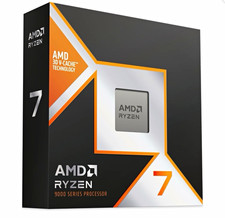
AMD Ryzen 7 9800X3D 8-Core AM5 Desktop Processor 5.2GHz MPN 100-100001084WOF
$385.00
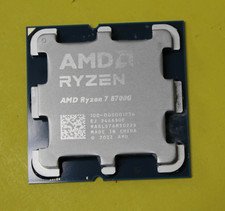
AMD Ryzen 7 8700G 8-Core 16-Thread Radeon 780M LGA 1718 4.2GHz Desktop Processor
$169.97

AMD Ryzen 5 PRO 4650GE 100-000000153 6-Core 3.30GHz 8MB AM4 CPU Processor
$59.99

Intel Xeon E5 - 2667V2 / SR19W 3.30GHz 25MB 8-Core CPU Socket LGA2011
$30.00
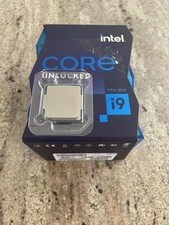
Intel Core i9-11900K Unlocked 8-Core 3.5 GHz UP To 5.3 GHz🚀 LGA 1200 Processor
$250.00

DELL OPTIPLEX 3280 21.5" AIO Core i5 10500T 8GB 256GB NVMe Windows 11 -NO STAND
$179.99

Home Assistant Server | 8GB RAM | 128GB SSD | Intel i5 Quad-Core | Dell OptiPlex
$159.99



 Reply With Quote