

 Reply With Quote
Cmon ken- you've gotta at least TRY the search tool.
boot: knoppix lang=us wheelmouse noscsi nopcmcia
Is how I boot.


Hi,
I have a Logitech optical mouse, M/N: M-BJ58, P/N:-830524-0000.
The mouse wheel does not work. I have two questions:
1. Is there anything I can do (settings-wise) to get it working?
2. Can the developers enable it by default in future versions of Knoppix?
Thanks,
Ken Beal
Cmon ken- you've gotta at least TRY the search tool.
boot: knoppix lang=us wheelmouse noscsi nopcmcia
Is how I boot.
<blockquote>
boot: knoppix lang=us wheelmouse noscsi nopcmcia
</blockquote>
Thanks! That did the trick.
But my question still stands: why doesn't it detect it automatically?
Thanks,
KenB
In linux a PS/2 mouse uses one protocol and the IMPS/2 (IntelliMouse) uses another, if you enable PS/2 any PS/2 mouse will work, if you enable IMPS/2 and you don't have a scroll mouse you have no mouse, it is not opperational.
rock
 Posting Permissions


Yealink T48S VoIP/SIP Phone, 2 x Gigabit Ports PoE 7" Color SIP-T48S | TESTED
$34.95

Cisco 8861 Gigabit IP Phone Phone 5-line business-class VoIP Wifi Bluetooth
$39.99

SIM Bank 32 SIM Card Slots Ethernet SIM Server for GoIP
$400.00

Poly CCX 400 Desktop Business Media Phone VoIP 2200-49700-019
$49.99

Yealink SIP-T33G IP Phone 4-LineSpeakerphone VoIP Desk Phone Black w/ Power Sply
$25.00

Grandstream HT701 1-Port FXS Analog Telephone Adapter ATA VoIP Gateway -Free S/H
$19.99
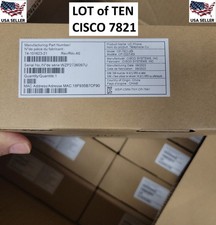
10x LOT: New in Box Cisco CP-7821-K9 VOIP Business Phones w/ Handsets + Stands
$795.00

Grandstream WP810 Portable Cordless Wi-Fi IP Phone
$49.28

Yealink MP54 - VoIP Phone - Black Teams phone Android POE WIFI Bluetooth
$49.95
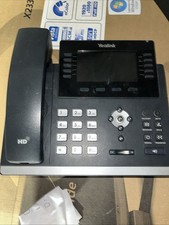
Yealink SIP-T46S IP Phone - Black
$20.00