-
Boot Not Working
Hi,
I'm sorry about this and I know this is probably very noobish, but your help will be appreciated greatly. I just downloaded Knoppix to see what linux is like without the hassle of partitioning my hard drive and dual booting and for some reason it isn't working. I unzipped the download and burnt the files onto a cd. I turned my computer on and set the bios to boot from cd and restart and it comes up "Boot from cd:" on the screen, after this I thought knoppix was meant to boot up, to my dissapointment xp just loaded up normally afterwards. I thought it might have been the pc, so I tried it on my laptop and the same thing happened. I then proceeded to download a different version of knoppix and it did the same thing. There is probably something blatant that I am missing out here, and I am quite sure there is nothing wrong with my hardware.
-
Administrator
Site Admin-
Re: Boot Not Working

Originally Posted by
McRockson
.... and for some reason it isn't working. I unzipped the download and burnt the files onto a cd. I turned my computer ......
You didn't burn it right. Usually I can figure out what someone did wrong from their post, but your statement that you unzipped the download bewilders me, as it is not a zip file. In any case, see my first response to this post (note that you're not the first person to ask this today).
-
Senior Member
registered user
winrar makes iso files appear as zip files.
-
Administrator
Site Admin-
Originally Posted by
pureone
winrar makes iso files appear as zip files.
Yea, it does, but there are a lot of things to consider if that is the case. You should still spot the difference in the file explorer unless you leave file extensions hidden. But even if you do hide the extension in explorer, the view from inside winrar still shows the iso extension, and says "Extracting from ***.iso" if you actually do try to rip the files out of the iso. I guess that's what happened here, but it's hard to understand how someone missed this repeatedly, particularly after he knew he had a problem somewhere.
-
Administrator
Site Admin-
Originally Posted by
pureone
winrar makes iso files appear as zip files.
I was up all last night and only had about 4 hours of sleep the night before, so I'm running a little slow, but actually winrar does not cause iso files to appear as zip files. If you have the awful mistake of hidding the extensions or if you just look at the icons and don't read the extension, it makes iso files look like rar files. So if he had said "I unrarred the download and burnt the files" then it would have been clear what he was doing wrong. And if he downloaded the file from a mirror he should have seen that he wasn't downloading a zip there as well.
I do think you're right on what happened, but I can't figure out why he thinks he has a zip file rather than either a rar file or an iso file.
-
Senior Member
registered user
yeah are you right i never said it correctly, winrar makes iso appear as rar files not zip files. i dont know if winrar allows you to actuly unzip(unrar) the file. but im sure this is what the person did so i guess the best thing for them would be to read how to burn knoppix correctly.
http://www.knoppix.net/wiki/Download...C_now_what_.3F
Similar Threads
-
By james_steward in forum Hardware & Booting
Replies: 10
Last Post: 07-03-2006, 06:12 AM
-
By neotek in forum General Support
Replies: 2
Last Post: 09-25-2004, 01:46 AM
-
By ashes in forum Networking
Replies: 2
Last Post: 10-07-2003, 11:33 PM
-
By cYmen in forum Hardware & Booting
Replies: 0
Last Post: 06-05-2003, 08:46 AM
-
By bongski55 in forum Hardware & Booting
Replies: 2
Last Post: 05-15-2003, 06:39 AM
 Posting Permissions
- You may not post new threads
- You may not post replies
- You may not post attachments
- You may not edit your posts
-
Forum Rules


Dell 6P85J 4TB ST4000NM0063 7.2k 6Gb/s 3.5” SAS SED Hard Drive with Tray
$39.99

Western Digital HUS726T4TAL5204 4TB 7.2K SAS 12Gb/s 3.5" 512e HDD NetApp X375A
$64.00

DELL 2TB Enterprise HDD (7200RPM, 3.5", SATA III, 128MB Cache) HUS722T2TALA600
$49.95

Toshiba DT01ACA100 1 TB 3.5" SATA III 3.5 in Desktop Hard Drive
$24.99

Seagate Exos ST2000NX0253 HDD 2TB SATA 7.2K 2.5" 512b/s
$55.00

Lot of 2 HP 4TB / 128MB SATA 7.2K RPM 3.5" Hard Drive MB4000GCWDC /ST4000NM0033
$125.00

Dell ST6000NM0034 1HT27Z-150 NWCCG 6TB SAS 3.5 7.2K ENTERPRISE SERVER DRIVE
$68.99
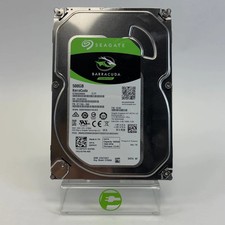
Seagate 2.5" Barracuda 1TB SATA III 6Gbps HDD 2F110A-500
$19.99

Western Digital 1TB 3.5" SATA III 7200RPM Desktop Hard Drive
$34.99

HUS726060ALA640 HGST Ultrastar 6TB SATA 6Gbps 7.2K 3.5" Hard Drive OF21860
$129.99



 Reply With Quote