-
Not meant to be installed on the hard drive?
I thought I read that Knoppix is really not meant to be installed on your hard drive, but rather just run from the CD. Now that I don't understand. Why would you not install your operating system to your hard drive?
And what is this business about if you choose to install Knoppix you should not follow the instructions in the FAQ because you will end up installing the German version. I'm just starting to experiment with Linux(only tried the Linspire Live DVD so far) but is there a way to install the English version?
-
Administrator
Site Admin-
This is just my own understanding on this, I am not a developer and do not speak for them:
Knoppix is built from the ground up to be a Live CD. Something that a new user can experience Linux with without having to install. Also a handy too that any Linux user can take to a new system and have up and working in the time it takes to boot. To that end and to get the most out of a limited amount of space on a CD, a number of tricks were done, including mixing parts of stable and unstable systems. They work together fine on the CD. They might work OK when installed to hard drive, but updating the system (as people who install it are likely to do, particularly when they want to add new software that requires it) will frequently cause problems.
Also, and this is just from what I see in these forums, the scripts that install Knoppix often tend to get little things wrong, like permission on files or folders. This is not a big issue to a Linux expert, but for beginners it can be a major problem. I've lost count of how many times I've seen post like "networking worked fine before I instaled to hard drive, but it stopped after an install" that turned out to be little or nothing more than changing a permission somewhere.
Knoppix is great. I use it. But I use it from CD. I've installed Debian to my hard disk. Boy, it doesn't start out as nice or as fancy as Knoppix. But while the choices are between doing it the eazy way but having to live with problems that this causes, or doing more work but learning in the process and getting a more stable system as a result, I feel I have to take the long way to get where I want to get.
-
Senior Member
registered user
I've used Knoppix installed on HD since version 3.1 and have recently switched to Kanotix also as a Hd install. I have used Knoppix syle, beginner style and Debian style installs.
Knoppix may not be 'designed for HD install' but IMHO Knoppix or a Knoppix spinoff like Kanotix is still the easiest way to get a Debian based system. It is much easier than installing Debian.
I have had some problems, mostly due to 'bugs' in application installations (eg missing file in frozen-bubble) and problems with implementation of the 2.6 kernel (version 3.4) but these generally sorted out OK. I also had a fairly well developed system for set up and trimming applications I did not want & adding ones that I did want.
I have recently switched to Kanotix because it is less buggy & contains some desirable features already built in (eg winmodem support). For this reason I would recommend starting from Kanotix instead of Knoppix.
Some of the how-tos may need to be taken with the proverbial grain of salt. The default language in Knoppix is German (even in the -en version) but if you boot the CD 'lang=en' or 'lang=us' then do your HD install you will end up with an english version, Knoppix includes whatever cheatcodes are in use in the HD install. Why the -en version of the CD is not set up to default to english is a mystery.
One important point is that installing Knoppix to your HD is so easy that if it doesn't work out (perhaps you end up in German, for instance), you can redo the install in about half an hour. Once installed to HD, you can customise as much or as little as you wish.
The only caveat is that you may be asking for problems if you do an 'apt-get upgrade'. This updates every application on the system but also modifies your startup sequence to auto start all installed services and can cause problems since knoppix uses custom startup scripts and there are occasional buggy application installs which may cause apt to choke. Not recommended, at least for beginners.
Similar Threads
-
By jpavlicek in forum Hardware & Booting
Replies: 0
Last Post: 12-29-2005, 02:36 PM
-
By husalah5150 in forum General Support
Replies: 3
Last Post: 11-22-2005, 05:06 PM
-
By Lintu in forum Hdd Install / Debian / Apt
Replies: 1
Last Post: 10-20-2005, 06:13 PM
-
By lothario in forum Hdd Install / Debian / Apt
Replies: 2
Last Post: 08-19-2004, 11:24 AM
-
By kidsatacrux in forum MS Windows & New to Linux
Replies: 19
Last Post: 08-03-2004, 07:41 AM
 Posting Permissions
- You may not post new threads
- You may not post replies
- You may not post attachments
- You may not edit your posts
-
Forum Rules


Kingston 32GB 64GB 128GB 256GB USB 3.0 Flash Drive Thumb Memory Stick Pen lot
$285.90

SMART(Micron)SafeStor 32GB(1X32GB) 1RX4 NN4-3200AA(DDR4) HPE Server Memory
$159.98

TF/SD Card Adapter Camera Reader Android Type-c For iPhone17 Pro Max Plusm lot
$573.98

Microsoft Windows 11 Pro 64-Bit USB Flash Drive (HAV-00162)
$36.99

Server Memory: Samsung 32GB 4DRx4 PC4-2133P ECC LRDIMM DDR4 M386A4G40DM0-CPB
$124.95

A-Tech 8GB DDR3 1600 PC3-12800 Laptop SODIMM 204-Pin Memory RAM PC3L DDR3L 1x 8G
$21.68
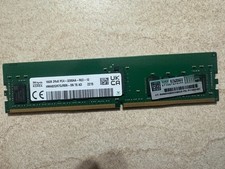
HYNIX HMA82GR7DJR8N - XN 3200AA 16GB 288 Pin RDIMM DDR4 Memory
$105.00
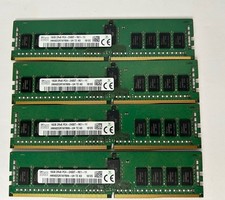
Lot of 4 SK Hynix 16GB (64GB) HMA82GR7AFR8N-UH PC4-2400T-RE1-11 Server ECC RAM
$289.99

Zero Trace Pen: All-in-one Tor Network Anonymous Drive + Cryptocurrency Wallet
$147.00

Wholesale 5/10/100PCS 1GB 2GB 4GB 8GB 16GB 32GB USB 2.0 Flash Drive Memory Stick
$289.80



 Reply With Quote